
ZeroDuplicates
ZeroDuplicates finds duplicate files by comparing their contents, including copies with different names. You can preview results, automatically select older or newer copies to keep, and confirm deletions while retaining at least one copy in each group.
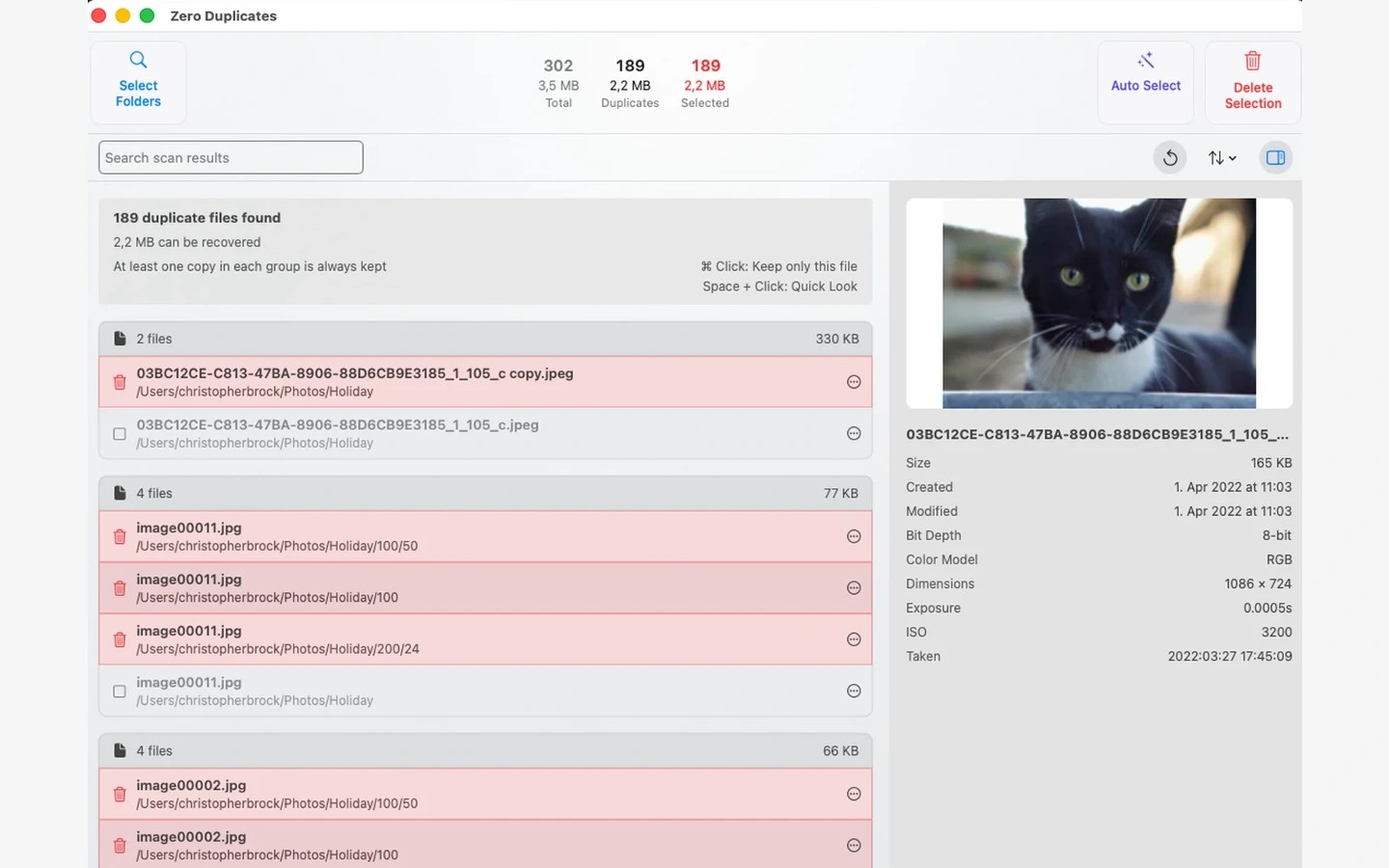
ZeroDuplicates finds duplicate files by comparing their contents rather than their names. This lets it identify copies even when they have been renamed or moved to different folders.
You choose folders to scan, then review the matching files in groups. Auto Select can keep the oldest or newest copy in each group and mark the others for deletion. You can preview files and adjust the selection before confirming removal. At least one copy in each group is always kept.
On Mac, scans can include USB drives, NAS volumes, and locally synced folders from iCloud Drive, Dropbox, Google Drive, or OneDrive. Scans run on your device, and your files are not uploaded for comparison. No account is required.
Tags
More in Utilities

Shiny
Utilities
Loopback
Utilities