
RefreshYourMac
RefreshYourMac finds storage to reclaim and sorts items into four removal-risk levels. It supports scheduled cleaning of safe categories, menu bar storage monitoring, and app removal with associated support files.
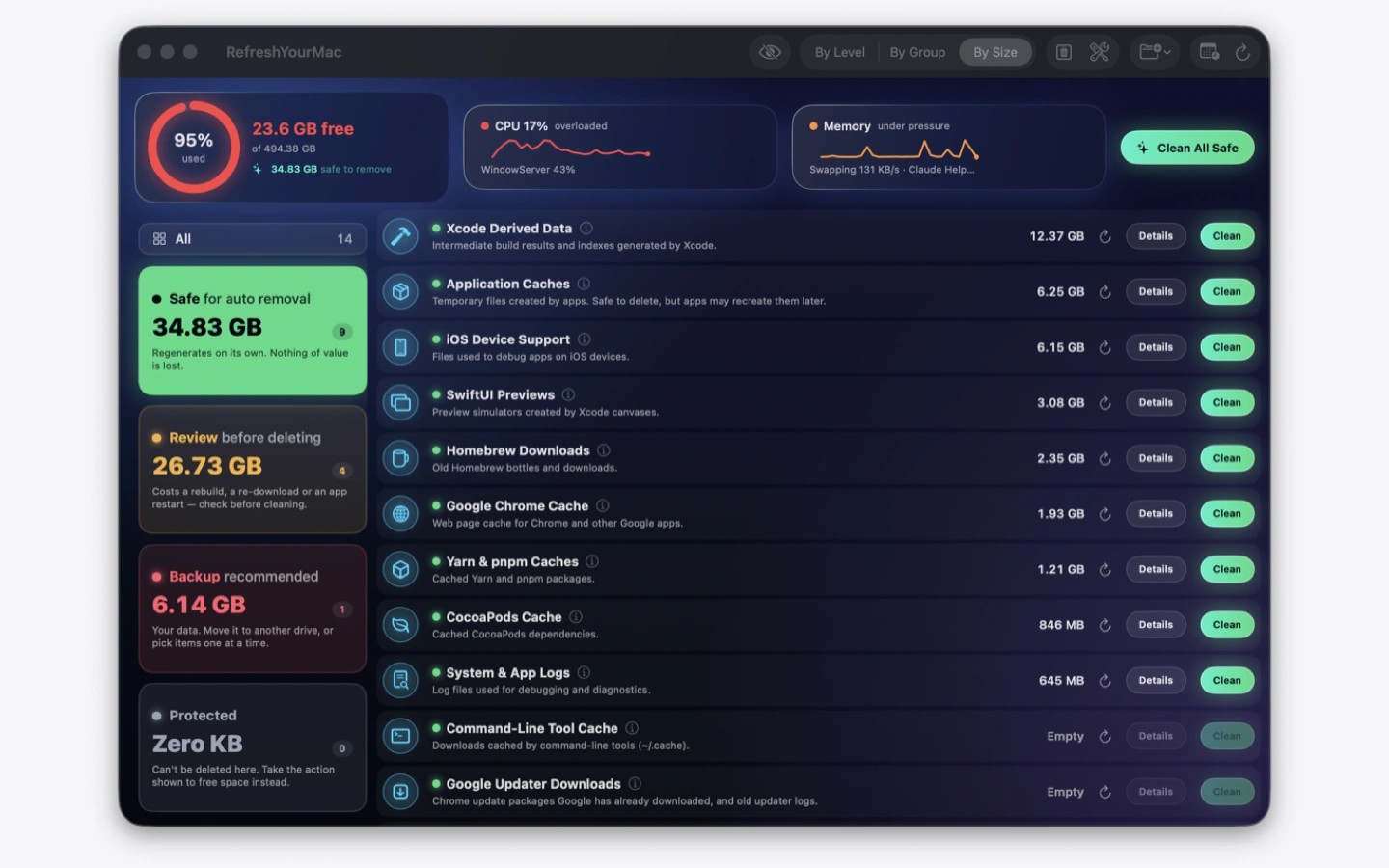
RefreshYourMac scans your Mac for storage you can reclaim, including caches, logs, Xcode build data, simulators, package caches, and files left by AI coding tools. It groups results into four levels to help you understand the consequences of deleting them.
Items marked Safe for auto removal regenerate on their own. Review items may require a rebuild, a fresh download, or an app restart after removal. Personal data falls under Backup recommended, where you can move files to another drive or select items individually. Protected items cannot be deleted through the app and instead show guidance on what to do.
You can schedule cleaning daily or when free space drops below a threshold you choose. Automatic cleaning is limited to selected Safe for auto removal categories and excludes personal files, anything requiring a password, and the Trash. Each run records what was removed and how much space it freed.
The menu bar shows available storage and changes colour as the disk fills. From there, you can clean safe items or open the main window to inspect results. The app also removes applications with their associated support files and caches, and provides maintenance tasks such as snapshot thinning and disk checks. No account is required.
Tags
More in Utilities

YellowDot
Utilities
KarmaDisk
Utilities