
Phoaly
Phoaly organizes photos in your existing folders without importing them into a separate library. It combines on-device visual search, face grouping, location maps, and previewable batch file organization.
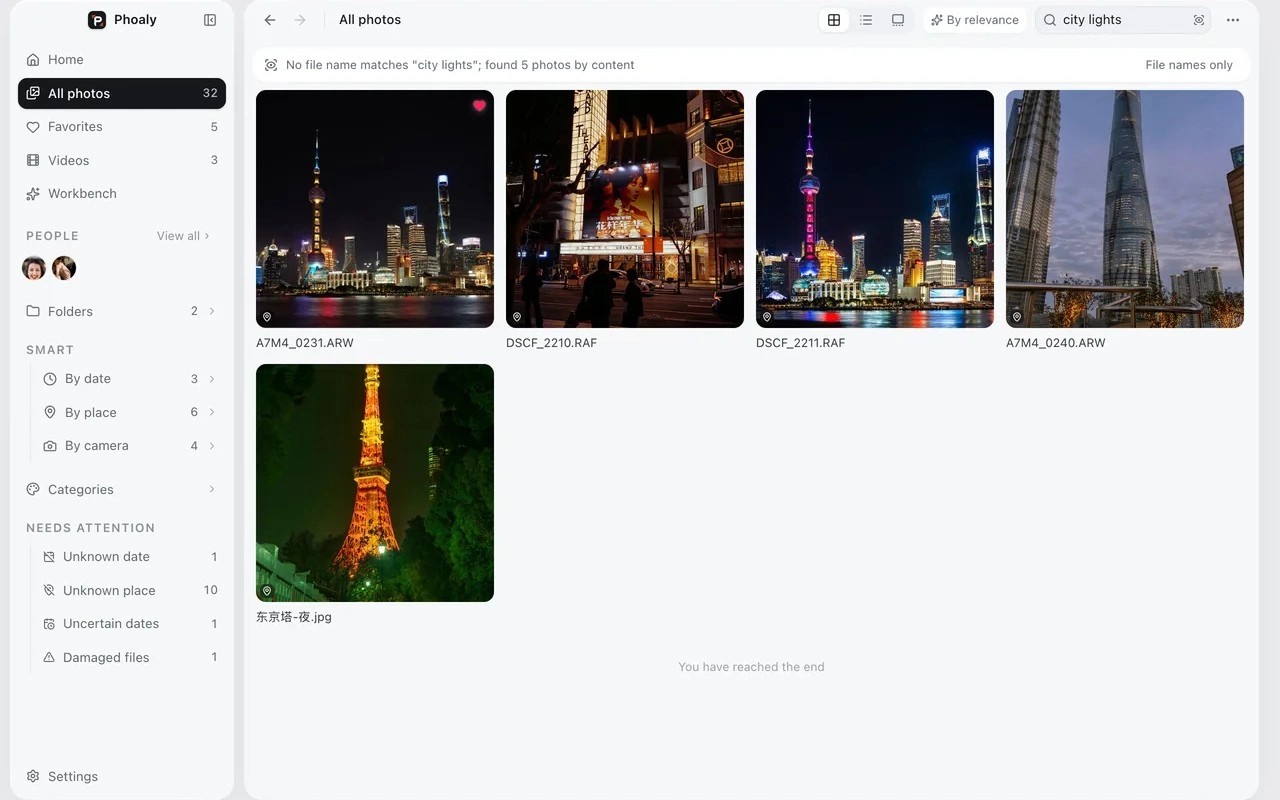
Phoaly is a photo organizer that works with the folders already on your Mac. Adding a folder builds an index without importing, copying, or moving your photos. You can browse in grid, list, gallery, or map views, and group images by folder, date, place, or camera.
Visual search finds photos from Chinese or English descriptions of what is in the picture. Face grouping and scene categories also run on your Mac. You can correct face groups by merging or splitting them, renaming people, or assigning faces manually. Photos with GPS metadata appear on a map.
For reorganizing files, the workbench previews batch moves, renaming, and folder rules before you confirm changes. It shows target paths, naming conflicts, and available space. Culling controls let you mark photos as keep, maybe, or reject, while deletions go to the system Trash with undo support.
Photos, thumbnails, metadata, and search indexes stay on your Mac, with no account or cloud sync. Online map tiles are optional, with a bundled offline map as a fallback. Network requests are otherwise limited to activation, license checks, and update checks; after activation, the app works offline.
Phoaly requires an Apple silicon Mac. It browses common image formats and RAW files, and uses system decoding for video playback. It does not provide RAW development or color editing. Confirmed rotate and crop changes can be written back only to JPEG, PNG, and TIFF files.
Tags
More in Photo & Video

Folio Refresh
Photo & Video
SimplyShot
Photo & Video