
Rabbit
Rabbit brings Android notifications to your Mac, where you can reply, mark them as read, or clear them. It also shares files and clipboard text between devices over a direct Bluetooth or Wi-Fi connection.
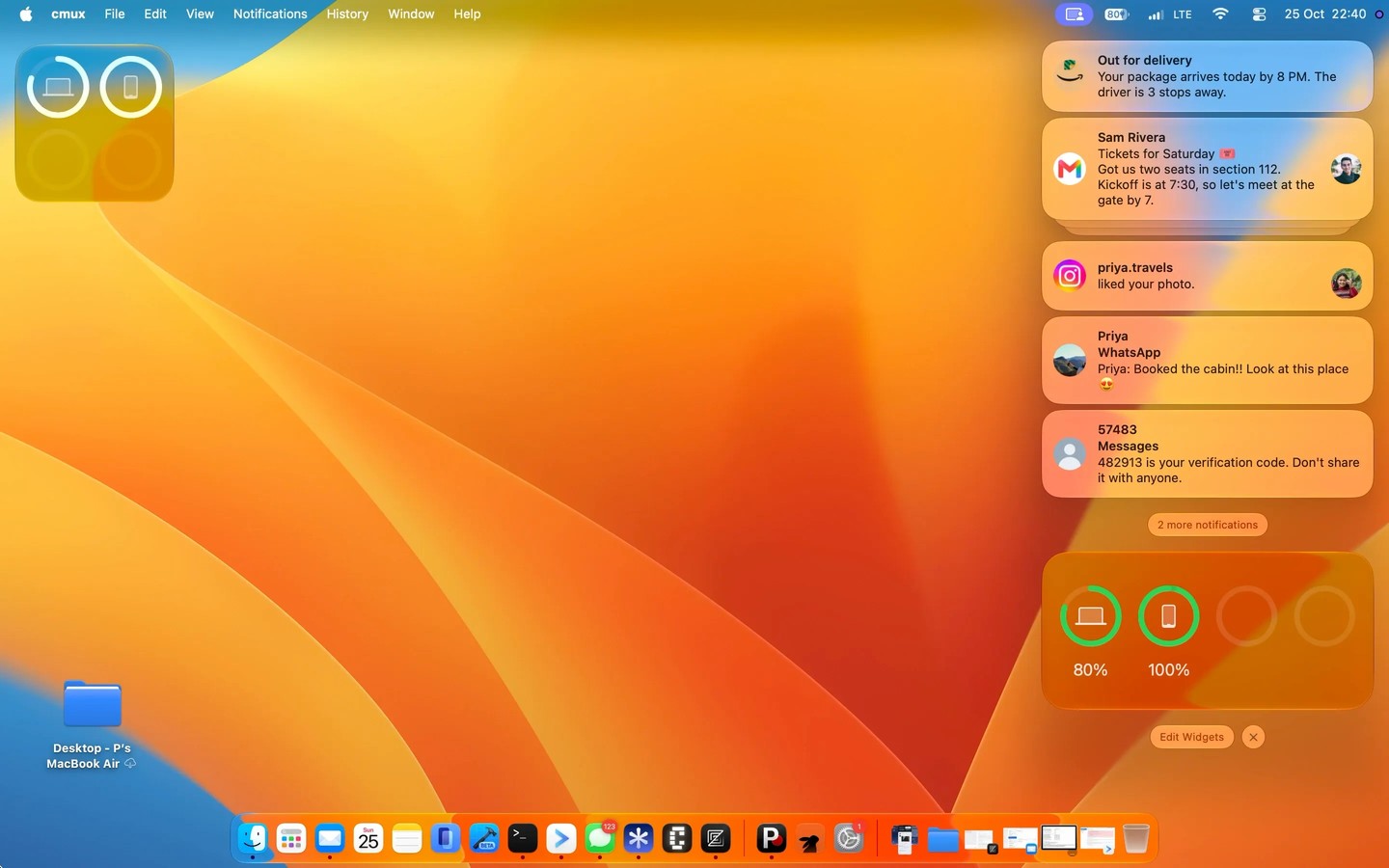
Rabbit connects your Android phone to your Mac so you can handle phone notifications without switching devices. Notifications appear with the app’s icon and sender’s photo. You can reply, mark them as read, or clear them on the Mac, and those actions carry through to your phone. Replies are sent by the original app on your phone.
You can browse your phone’s photo library, drag photos out, and play its videos on your Mac. Files can be sent in either direction, and shared clipboard text lets you copy on one device and paste on the other.
Incoming calls ring on your Mac with controls to answer or decline, but the conversation itself stays on your phone. Your Mac also follows your phone’s Do Not Disturb setting.
The devices communicate directly over Bluetooth or Wi-Fi. Notifications, messages, and photos do not pass through Rabbit’s servers.
Tags
More in Utilities

MacClearings
Utilities
Menuwhere
Utilities