
Loopback
Loopback routes audio between Mac apps using virtual audio devices. Combine app sound and microphones, map channels with virtual wiring, and send the result to conferencing or recording software.
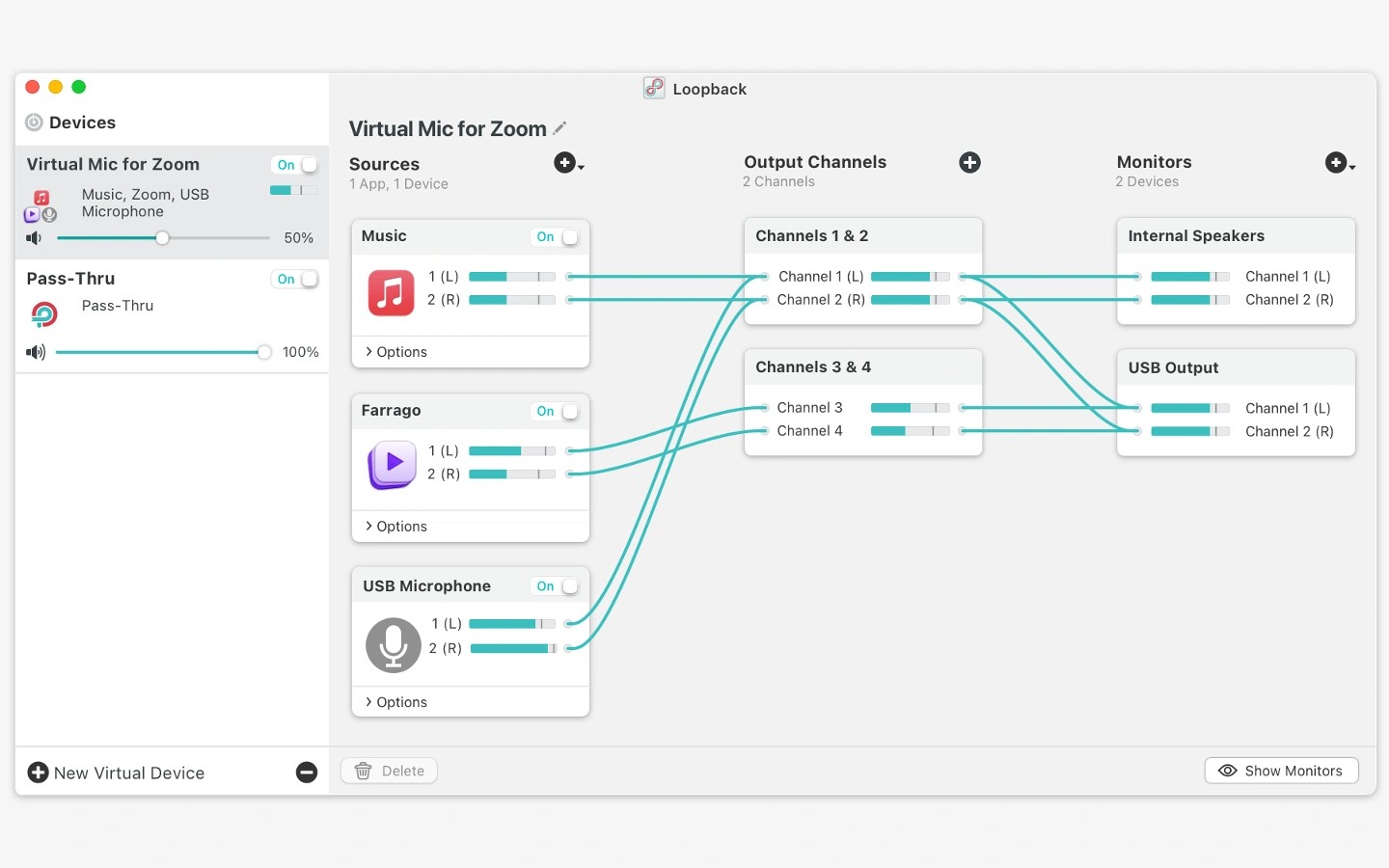
Loopback creates virtual audio devices that route sound between Mac apps. You can combine audio from applications and physical inputs, such as USB microphones or studio mixers, then select the resulting device as an input in another app. This lets you send your voice and music to a video call or supply selected audio to recording software.
To build a device, add apps and hardware inputs to its Sources column, then use virtual wires to control where each channel goes. Loopback provides automatic channel mapping, with manual control for more complex setups. Virtual devices support up to 64 channels, and one Loopback device can be included inside another.
Volume controls let you balance individual sources, adjust the entire device, and set monitoring levels separately. You can listen to all or part of a virtual device through other audio devices. Individual parts of a setup can also be disabled without deleting and recreating them.
For simpler connections, a Pass-Thru device sends audio directly from one application to another. It can also receive the output of an Audio Hijack processing chain and make that audio available as an input elsewhere.
Tags
More in Utilities

NoteRescue
Utilities
Dormouse
Utilities