
NoteRescue
NoteRescue finds missing or changed items in Apple apps by comparing backups with current data. It exports selected items for recovery from Time Machine snapshots, local iPhone and iPad backups, or copied folders.
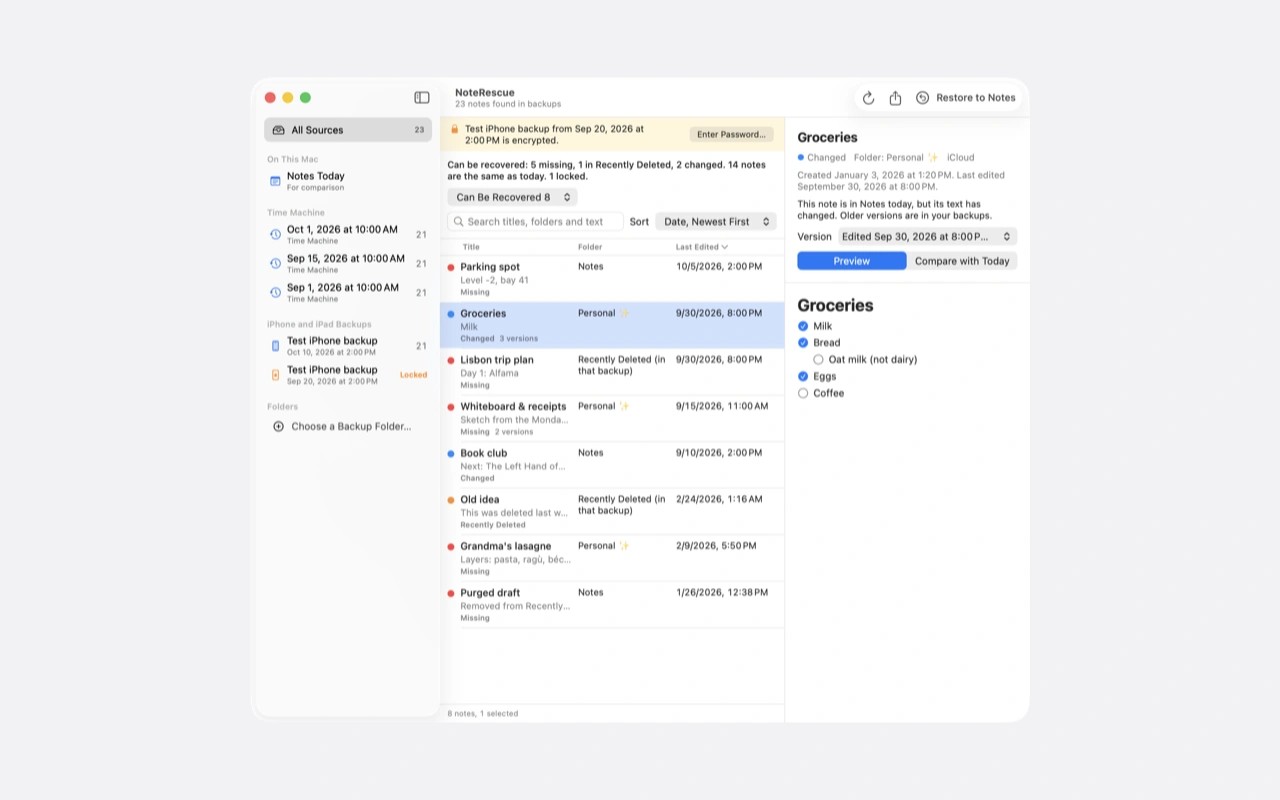
NoteRescue recovers individual Notes, Contacts, Safari items, Calendar events, Reminders and Voice Memos from older backups. It compares Time Machine snapshots, local iPhone and iPad backups, and copied folders with current data, then lists items that are missing or changed. Encrypted device backups require the backup password chosen in Finder.
You select items and an output folder rather than restore an entire Mac or device. Contacts export as vCards, Calendar events as calendar files, and Voice Memos as audio files. Notes can be exported as Markdown, HTML, PDF or plain text with attachments, or added to a new folder in Notes without replacing existing notes. Locked notes cannot be opened.
Some recovery needs manual work. Safari tab groups return as bookmark folders and address lists, not actual tab groups, while Reading List entries become ordinary bookmarks. Reminders export as files that you read and re-add by hand; repeat rules and attachments are not recovered. Contacts from Time Machine snapshots lack photos and notes. Voice Memos recovery excludes iCloud-only audio, edits, enhancements and transcripts.
Recovery depends on an older backup that still contains the item. Full Disk Access is required, and iCloud can overwrite imported data or delete restored items again, so check the result after importing. An imported item is a new copy, which means a later scan may still list the original as missing.
Backup processing takes place locally and works offline. NoteRescue does not upload data or backups, does not modify backups, and does not store the backup password. Network access is limited to licence and update checks.
Tags
More in Utilities

Keka
Utilities
Stay Green
Utilities