Oh My Android
Oh My Android provides graphical controls for testing Android apps without typing adb commands. It docks beside the Android Emulator and also works with real phones, with tools for appearance testing, layout inspection, and AI agent control.
Oh My Android is a graphical interface for Android Debug Bridge (adb) that helps developers test Android apps. Its control panel docks beside the Android Emulator and also works with real phones. It can be used with Android Studio closed, but requires the Android SDK and an Apple silicon Mac.
The panel lets you change dark mode, font and display size, language, right-to-left layouts, and TalkBack settings. You can install APKs by dragging them onto the panel, open deep links, reset permissions, and capture screenshots or screen recordings. Emulator-specific tools simulate GPS locations, battery conditions, incoming calls, and SMS messages, and let you save and restore snapshots.
The Layout Inspector freezes the screen so you can measure element sizes and spacing in density-independent pixels (dp). It works with Jetpack Compose and classic Views, including apps that are not debuggable. You can overlay a Figma PNG export to compare the design with the running app. An accessibility audit shows approximate TalkBack reading order and flags missing labels and touch targets smaller than 48 × 48 dp.
For debuggable apps, the read-only Data Inspector lets you search SharedPreferences and browse SQLite tables, showing the first 500 rows. It does not change device data and cannot inspect release builds.
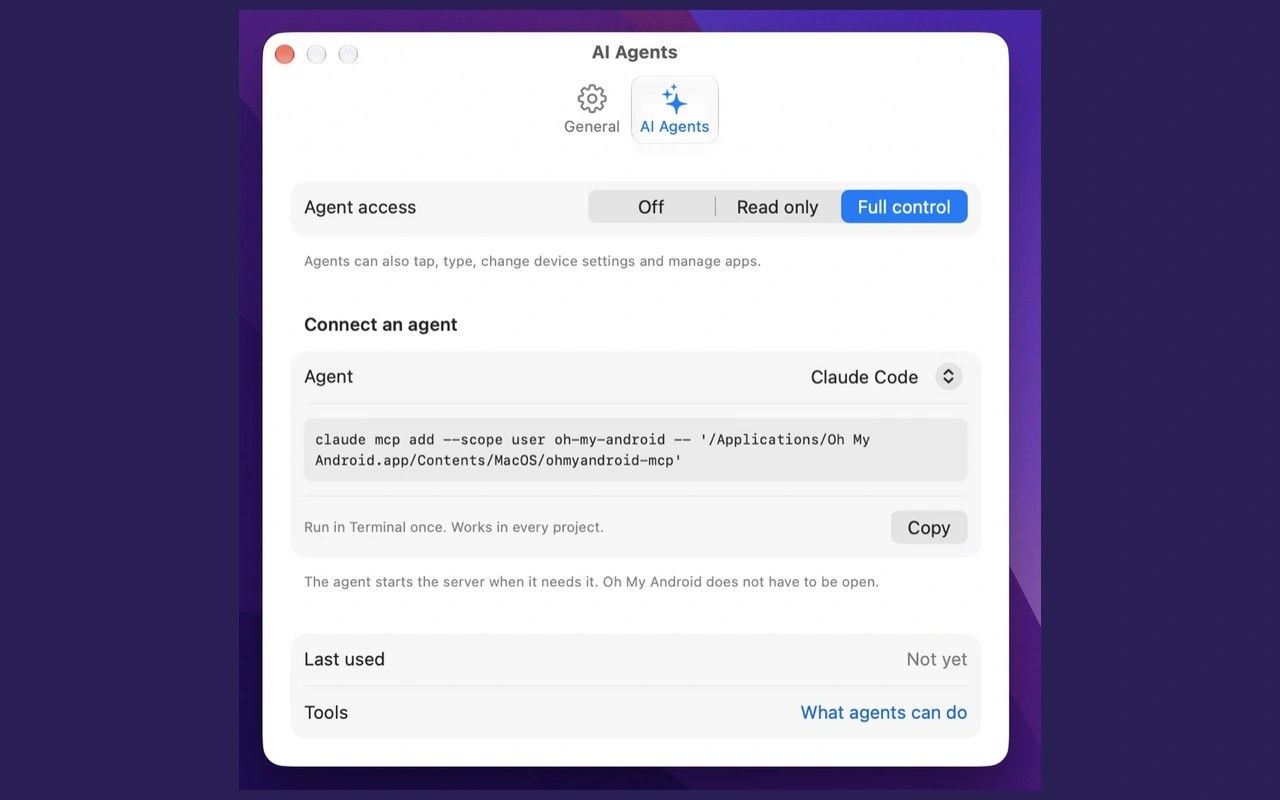
A built-in MCP server lets AI tools such as Claude Code, Codex, and Cursor take emulator screenshots, tap controls, and change settings such as dark mode or right-to-left layout. The app is open source under the MIT licence.
Tags
More in Developer Tools

Push Hero
Developer Tools
Rider
Developer Tools