
Exhibitly
Exhibitly exports iPhone and Mac messages and WhatsApp chats to PDFs, Excel files, and folders of original attachments. You can select excerpts, redact private details, and include verification records while keeping message processing on your Mac.
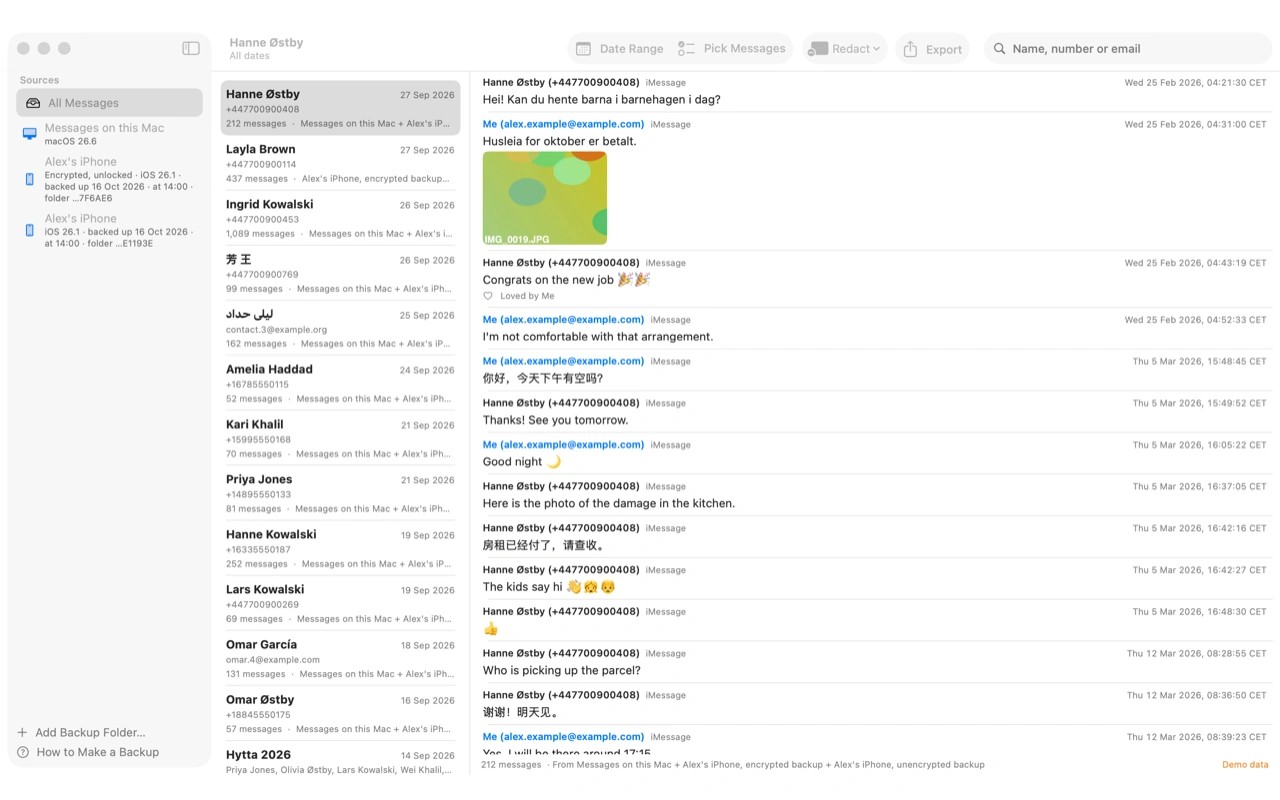
Exhibitly turns text messages and WhatsApp conversations into numbered PDFs for legal review or personal records. Exports include dates, times, sender details, inline photos, an Excel file with one row per message, and a folder of original attachments.
You can read messages from a Finder-made iPhone backup, including an encrypted backup if you know its password, or from the Messages app on your Mac. WhatsApp chats can come from an iPhone backup or from .txt and .zip chat exports made on iPhone or Android. WhatsApp for Mac’s database, Android backups, and Android SMS are not supported. The app does not recover deleted messages.
Choose a whole conversation, a date range, or selected messages with surrounding context. The PDF marks gaps where messages were omitted. You can preview the result and redact private details, with redactions saved on your Mac. The Evidence Bundle edition also supports exhibit cover pages, custom page identifiers called Bates numbers, and merging messages from iPhone and Mac sources or two backups of the same iPhone.
A verification page records the sources and export settings. SHA-256 fingerprints help recipients check whether exported files have changed. For imported WhatsApp text files, this records the file as it was imported; it does not establish whether someone edited it beforehand or prove the messages are authentic. Courts determine admissibility.
Reading and exporting happen locally without uploading messages, photos, or backups. The app reads source data without changing it. Network access is used for licence activation, periodic licence checks, and update checks.
Tags
More in Utilities

Plash
Utilities
Lynx Download Manager
Utilities