
LaunchHome
LaunchHome organizes apps in a full-screen, paged grid with folders and drag-and-drop ordering. Open it with F4, search by app name, or import an old Launchpad layout if its data is still on your Mac.
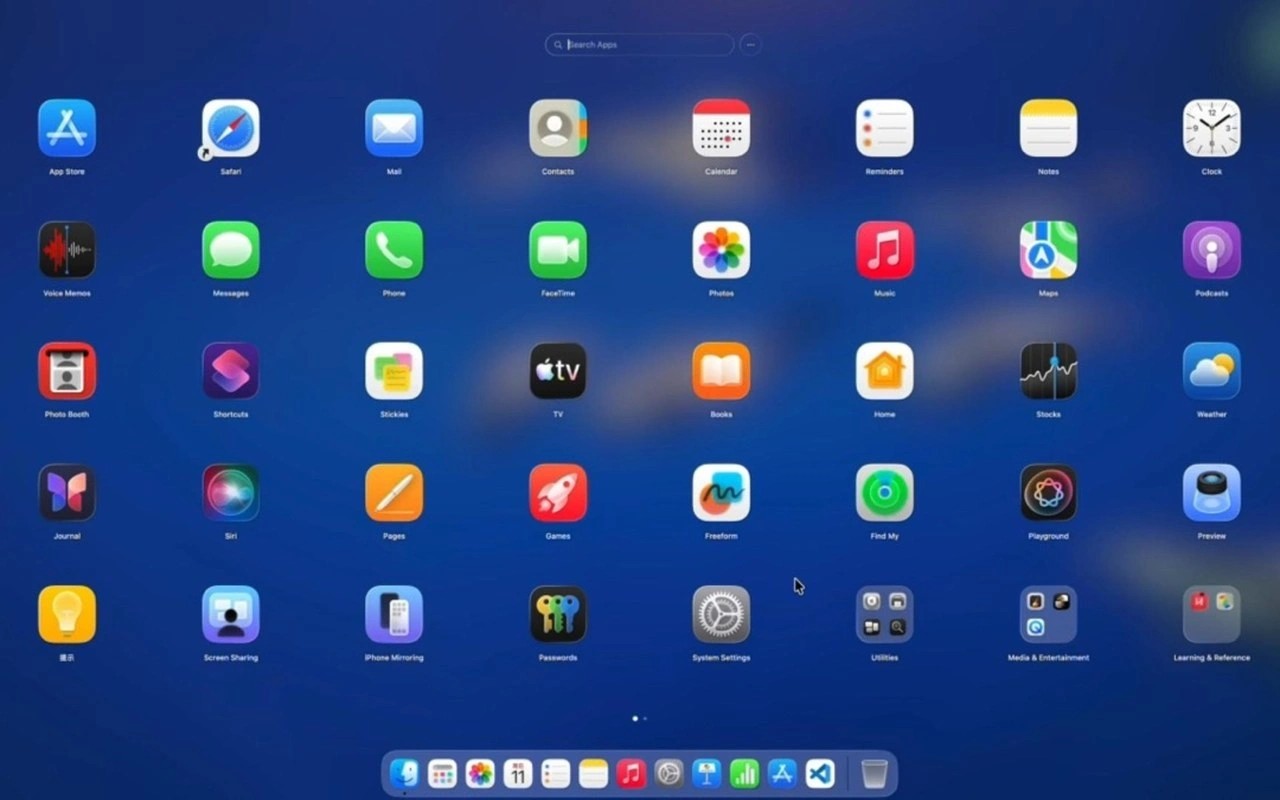
LaunchHome is an app launcher that recreates Launchpad’s full-screen, paged grid. You can arrange icons by dragging them, group apps into named folders, and type to search by app name. It can also sort apps by name, recently used, or most used.
Press F4 to open the launcher, then move between pages with trackpad swipes, the mouse wheel, or page dots. On a multi-display setup, it opens on the screen containing your pointer. Global gestures and hot corners require Accessibility permission; opening with F4 does not.
You can import your old Launchpad pages, folders, and icon order if your Mac still has Launchpad data from before macOS 26. LaunchHome backs up its current layout before importing. It also supports exporting layouts and restoring a previous layout.
Beyond launching apps, LaunchHome can place files, links, Shortcuts, and workflows in the grid. Other tools include searching by initials or pinyin, hiding apps, batch actions, and uninstalling apps with cleanup of their leftovers in ~/Library. Your layout is stored locally, and no account is required.
Tags
More in Utilities

Echo
Utilities
PulseTiles
Utilities