AutoDoc
AutoDoc records meeting audio and screen video, then creates editable transcripts and notes locally. Available timestamps let you replay what was said and shown, while Ask AI answers questions across your meeting history using Ollama.
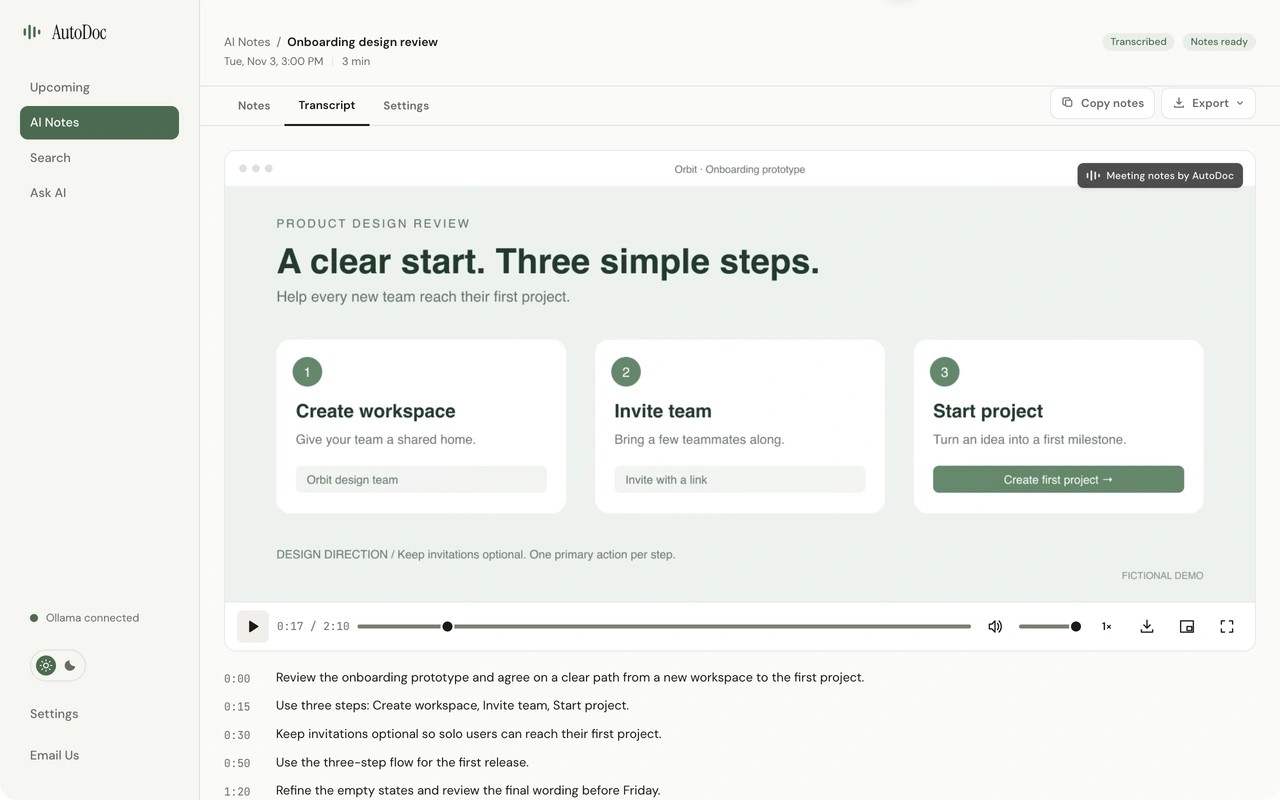
AutoDoc records your screen, microphone, and system audio to create editable meeting transcripts and notes. Available timestamps in the transcript or notes take you back to the corresponding recording moment. Notes are generated from the transcript, not by analyzing the video, and not every manually written note has a timestamp.
The app lives in the menu bar and can detect active calls and prompt you to record without adding a bot to the meeting. Connecting Google Calendar or Microsoft Outlook shows upcoming meetings and helps name recordings. You can also schedule recording for one meeting or a recurring series; these recordings can start without another prompt.
Generated notes include a summary and topics. You can edit both notes and transcripts, search across meeting history, and export notes as PDF, Word, or Markdown. Ask AI uses Ollama locally to answer questions across past meetings. Audio is labeled as your microphone or combined system audio, rather than identifying individual remote speakers.
Transcription, note generation, and Ask AI run on your computer. Recording and processing work offline after the required models are downloaded, with no AutoDoc account or AI API key required. Stored meeting data is encrypted with AES-256-GCM. Keychain protects the encryption key when available; otherwise, the key is stored locally without operating-system protection.
AutoDoc requires an Apple silicon Mac with at least 8 GB of RAM; 16 GB or more is recommended. Allow roughly 10 GB for initial setup, plus storage for recordings. Meeting transcription, notes, and Ask AI support 27 languages depending on hardware, but remain English-only on 8 GB Macs. Those Macs also use a smaller notes model and take longer to process meetings.
Tags
More in Productivity

Usher
Productivity
Command X
Productivity