
PopClip
PopClip displays a menu of actions when you select text on your Mac, giving you quick access to copying, pasting, web searches, and more. Extensions let you add actions such as translation and tailor the menu to your workflow.
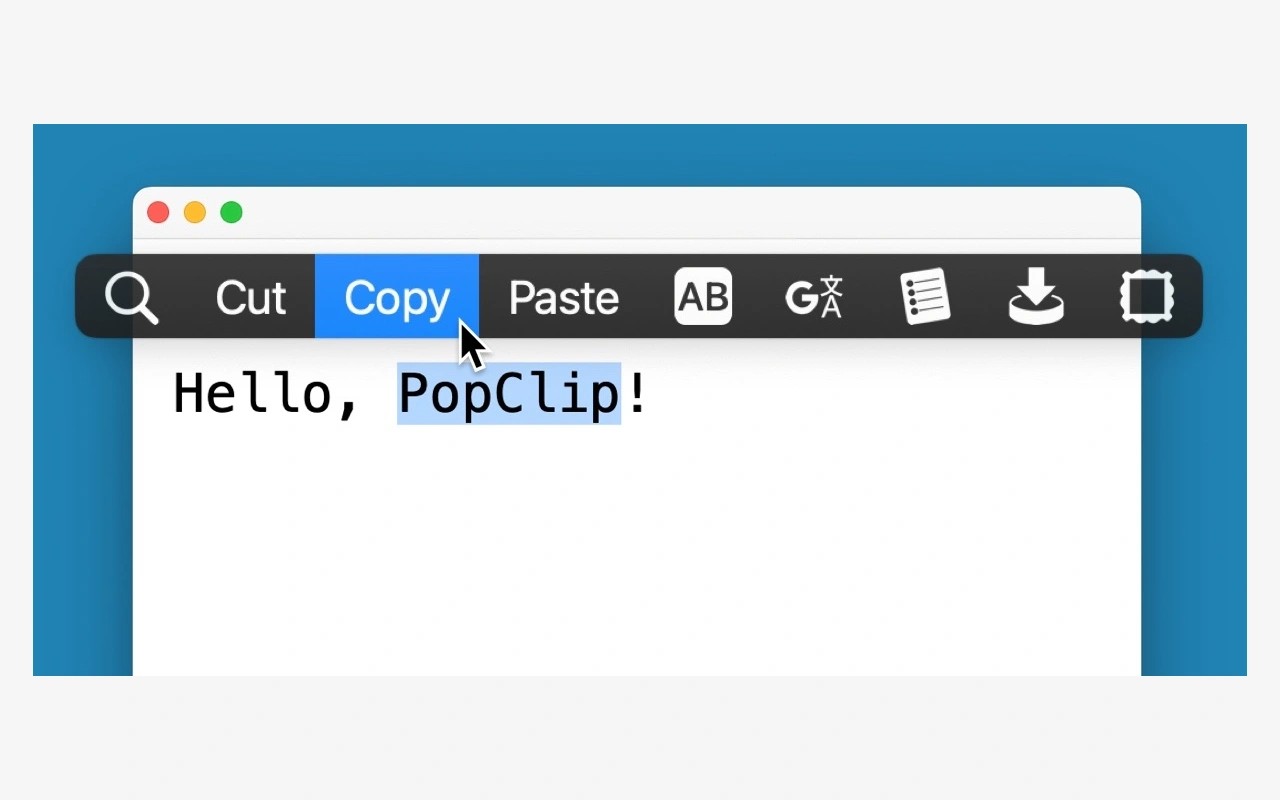
PopClip puts a menu of actions next to the text you select on your Mac. You can use it for copying, pasting, web searches, and other text tasks, with extensions adding actions such as translation.
With automatic appearance enabled, the menu opens when you select text using a mouse or trackpad. Selecting text purely with the keyboard does not open it automatically, but you can assign a keyboard shortcut to bring it up. The shortcut also works with automatic appearance turned off and lets you choose and run actions using the keyboard.
You can install ready-made extensions or create your own. Actions can be arranged in the menu, and an extension can provide multiple copies of an action with different settings. For example, you could set up separate translation actions for different target languages.
AppleScript support lets other tools trigger the menu.
Tags
More in Productivity

NotchNook
Productivity
Desktop Curtain
Productivity