NotchNook
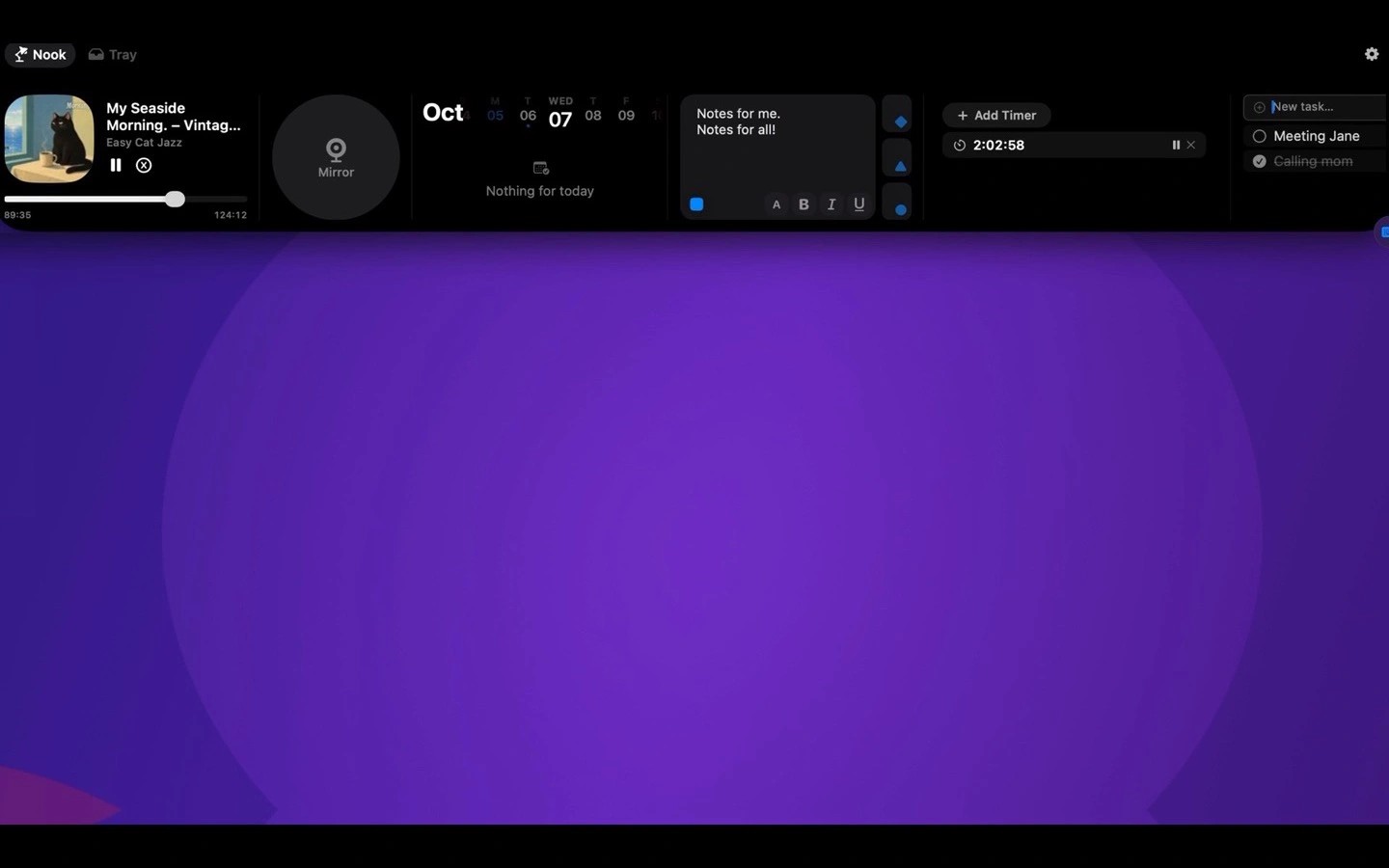
NotchNook turns the top of your Mac’s screen into a workspace for music controls, calendar events, notes, to-dos and timers. It also provides access to your Shortcuts and a camera mirror. On displays without a notch, a slim handle opens the same workspace, and each display gets its own.
Music controls work with Spotify, Apple Music and other apps that appear in macOS Now Playing. If two apps are playing, you can choose which one NotchNook follows. The calendar includes join buttons for Meet, Zoom, Teams and Webex meetings. Google Calendar events appear through the Mac’s Calendar app after you add your Google account there.
The file tray lets you drop files onto the notch to keep them within reach or send them using AirDrop.
NotchNook requires macOS 14.6 or later and supports both Intel and Apple silicon Macs. Features use relevant system permissions, including Calendar for events, Camera for the mirror and Automation for music control. Accessibility access is used only for the volume and brightness display and to detect full-screen apps.
Similar Apps

AI Actions
Productivity
Todoist
Productivity