
KillEXIF
KillEXIF inspects and removes hidden metadata, including photo locations and document author names, before files are shared. It works offline and supports cleaning from Finder, watched folders and batch processing.
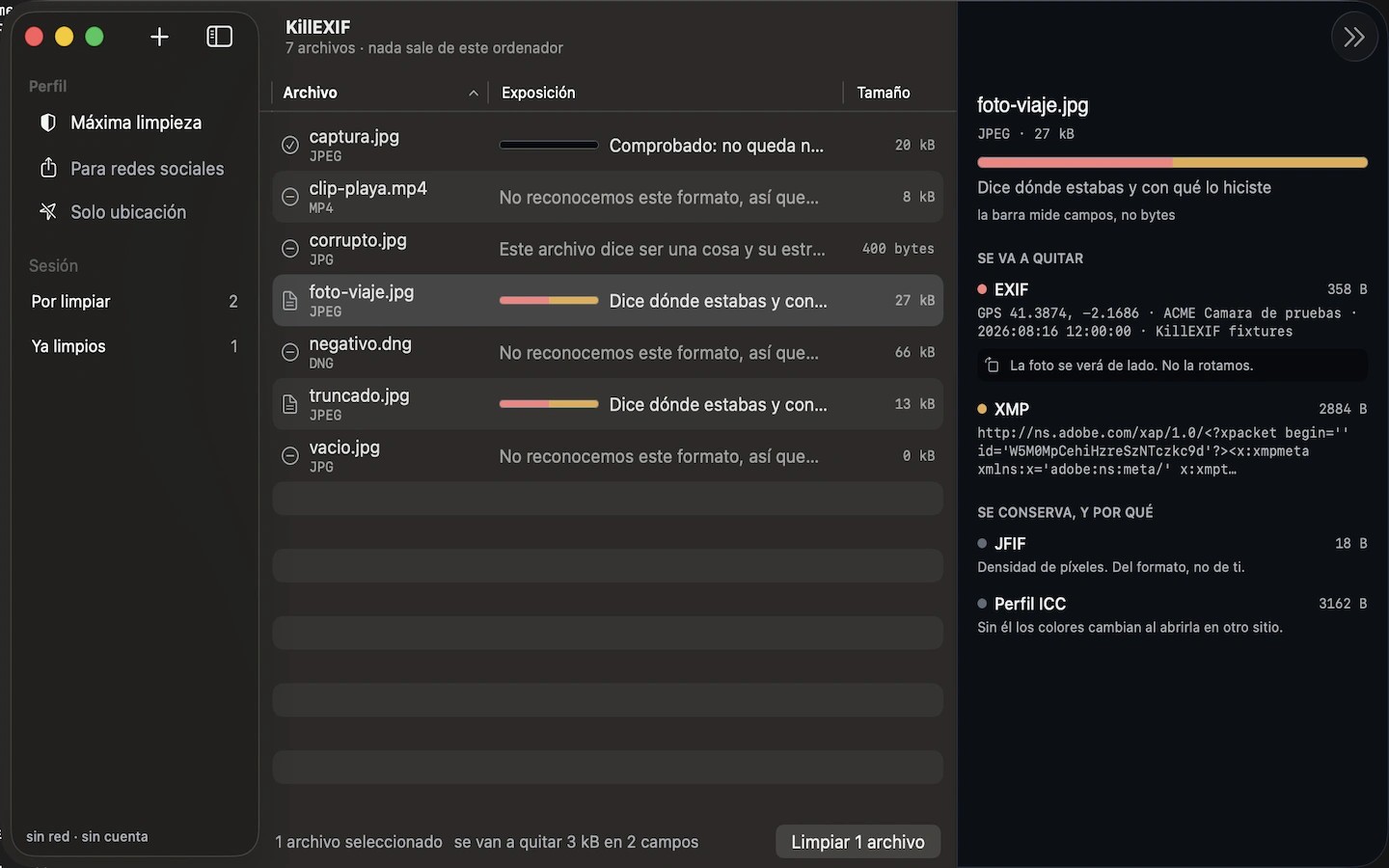
KillEXIF helps you see what personal information files contain and remove it before sharing. It handles metadata such as EXIF, GPS locations and author names in images, video, audio, PDFs and Office documents, including HEIC photos.
Cleaning removes metadata without re-encoding the content. The compressed media data stays unchanged, rather than the entire output file being identical to the original. After cleaning, KillEXIF reads each file again to check for remaining metadata and shows the result.
The Mac app works offline and can clean files directly from Finder. Watched folders, profiles and batch processing support repeated cleaning tasks, and the desktop app has no file-size limit.
Tags
More in Utilities

Tuck
Utilities
Simple Mouse Locator
Utilities