Cameleon
Cameleon changes website colours in Safari with three dark themes and two light themes, including options for sites that are already dark. It remembers your choice for each site while preserving the page’s layout and fonts.
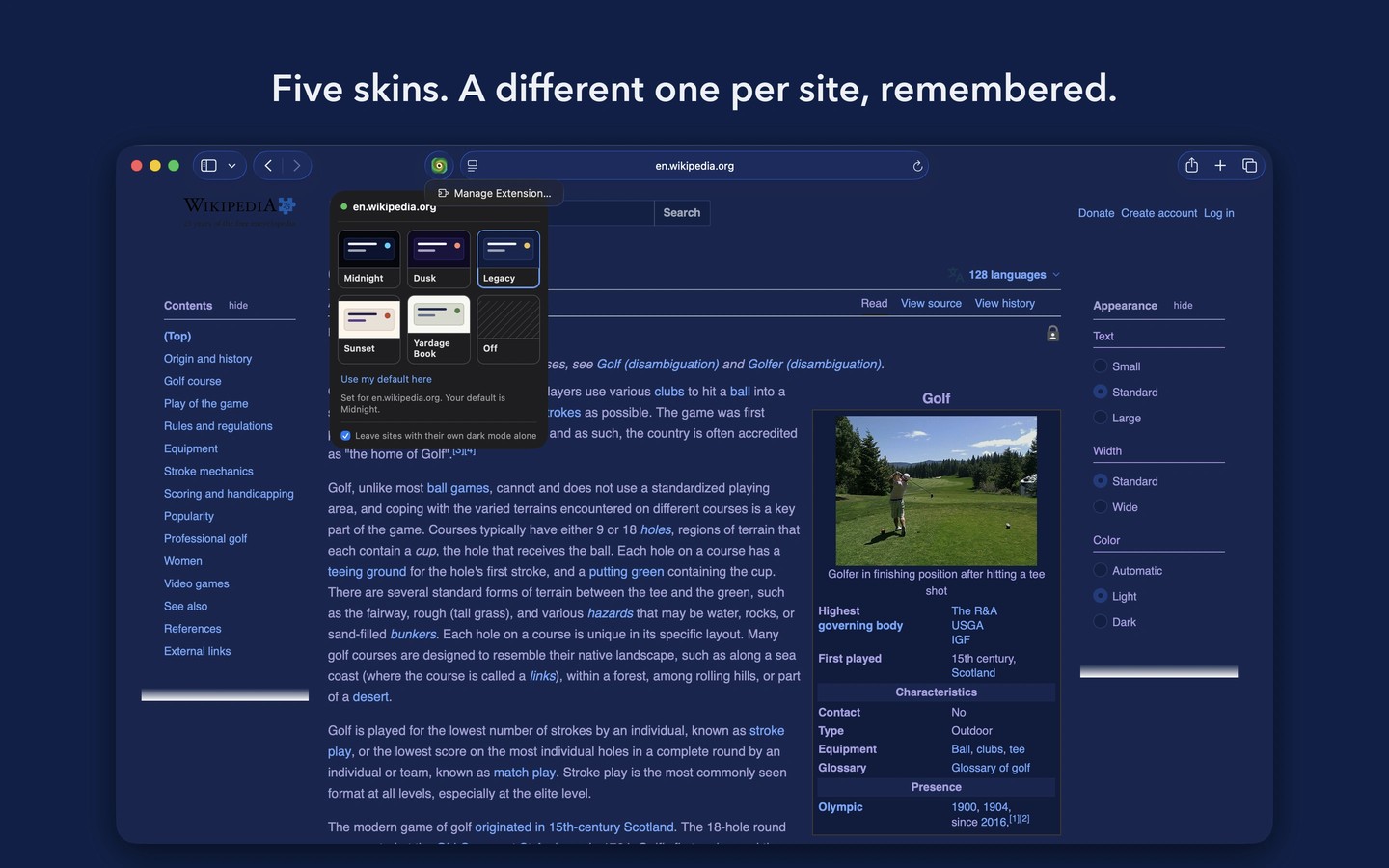
Cameleon is a Safari extension that changes website colours for daytime or nighttime reading. It offers three dark themes and two light themes: warm paper with indigo text, and sage with navy text. The light themes can recolour sites that already have a dark background.
After enabling the extension and granting access to a site, you can preview themes by hovering over them in the toolbar panel. Choosing one saves it for that site. You can also set separate defaults for your Mac’s light and dark appearances. Dark themes normally leave a site’s existing dark mode alone, but an explicit choice for that site overrides this behavior.
The extension preserves layout, text, fonts and links. Dark themes dim pictures and video to 85–90% brightness, while light themes leave them unchanged. Foreground colours generated by Cameleon are adjusted to meet a contrast ratio of at least 4.5:1 against the theme’s furthest surface; this does not recolour text embedded in images.
Shortcuts actions, a Focus filter and an optional menu bar item provide other ways to set a theme. Website recolouring happens locally in Safari, and the extension has no networking code. You can restrict its access to selected sites, and it stores site addresses only for saved theme choices.
