
Linger
Linger collects images, screenshots, and links in a local reference library. Add notes and tags, search the words you saved, and arrange references alongside notes on a lightweight canvas.
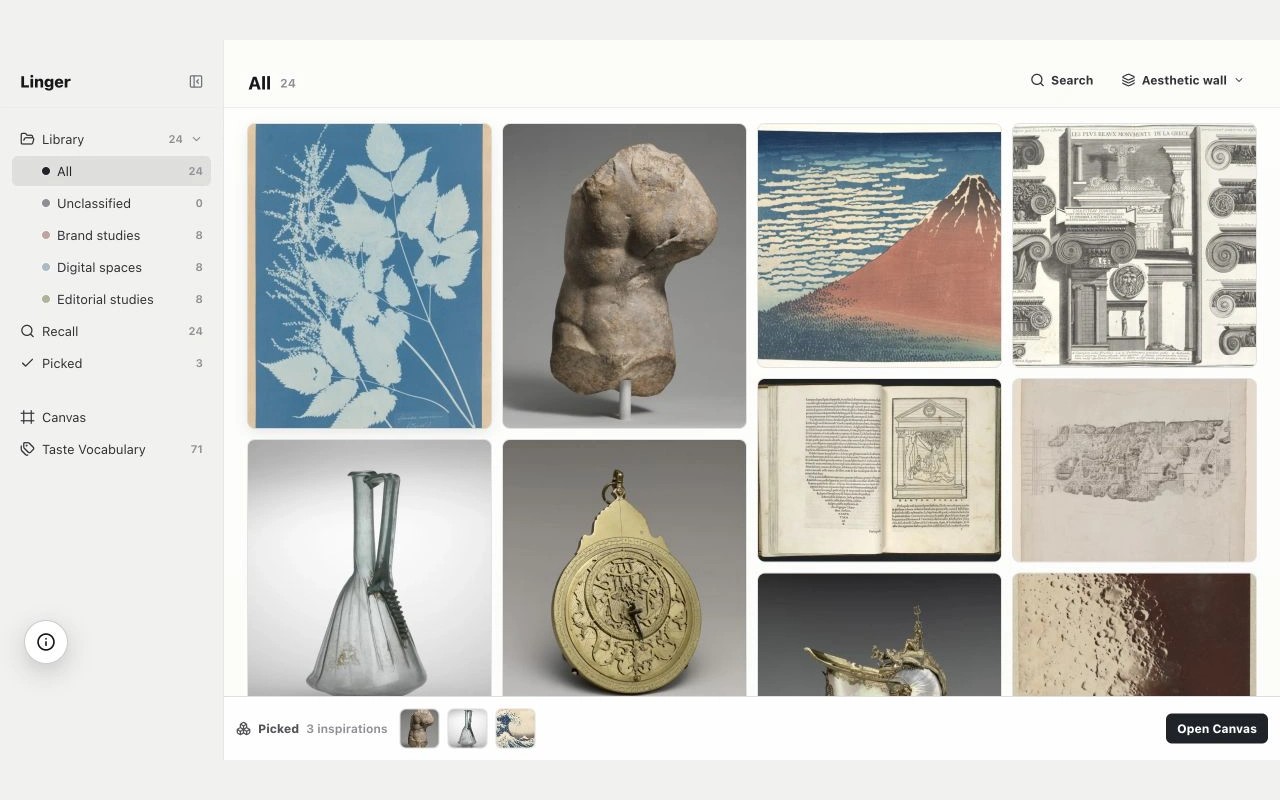
Linger is a visual reference library for collecting images, screenshots, and links with their sources. You can add notes and tags to record why something caught your eye, then search your saved notes, tags, and sources to find it again.
A lightweight canvas lets you arrange references and sticky notes side by side to compare images and develop ideas. Taste Vocabulary lets you revisit your own words, while Connections helps you explore related references.
Your library lives in a folder you choose on your Mac. Linger stores imported copies and leaves the original files untouched. Core features run locally, and there is no built-in cloud sync; each Mac has a separate library.
AI connections are optional and off by default. Personal notes stay separate from machine analysis. If you choose to connect an external API or agent, selected references are sent to that provider.
Images from Eagle can be imported after exporting them as image files. Eagle folders, tags, notes, and source links do not transfer automatically, and Linger does not import Eagle libraries or .eaglepack files.
Tags
More in Graphics & Design

SOCSS
Graphics & Design
Amazing AI
Graphics & Design