NotchMuse
NotchMuse displays synced lyrics for Spotify, Apple Music, NetEase Cloud Music, QQ Music, and Soda Music. Lyrics can appear in the menu bar or as an overlay near the notch or above the Dock.
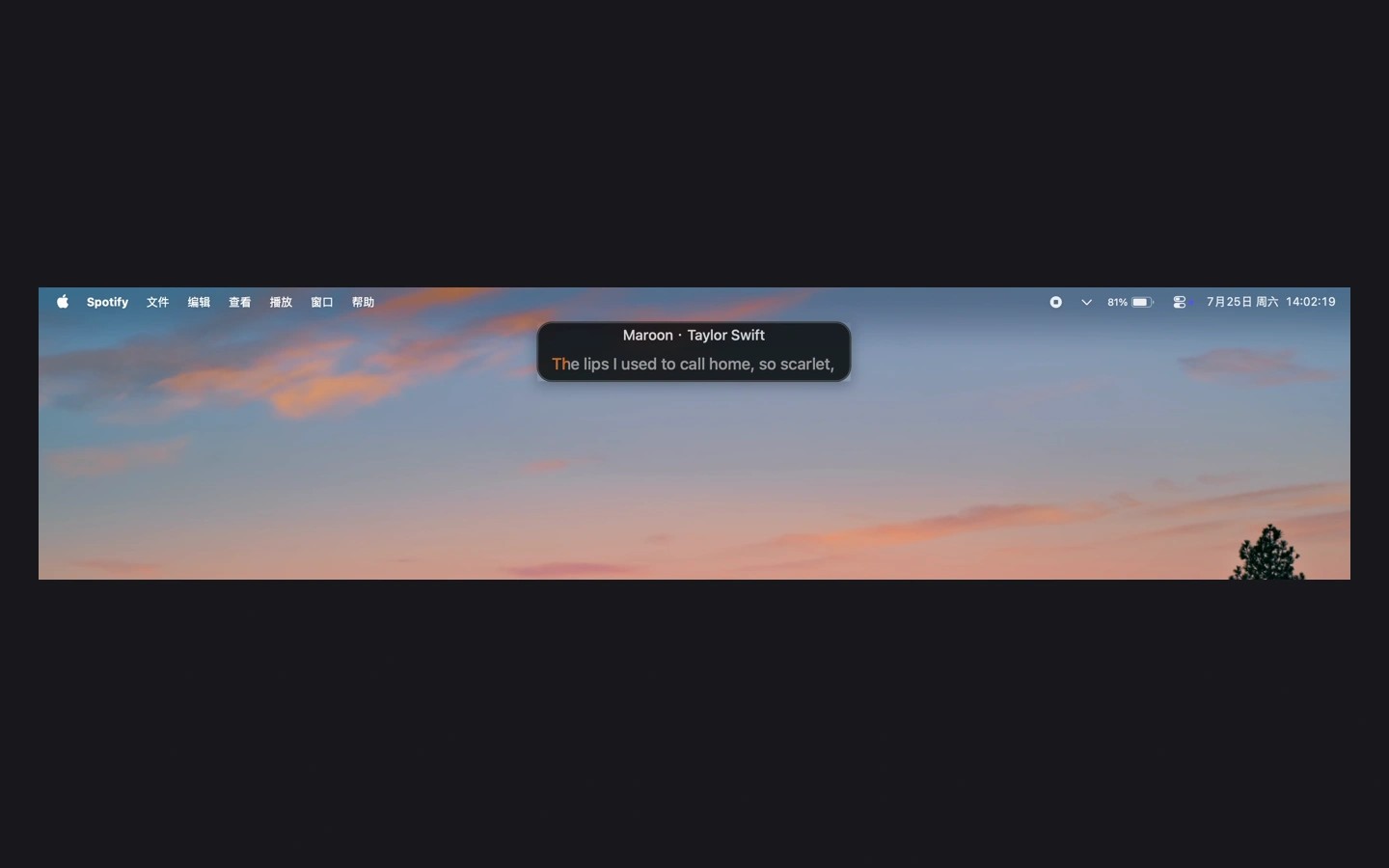
NotchMuse keeps synced song lyrics visible while you use other apps. It works with Spotify, Apple Music, NetEase Cloud Music, QQ Music, and Soda Music.
Start a song in a supported player, then choose a display mode in Settings. Status Bar Mode shows lyrics in the macOS menu bar. Notch Mode places them near the notch or above the Dock. You can customize the lyrics with solid colors, gradients, and background settings.
The app needs Automation permission to read the selected player’s current track and playback position. The left-side menu bar layout also requires Accessibility permission. NotchMuse requires an Apple silicon Mac.
NotchMuse does not read or upload audio and does not collect usage analytics. Track details, such as the title and artist, may be sent to third-party lyrics providers to find a match. No NotchMuse account is required.
Tags
More in Music

Luma Music
Music
RadioStation
Music