
iSkitch
iSkitch captures regions, windows or the full screen and opens them directly for annotation. It keeps an editable 30-day history searchable by text within captures, and can copy text from a selected region.
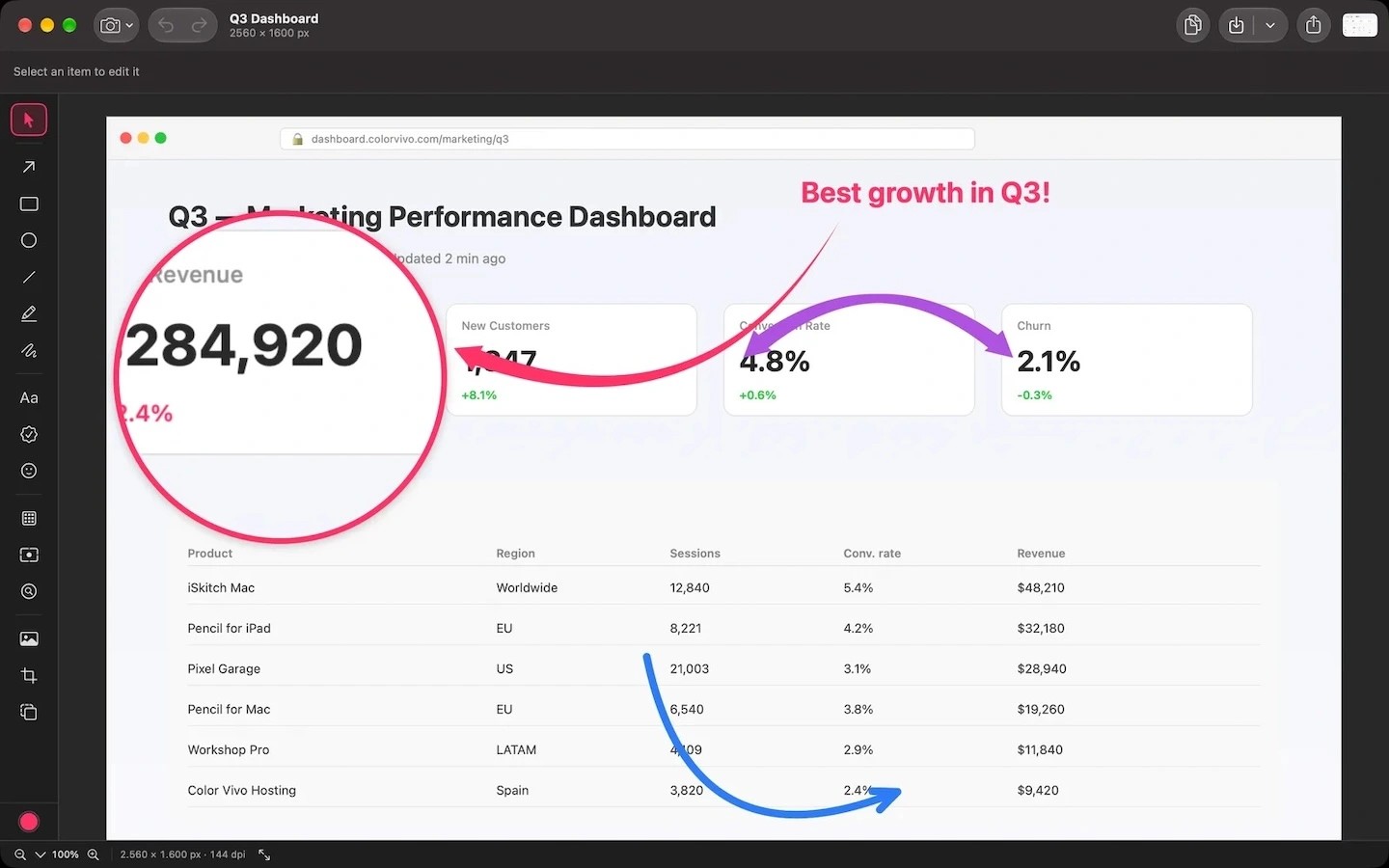
iSkitch is a menu bar app for capturing, annotating and sharing screenshots. Capture a region with ⌥⌘4, or capture a window or the full screen, then work directly in the editor.
Annotation tools include straight and curved arrows, text, shapes, highlighting and freehand drawing. You can magnify details, draw attention to an area with Spotlight, crop to preset aspect ratios, or add a frame and watermark. Pixelation, blur, solid blocks and stripes provide ways to cover sensitive information.
Captures stay on your Mac for 30 days and reopen with their annotations still editable. You can search the history by text contained in the images. A separate shortcut, ⌥⌘7, copies text from a selected screen region to the clipboard, while Live Text lets you select text directly on an image.
Finished images can be shared through the macOS share sheet, dragged into another app or copied to the clipboard. Export formats include PNG, JPG, WebP, PDF, TIFF, GIF and BMP.
Tags
More in Utilities

FingerBridge
Utilities
VizShot
Utilities