
Mbox Viewer Pro
Mbox Viewer Pro opens MBOX and EML email archives without importing or converting them. It supports Gmail labels, conversation threads, detailed search and message exports while leaving original archives unchanged.
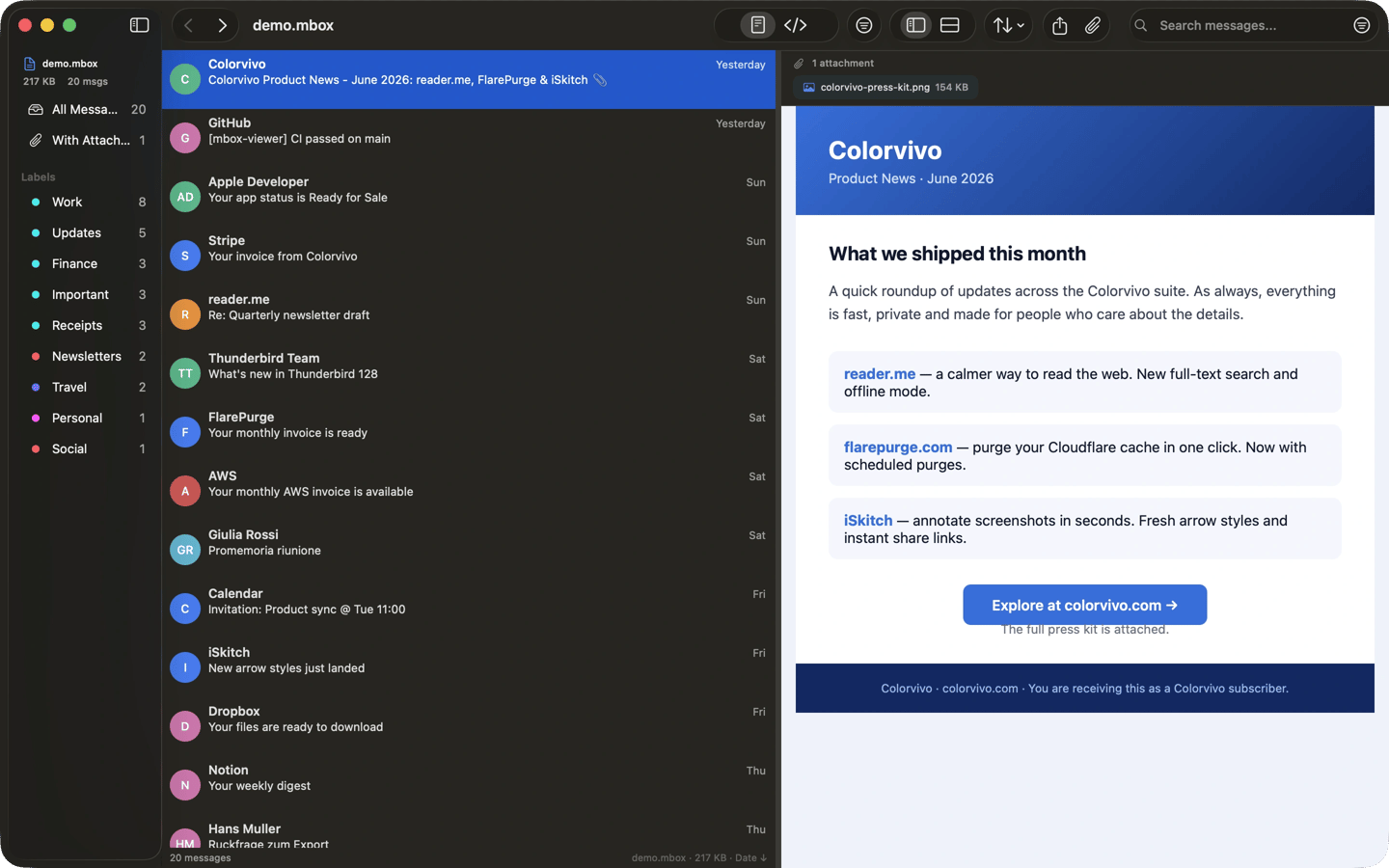
Mbox Viewer Pro opens, searches and exports email from MBOX and EML archives. You can open Gmail Takeout exports, Thunderbird mailboxes and Apple Mail .mbox folders directly, without importing them or signing into an email account. Outlook PST and OLM files require conversion first.
The app processes large archives by reading them in small chunks rather than loading the entire file into memory. It creates an index for subsequent openings. Search supports sender, recipient, subject, message body, dates, attachment filters and exact phrases, with a visual filter sheet as an alternative. Gmail labels appear in the sidebar, and related messages can be grouped into conversation threads.
You can export messages to EML, CSV, plain text, PDF or HTML, or save a selection as a new MBOX file. Attachments can be previewed with Quick Look and saved individually or in bulk. Mailboxes can also be merged with optional duplicate removal based on Message-ID. For damaged mailboxes, recovery scans for lost message boundaries and exports a repaired copy without modifying the original.
All processing runs locally, with no cloud service, telemetry or account required. Remote images are blocked and HTML is sanitized by default. For closer inspection, the app includes message properties, a MIME part tree showing the message’s components, and a raw hexadecimal view.
Tags
More in Utilities

Auto Ducking
Utilities
Cocktail
Utilities