
Vocena
Vocena displays floating live captions from your Mac’s microphone, system audio, or both, with optional translation beneath each line. It also offers contextual AI replies and a library for recordings and transcripts.
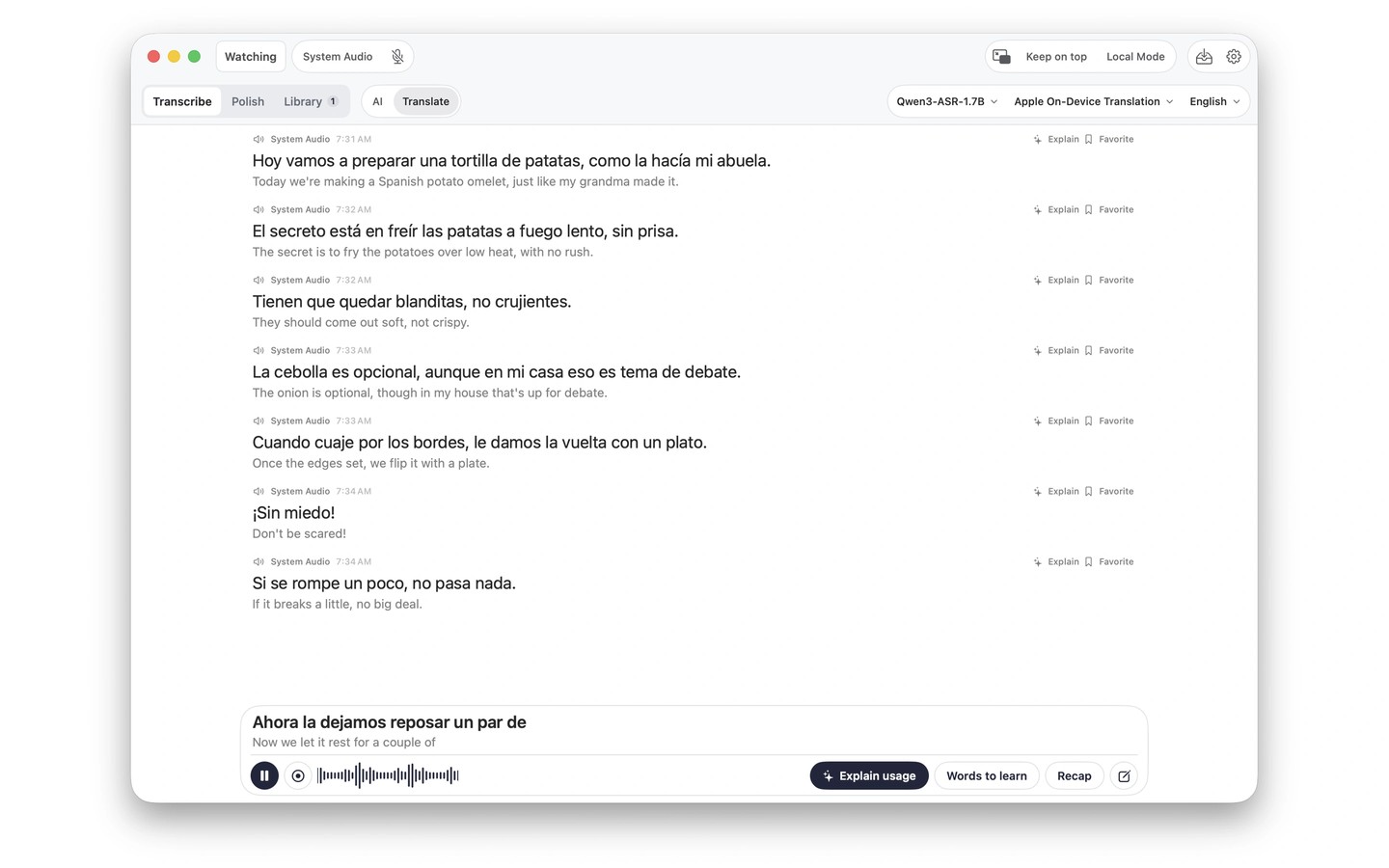
Vocena turns microphone and system audio into floating live captions for meetings, lectures, videos, and conversations. You can capture either source or both, and each caption line identifies its source. Translation appears beneath the original text.
Scenes group audio sources, translation settings, recording options, and AI actions for different activities. AI actions can explain unfamiliar terms, summarize what you heard, extract to-dos, or suggest a reply. A separate polish feature turns spoken thoughts into writing with adjustable wording and layout.
Recognition can run on your device using Apple speech recognition or a downloaded Qwen model, or use cloud processing. Local translation requires downloaded language packs, and Apple Intelligence features require a supported device. Available models and languages depend on your device and system version. Local mode blocks content uploads and cloud processing and pauses iCloud sync, while still allowing model and language-pack downloads.
You can record microphone and system audio together or import an audio file, then transcribe it locally with automatic speaker labels. The library keeps audio, transcripts, translations, and AI replies together, with search, playback, and TXT, SRT, or M4A export. iCloud sync transfers text between devices, but recordings stay on the device. Sessions are started and stopped manually; closing the main window does not stop an active session, whose status remains visible in the menu bar.
Tags
More in Productivity

Cursor Pro
Productivity
PopChar
Productivity