
Plash
Plash displays a website as your Mac’s desktop background, keeping a calendar, dashboard, or animated image in view. You can save several websites, switch between them, and enable Browsing Mode to interact with the page.
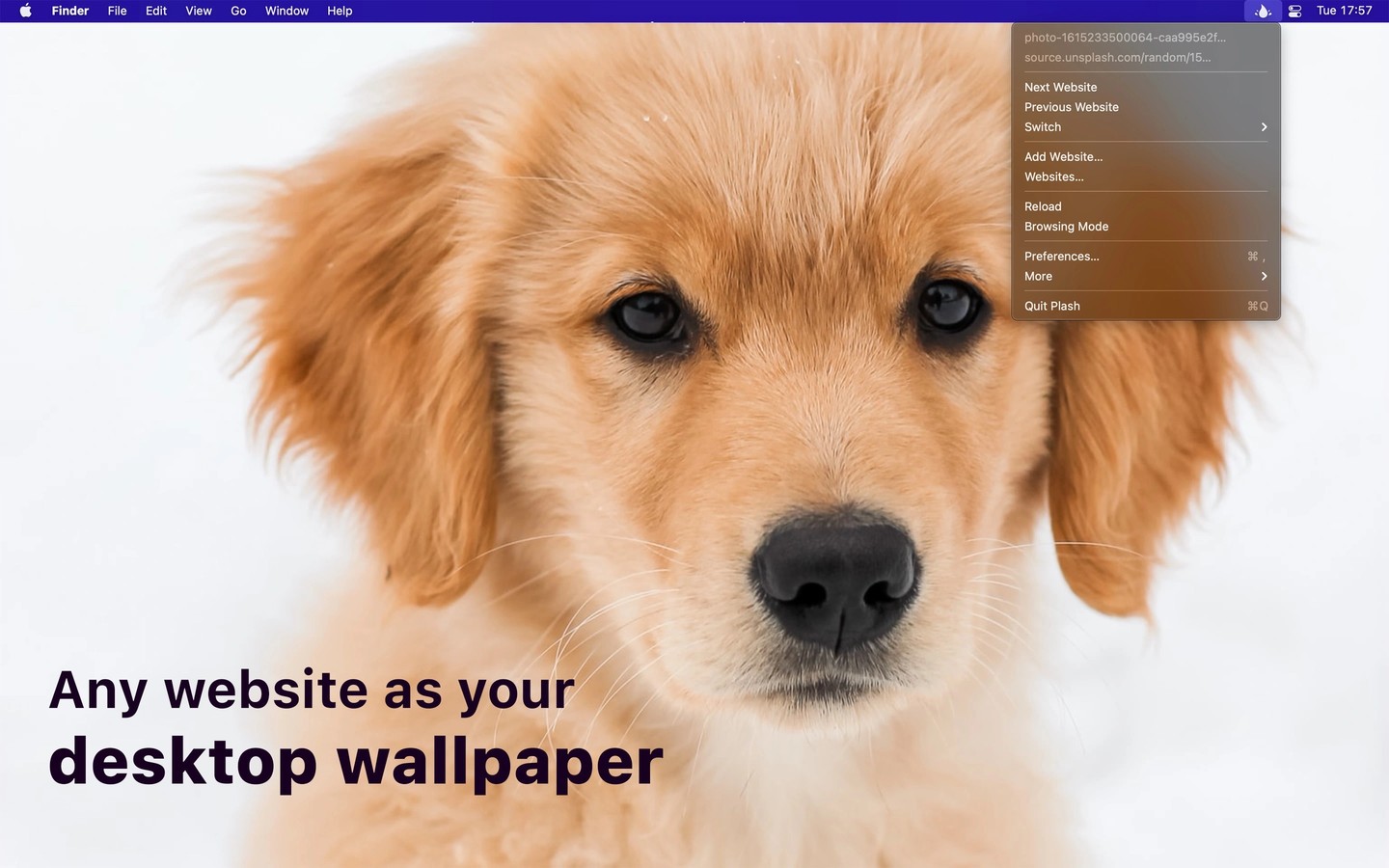
Plash displays a remote or local website above your Mac’s wallpaper. You can use it to keep a web calendar or dashboard in view, show a daily photo, or play an animated GIF as your desktop background.
You can save multiple websites and switch between them, but Plash shows only one at a time. Pages can reload automatically at a custom interval. Enable Browsing Mode to click links, navigate, and zoom the page; the page zoom level is saved.
Appearance controls include reduced opacity, transparent backgrounds, and inverted website colors. Custom CSS and JavaScript let you change a page’s layout or behavior. Audio is muted, and Plash can automatically deactivate while your Mac is running on battery.
A share extension lets you add a page from Safari. Shortcuts actions and custom URL commands support automation, including switching websites and reloading the current page.
You can choose which display shows the website, but Plash does not natively assign a separate website to each display. It cannot appear on the Lock Screen or change the menu bar’s color, which still follows the system wallpaper.
Tags
More in Utilities

eqMac
Utilities
RapidClick
Utilities