
eqMac
eqMac adjusts your Mac’s system audio with equalizers, headphone presets, and per-app volume controls. It also supports separate left and right channel equalization and Audio Unit effects.
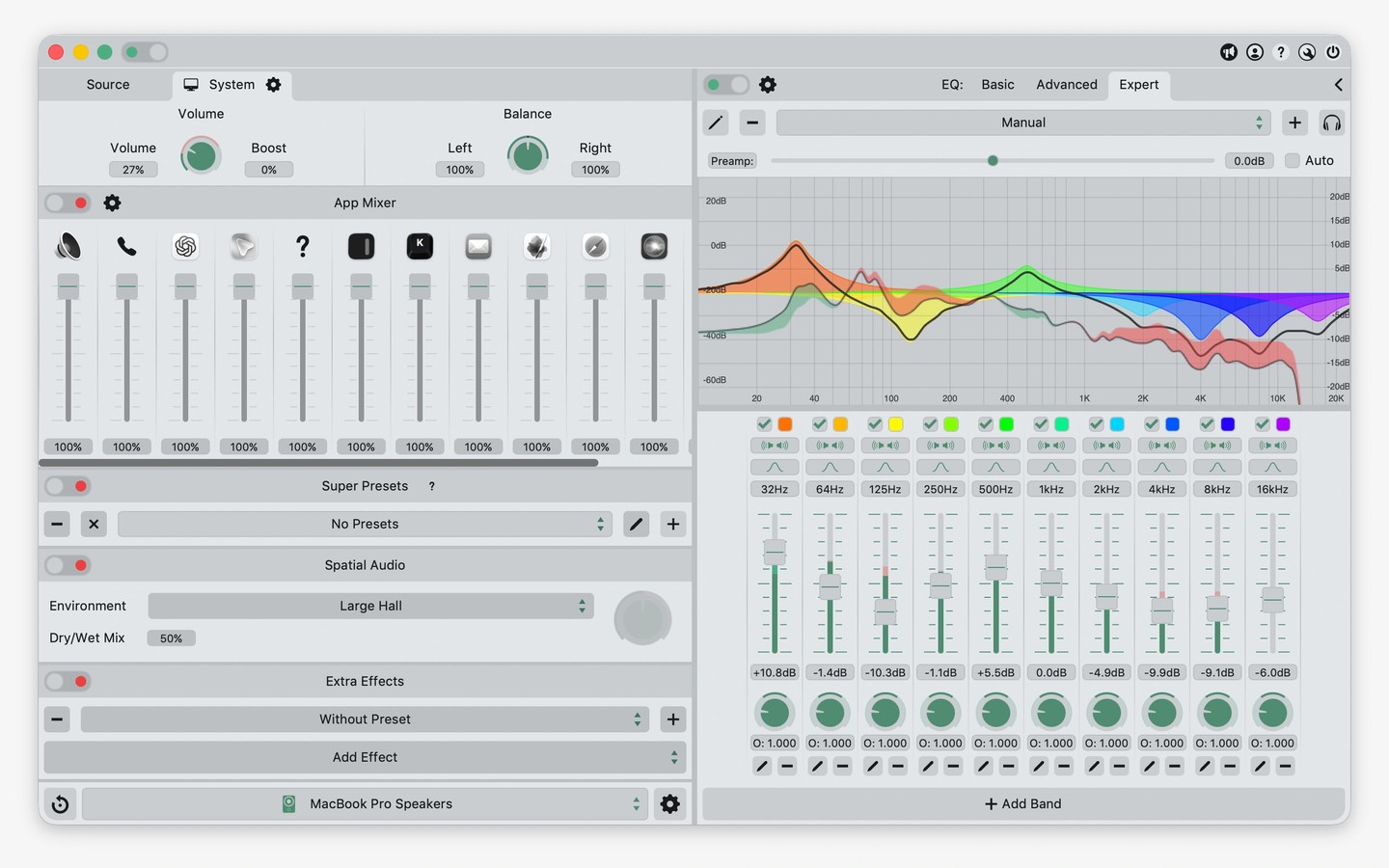
eqMac processes system audio on your Mac, letting you change its sound and adjust the volume of individual apps. It also provides volume and balance controls for audio devices, including HDMI and DisplayPort outputs.
Equalizer options range from simple bass, midrange, and treble controls to a 10-band equalizer. For more detailed adjustments, the parametric equalizer offers unlimited bands with controls for frequency, gain, bandwidth, and filter type, alongside graphical controls and a spectrum analyzer. You can equalize the left and right channels separately.
Headphone reference presets provide starting settings for different headphone models. Presets can switch automatically when the output device or main audio app changes. You can also chain Audio Unit plug-ins from your library with eqMac’s effects or apply a spatial audio effect that simulates different listening environments.
Supported outputs include built-in audio, Bluetooth, AirPlay 1, USB, HDMI, DisplayPort, Thunderbolt, aggregate devices, and multi-output devices.
Tags
More in Utilities

Simple Screen Shade
Utilities
Shiny
Utilities