
Dormouse
Dormouse analyzes your MacBook’s overnight sleep and battery use. It shows wake events, identifies apps keeping the Mac awake, and lets you review proposed setting changes before applying them.
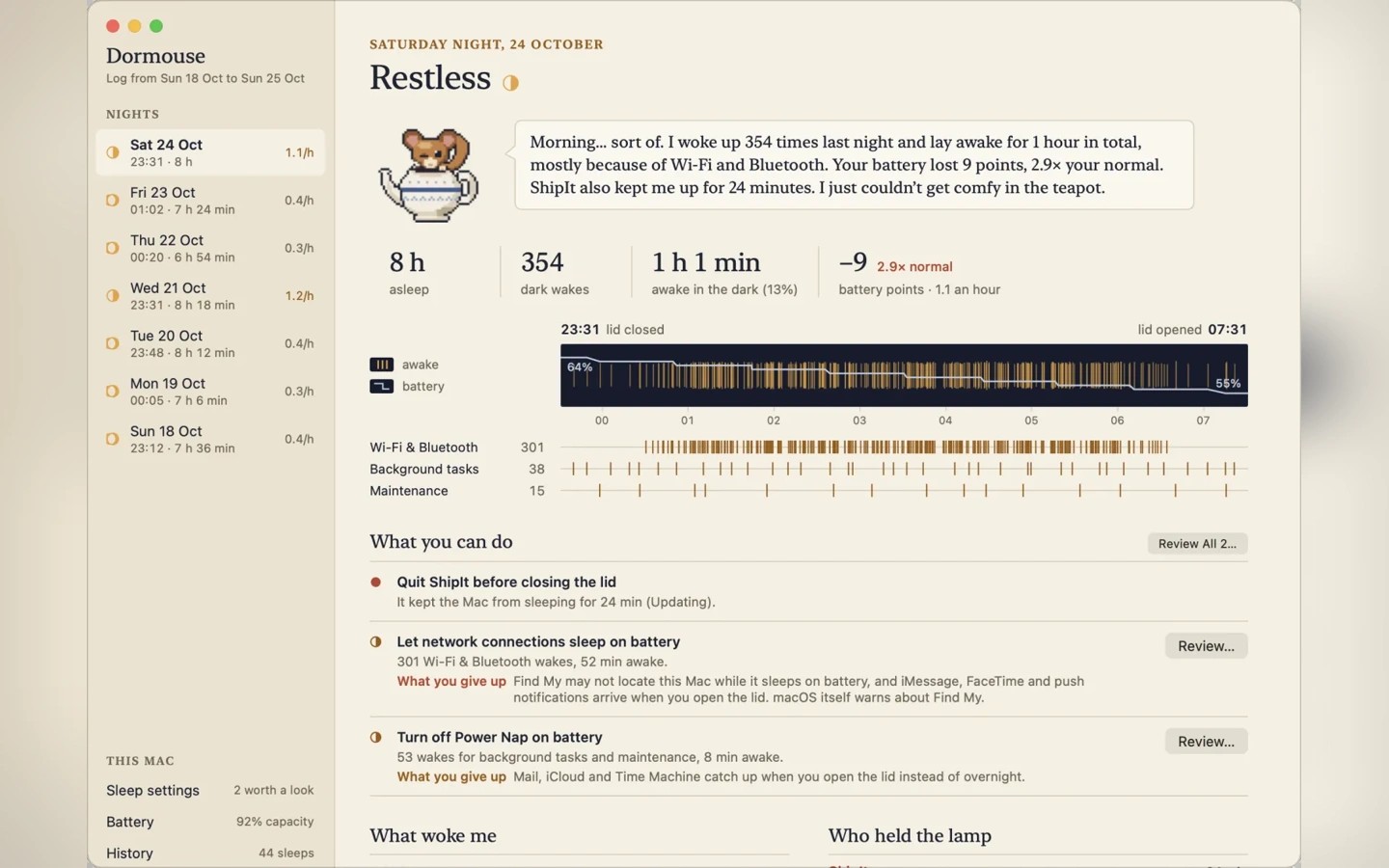
Dormouse helps explain why your MacBook woke during the night and how much battery it used. It summarizes each night and shows wake events alongside a battery graph covering the time between closing and opening the lid. It also compares the night with your Mac’s usual behavior, based on recent nights spent on battery.
The app identifies apps keeping your Mac awake and explains the trade-offs of changing settings such as Power Nap. Before applying a change, it shows the exact command and asks for confirmation. Changes can be undone in one step. Reading the logs needs no permission, while changing settings requires your administrator password.
Dormouse is designed for MacBooks that spend the night on battery. It does not need to stay running: macOS keeps its sleep log for about a week, and Dormouse reads that log when opened and archives your nights locally. It goes online only to validate the license and check for updates.
Tags
More in Utilities

BackupList+
Utilities
MacClearings
Utilities