
PastelPal
PastePal saves copied text, images, links, and files in a searchable history. A screen-edge panel provides quick access to clips, while queues let you paste several items in order.
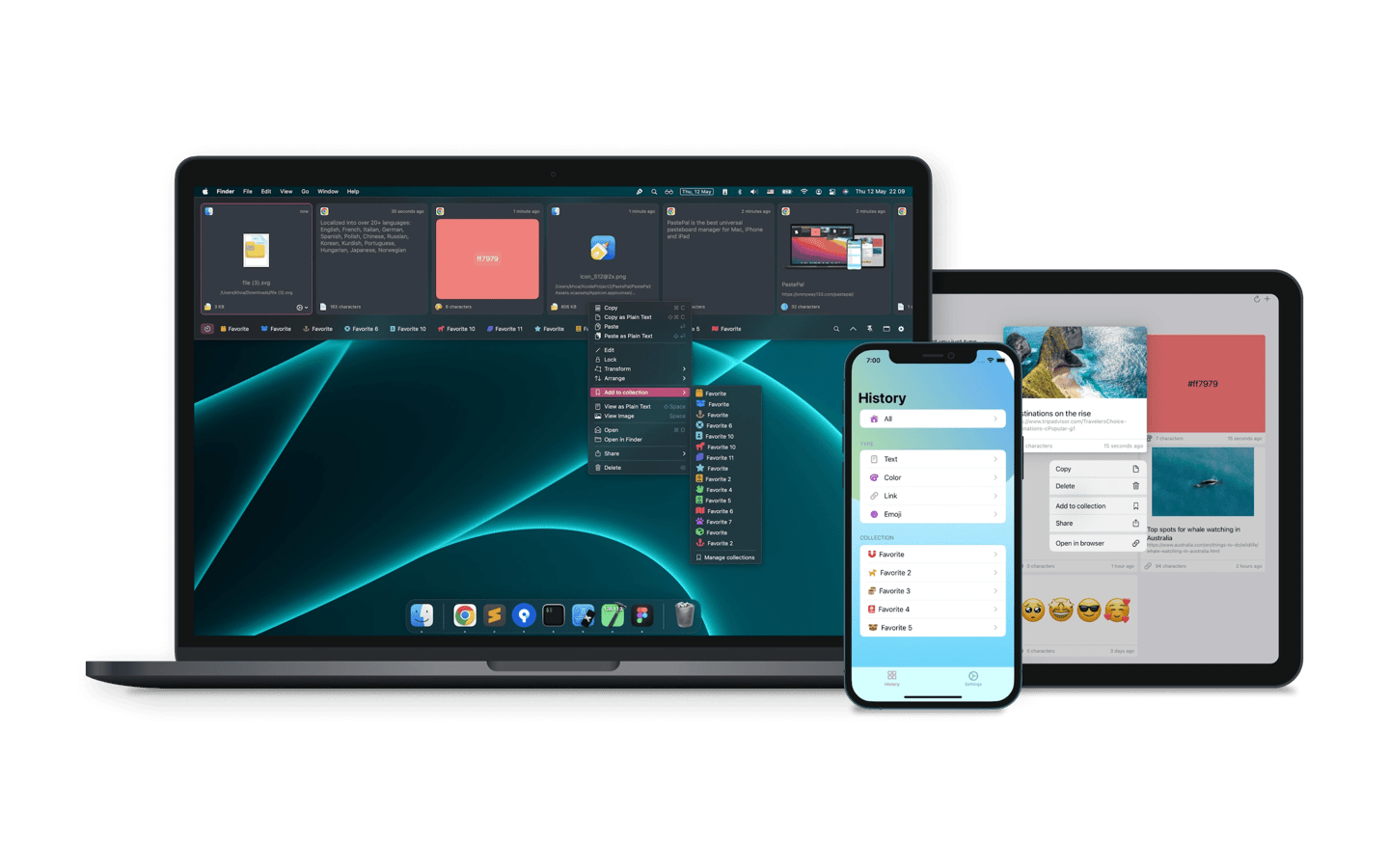
PastePal keeps a searchable clipboard history so you can reuse text, images, links, PDFs, and files. You can organize clips into collections and filter your history by source app or content type.
A panel opens along any screen edge through a shortcut or pointer movement. You can preview clips with Quick Look, navigate with arrow keys, and paste the first nine items with Command-number shortcuts. The main window provides a grid for browsing and organizing your history.
For repeated pasting, you can queue several clips and press Command-V to paste them one after another, such as when filling form fields. Text transforms let you change text before pasting. Screen capture can also extract text from a selected area and save it to your history.
History can sync across Mac, iPhone, and iPad through iCloud. You can also send clips between nearby PastePal apps over a local network without iCloud. Recording controls let you pause capture, choose which apps, content, and folders are recorded, and set how long clips are kept. History can be imported and exported for backup or transfer to another Mac.
Tags
More in Productivity

PopClip
Productivity
Notch Now
Productivity