
Notch Now
Notch Now keeps files, links, images and text in a tray at the top of your screen, with notes and reminders for returning to them later. It works with or without a display notch and stores your inbox locally.
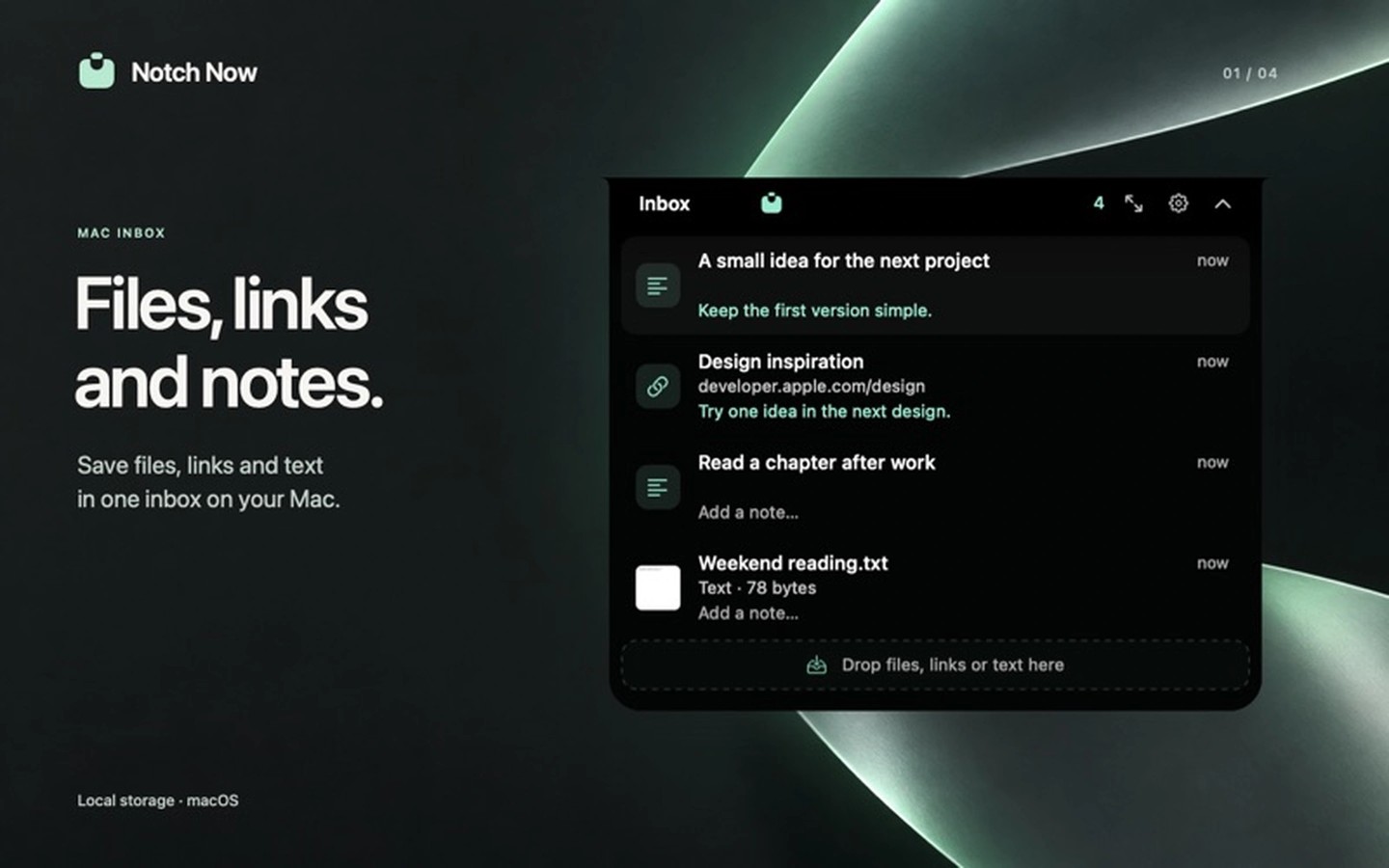
Notch Now is an inbox for files, links, images and text you want to return to later. Drag content toward the top of the screen to open the tray, or save copied content with a keyboard shortcut. The tray hides after a drop and reopens when you hover. On displays without a notch, it sits at the top centre of the screen.
You can preview items with Quick Look, open originals, search the inbox and edit saved text. Add a note to keep context, or set a reminder to bring an item back to the top when it is due. Items marked Done remain recoverable until you empty the Done section.
Files in stable locations are linked to their originals, so later edits are reflected. Files from temporary locations, the Trash or external drives are copied instead. You can also choose to always copy files. Saving an item does not move, change or delete the original.
The inbox stays on your Mac, with no account, uploads or cloud sync. Local storage is not separately encrypted. The clipboard is read only when you choose to save or paste. Keyboard shortcuts can open the inbox on the display under your pointer, and other apps can save text or links through the macOS Services menu or URL-based integrations.
The app accepts files up to 250 MB, PNG and TIFF clipboard images up to 25 MB, and text up to 1 MB, with up to 50 items per drop. App packages and email attachments not yet saved to disk are not supported. Saved text does not retain formatting.
Tags
More in Productivity

Mail Archiver X
Productivity
Aiko
Productivity