Nightcap
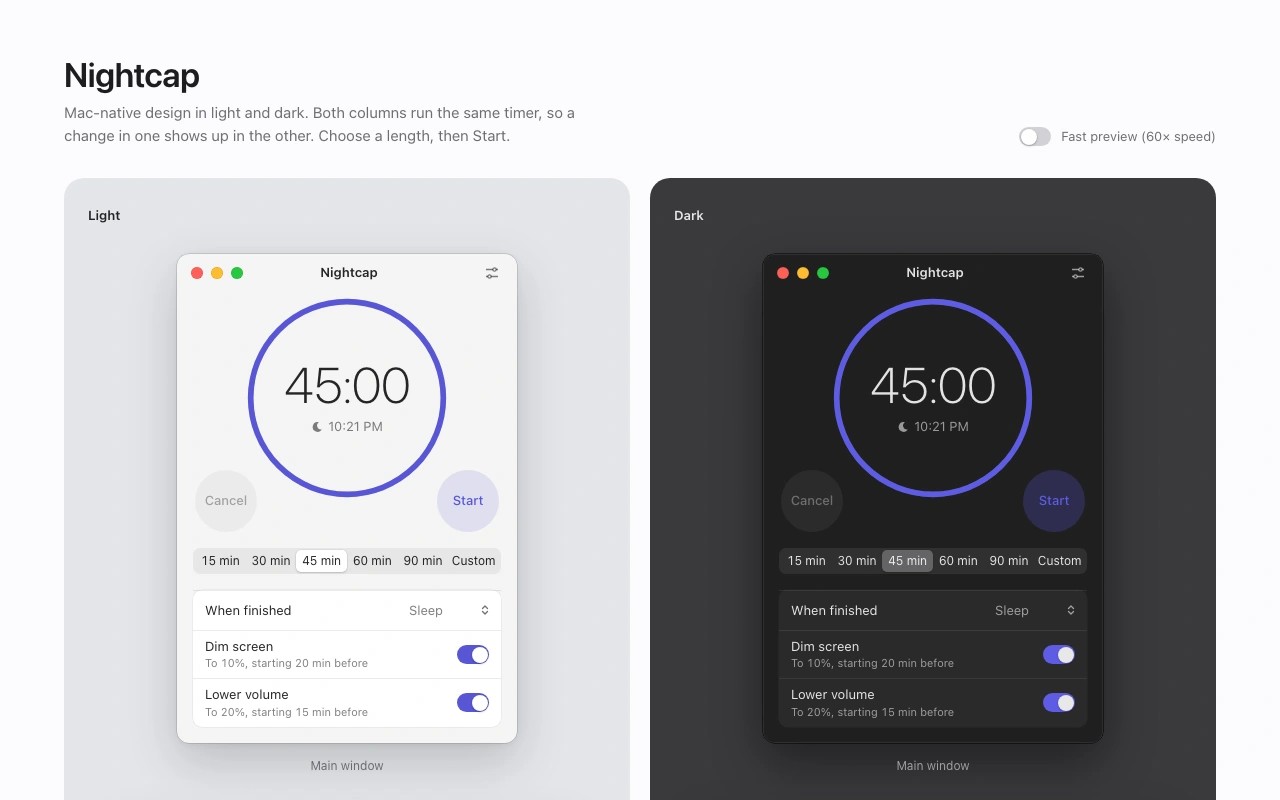
Nightcap sets a timer that gradually dims your Mac’s screen and lowers its volume before putting the computer to sleep, hibernating or shutting down. Choose a preset from 15 to 90 minutes or set a custom duration. The app remembers your choice of what happens when the timer ends.
Screen brightness and volume can fade on separate schedules. You choose when the screen starts dimming and the brightness level it reaches. Displays without brightness control use a dimming overlay instead. When you cancel the timer or wake the computer, Nightcap restores the previous brightness and volume levels.
From the menu bar, you can start a 15, 30, 45, 60 or 90 minute timer, pause it, add 15 minutes or cancel it. Closing the app’s window leaves the timer running.
Nightcap is open source and works offline without an account. It is also available for Windows and Linux.
Similar Apps

Menuwhere
Utilities
AppCleaner
Utilities