
Simple Mouse Locator
Simple Mouse Locator highlights the mouse pointer with a temporary or persistent ring. It works across multiple displays and in full screen, with keyboard, mouse gesture, and screen-event triggers.
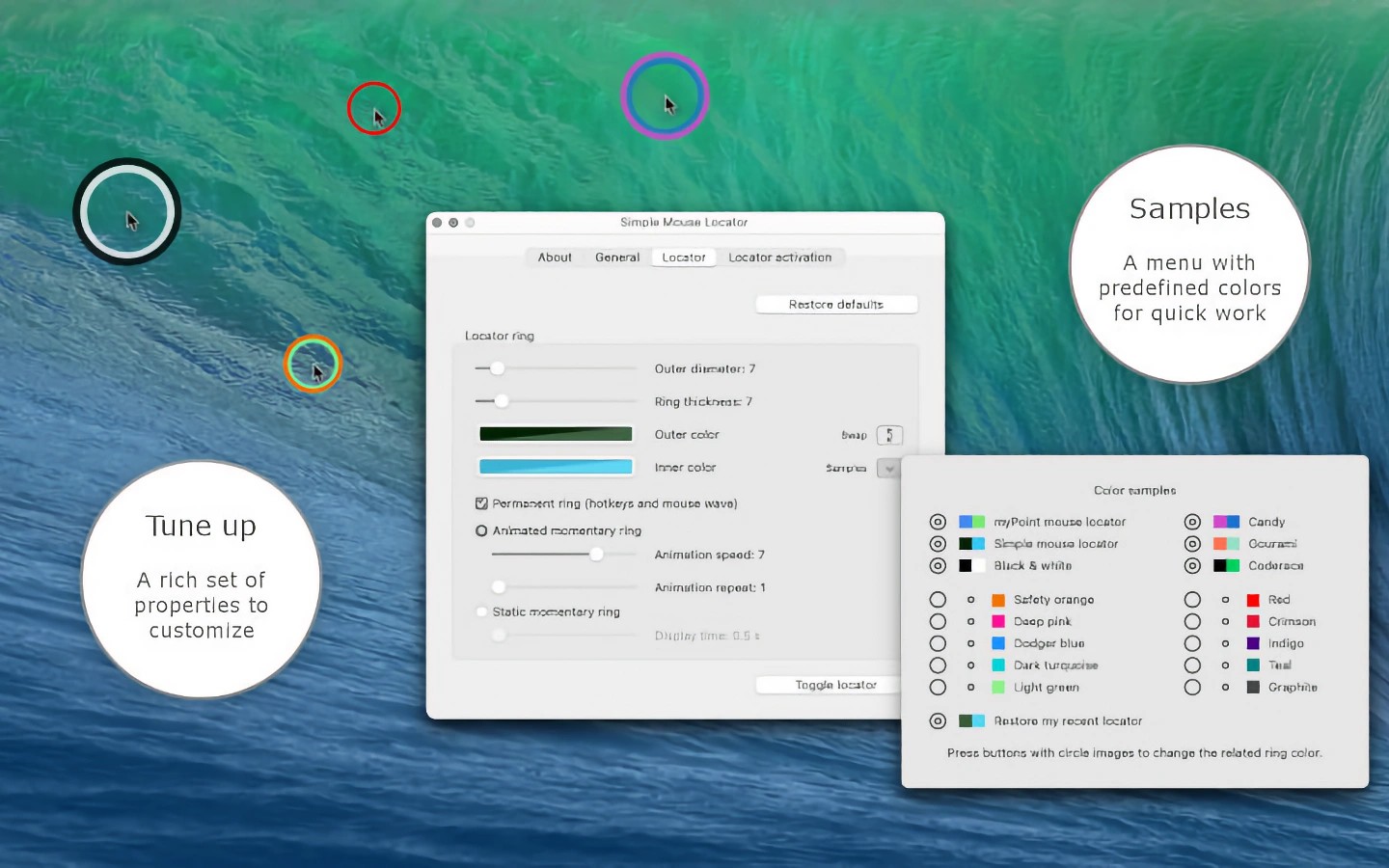
Simple Mouse Locator helps you find the mouse pointer by displaying a ring around its position, including across multiple monitors and in full screen. It adds a visual marker without changing the pointer’s shape or hiding it.
The temporary locator appears for a few seconds and can use an animated or static ring. The persistent locator uses a static ring. You can adjust the ring’s color, opacity, size, and thickness, as well as animation speed and repetition.
You can activate the locator with a customizable hotkey, a single modifier key, or a mouse gesture. It can also appear when the pointer crosses between screens, reaches a screen edge, or moves after a period of inactivity.
The app is controlled through a menu bar menu and does not show a Dock icon while running. It can start automatically at login, and its settings are grouped in a single preferences panel.
Tags
More in Utilities

YellowDot
Utilities
Pasteboard Viewer
Utilities