
Lungo
Lungo keeps your Mac awake for presentations, downloads, or reading without touching the keyboard. Control it from the menu bar, choose a preset duration, or use Shortcuts for custom durations and automation.
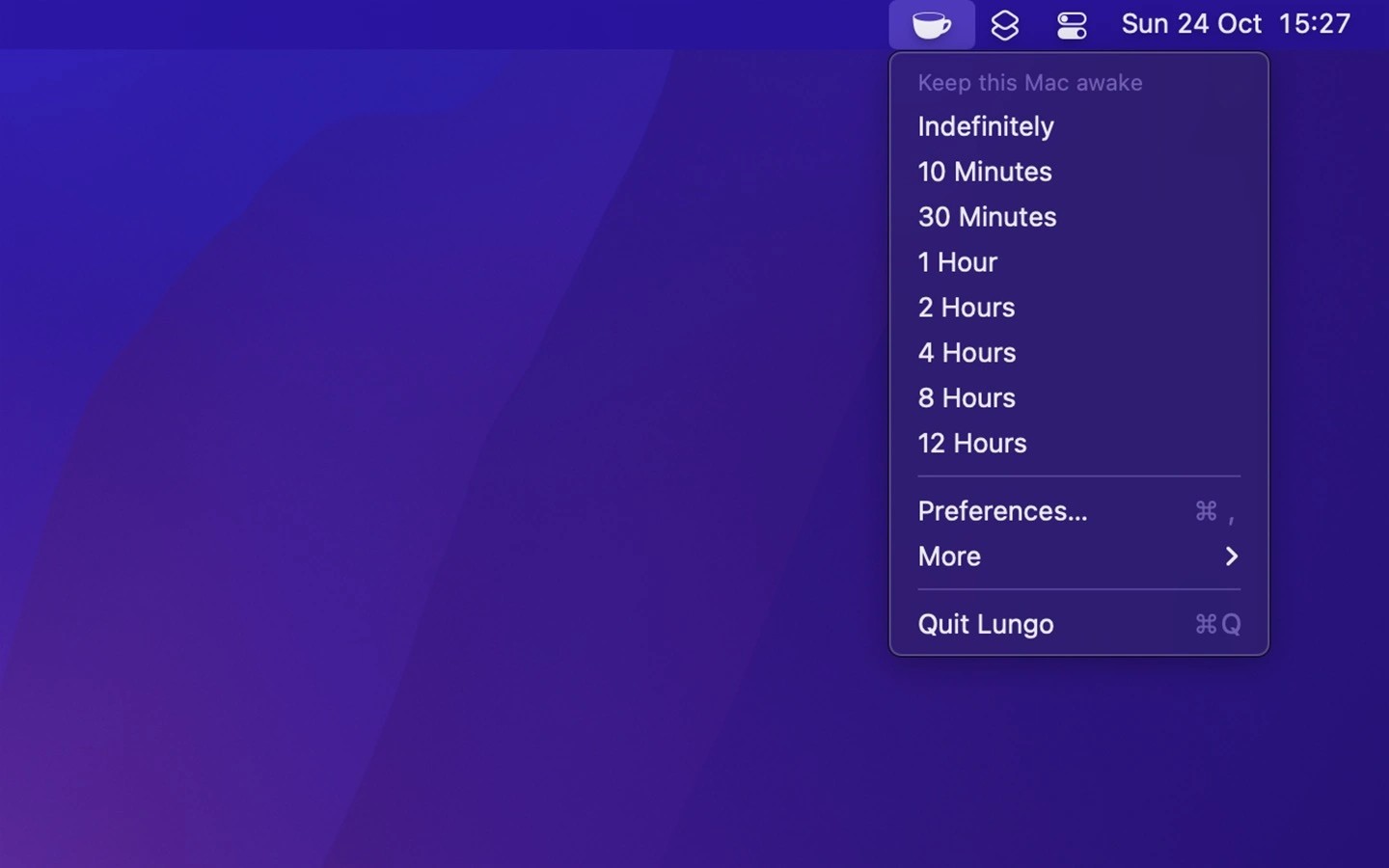
Lungo prevents your Mac from going to sleep for a set duration or until you turn it off. It can also keep the screen on, making it useful for presentations, downloads, and reading without keyboard or mouse activity.
The menu bar icon provides access to preset durations and can be configured to toggle Lungo with a left-click. Settings let the display sleep while the computer stays awake, allow sleep when the screen is locked, or deactivate Lungo when switching to battery power.
Custom durations are available through Lungo’s Shortcuts action rather than its preset menu. Shortcuts automations can also activate it when an app opens or on a schedule; these triggers are not built into Lungo. A custom URL scheme provides scripting control to activate, deactivate, or toggle it.
Keeping a MacBook awake with its lid closed requires both a charger and an external display. Scheduled sleep, shutdown, restart, and automatic logout take priority over Lungo. It does not keep your status active in apps such as Slack or Microsoft Teams.
Tags
More in Utilities

Menu Bar Calendar
Utilities
Lynx Download Manager
Utilities