
Spaced
Spaced adds separators to the menu bar to visually group related items. Each separator can use a line, dot, or empty space, with an option to reduce its opacity.
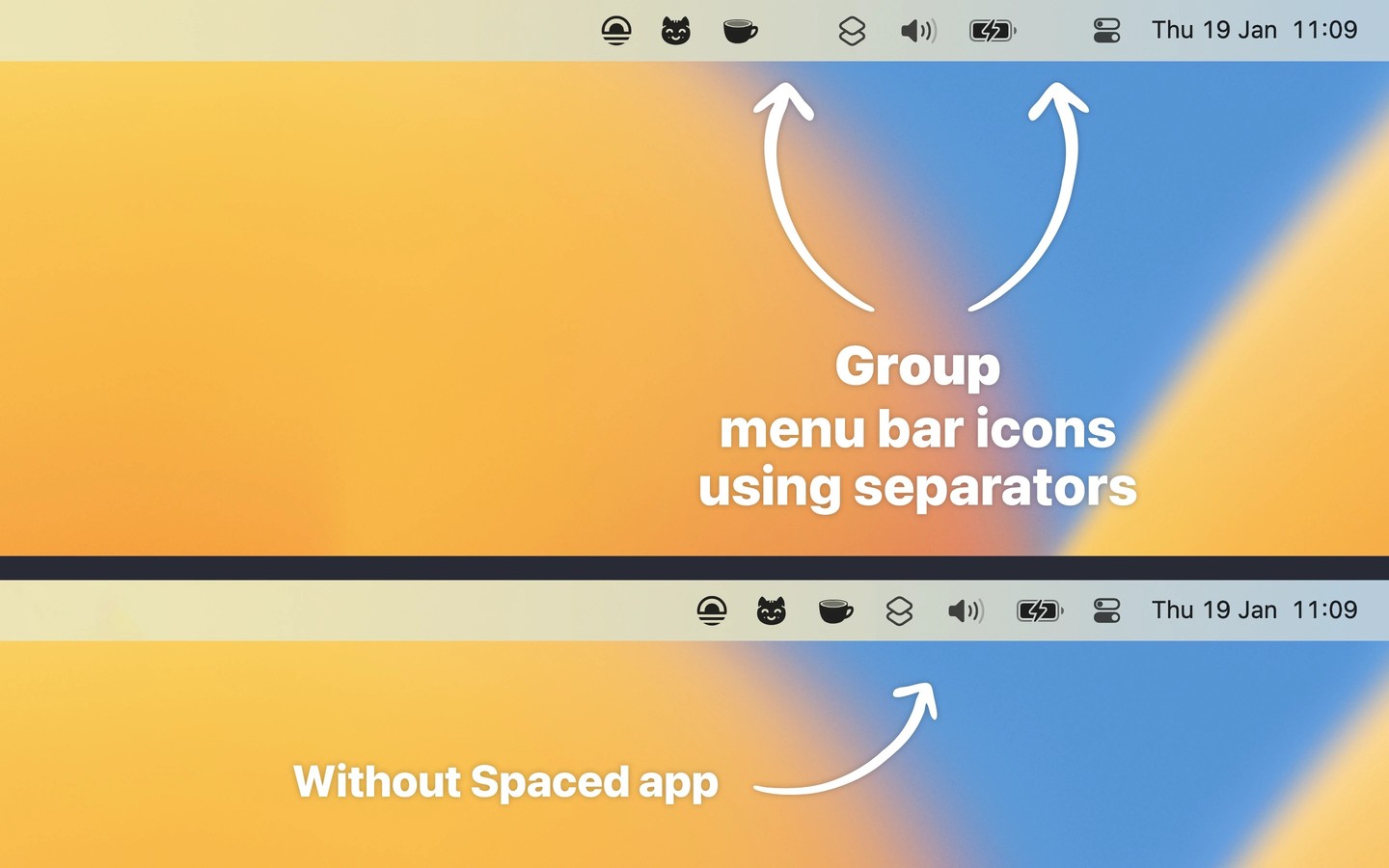
Spaced adds separators to your Mac’s menu bar so related items can sit together in visual groups. It is best suited to screens with enough spare menu bar space for the separators.
Click a separator to add or remove one and choose its appearance. Each separator can have its own line, dot, or empty space. Hold Command and drag to reposition it, or enable reduced opacity in settings for a less prominent appearance.
Spaced does not hide or show menu bar items or change the spacing between all icons. macOS saves and restores separator positions, and menu bar managers such as Bartender, Ice, and Thaw can interfere with that behavior.
Tags
More in Utilities

KleenMic
Utilities
Sandkorn
Utilities