
AlbumRescue
AlbumRescue reads Photos libraries without changing them, compares their contents, and exports albums as folders with original files and metadata sidecars. It works with external drives and Time Machine backups, but cannot retrieve originals stored only in iCloud.
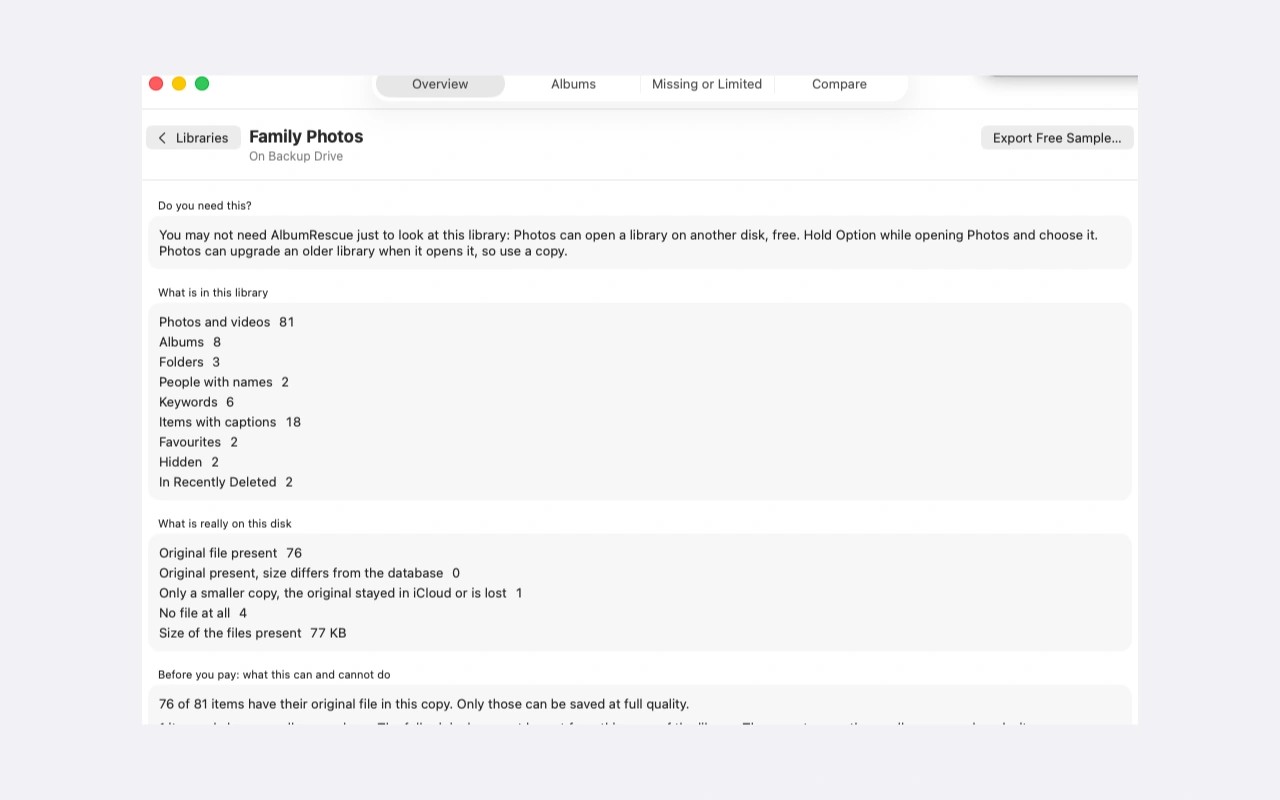
AlbumRescue reads Photos libraries from external drives, old Macs, damaged copies and Time Machine backups. It shows the albums and files it finds and can compare two libraries without restoring them. The Direct edition works from a private copy of the library database and can attempt recovery from internal change journals or a damaged database.
Albums export as a folder tree containing original files, XMP sidecars with metadata such as captions and keywords, and a CSV report. Live Photos and RAW plus JPEG pairs retain both files. You can include photos outside albums, hidden photos and Recently Deleted items, and resume an interrupted export.
The scan distinguishes available originals from smaller copies, video stills and missing files. AlbumRescue cannot retrieve originals stored only in iCloud, and damage can leave some photos without their album associations. It does not rebuild albums inside Photos. Smart albums appear in the report rather than exporting as folders.
The Direct edition includes library comparison and rescue tools, but exports originals rather than Photos edits. It needs Full Disk Access to read Time Machine backups and the library on the current Mac; an external library can be selected manually without that permission. Only the latest backups on an APFS Time Machine disk are found directly; older dates must first be opened in Time Machine.
The Mac App Store edition focuses on backups: you select a library and destination, and later runs copy only new items. Unlike the Direct edition, it also saves the edited version beside each edited photo. Neither edition changes the source library or writes into Photos.
Tags
More in Photo & Video

LiveFaceSwap Desktop
Photo & Video
Gatterie
Photo & Video