
TouchNow Host
TouchNow Host connects your Mac to TouchNow on iPhone or iPad for remote viewing and control. Stream the whole desktop or one window, and use touch, trackpad controls, a keyboard or a game controller.
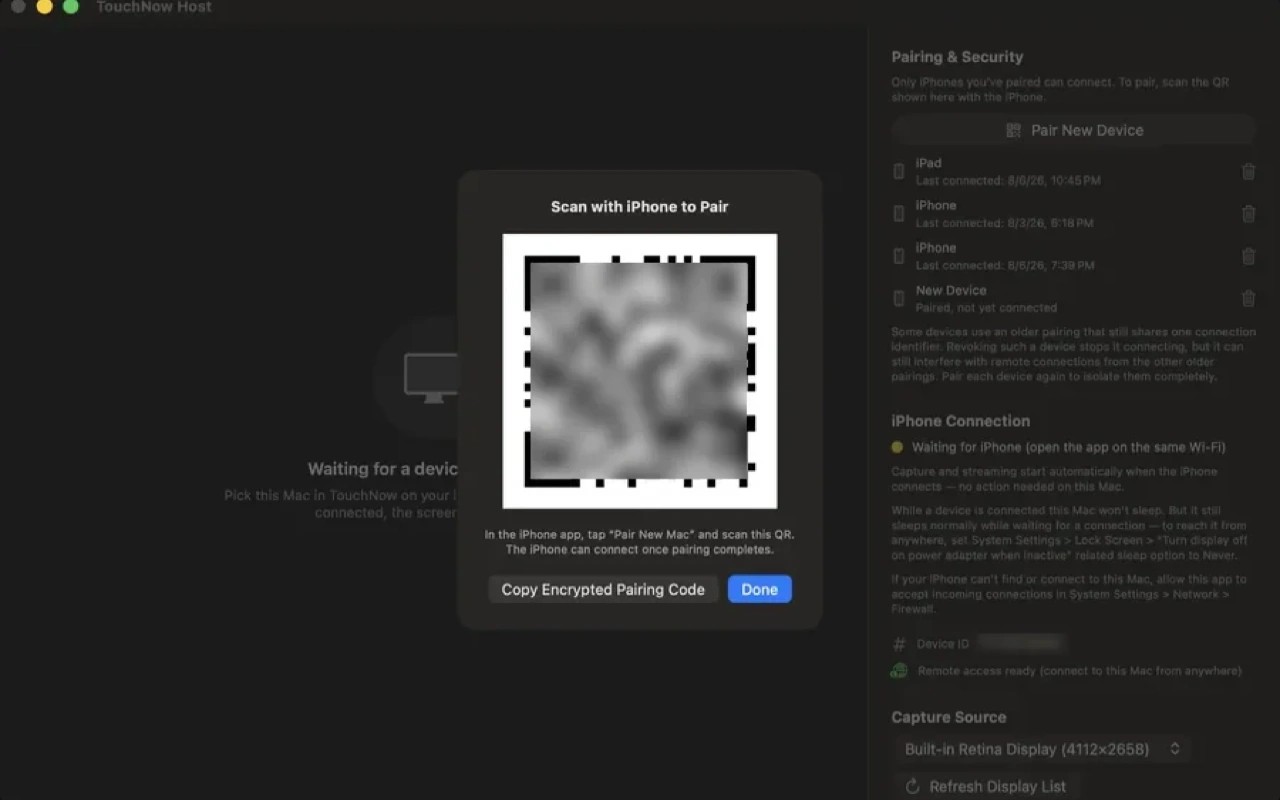
TouchNow Host lets you view and control your Mac through the TouchNow app on an iPhone or iPad. You can stream the whole desktop or a selected window, or use the mobile device as a separate Mac display and drag windows onto it. Connections work on the same Wi-Fi or across networks, using a direct peer-to-peer connection when possible.
The mobile app offers trackpad controls, direct touch and a Mac keyboard with function keys and modifier keys for shortcuts. A pointer magnifier helps with small targets. Game controls include customizable virtual sticks, buttons and key combinations, with support for a physical controller. Quality settings let you balance image clarity and smooth playback to suit the connection.
Setup requires installing the Host on your Mac, granting Screen Recording and Accessibility permissions, and pairing with the mobile app using a QR code. The iPhone or iPad needs iOS or iPadOS 15 or later. Your Mac must remain powered on, online and running TouchNow Host; waking it from another network is not guaranteed.
No account is required, and the screen stream is end-to-end encrypted. The Mac lists paired devices, keeps a local connection history and displays a persistent red banner during remote control. Revoking a device ends its active connection and requires it to pair again before reconnecting.
Tags
More in Utilities

Exhibitly
Utilities
Online Check
Utilities