
Monito
Monito is a video editor that turns plain-language requests into edits and helps turn long recordings into captioned short clips. It combines automated cuts, captions, and pacing with a multi-track timeline for manual adjustments.
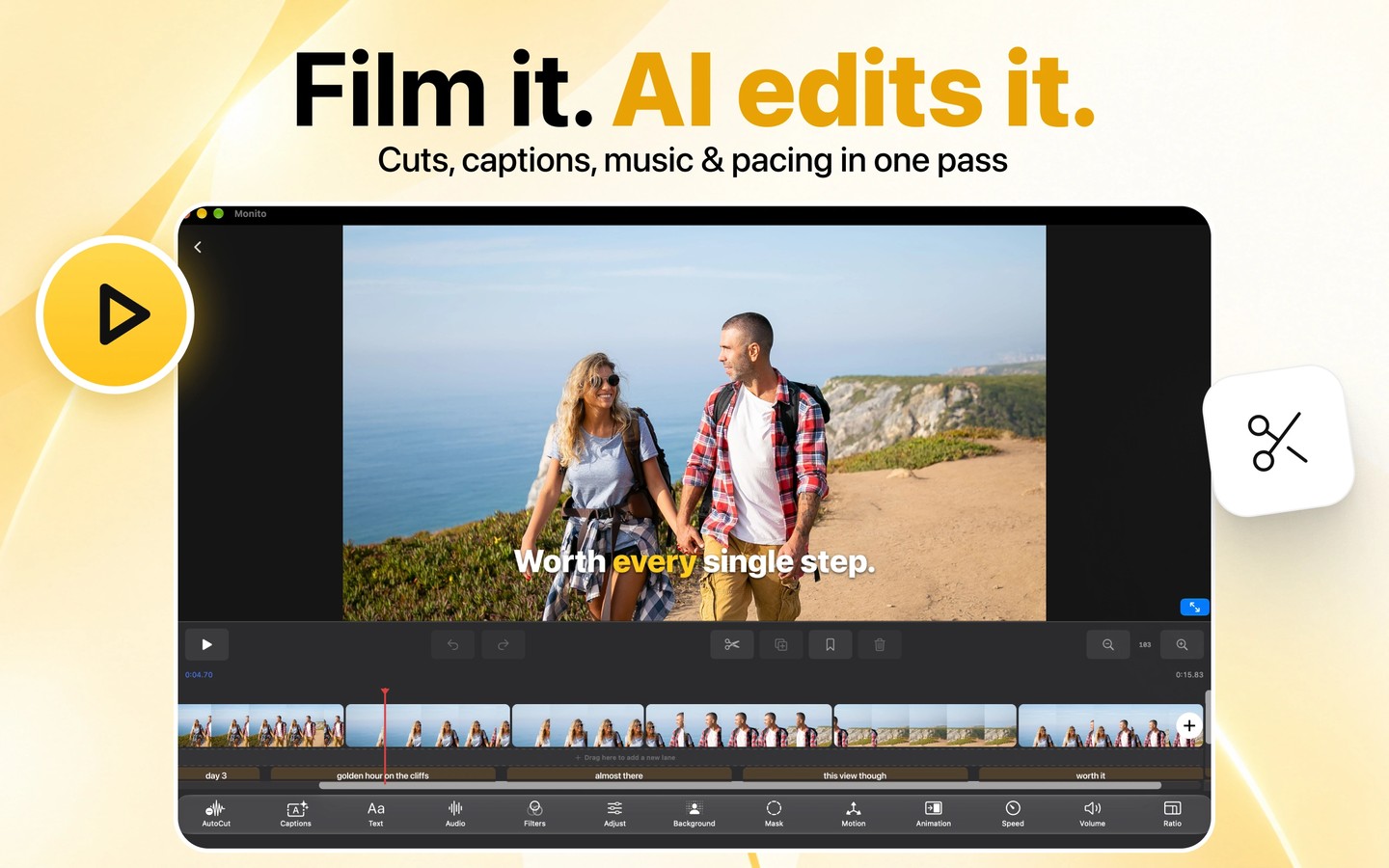
Monito is a video editor for creating social clips and editing longer recordings. You can ask its AI assistant to make cuts, add captions, music, text, transitions, or zooms. The assistant lists its changes, and you can undo them. For a more automated workflow, choose a Talking Head, Long-Form, or Montage style and let AI handle cuts, captions, music, and pacing.
Auto Clips selects highlights from a long video, adds captions, and crops them vertically for short-form platforms. Other tools remove silences, generate captions in more than 40 languages, and remove backgrounds without a green screen. A multi-track timeline provides manual control over layers, picture-in-picture, keyframes, and speed curves. Export supports H.264 or HEVC at up to 4K and 60 fps.
On Mac, apps that support MCP, including Claude, Codex, and Cursor, can connect to Monito to open, edit, and export projects. Connections require an access token and are limited to apps on your Mac, with media access restricted to folders you allow. Monito also runs on iPhone, iPad, and Apple Vision Pro.
AI processing can use Apple Intelligence, an on-device model, or Cloud AI, depending on the device and feature. The separate on-device model requires at least 4 GB of RAM and a download of about 2 GB; Cloud AI requires internet access. Video and audio files stay on the device, but AI features can send requests, transcripts, timing, timeline descriptions, and selected still frames for processing. Connected AI apps on Mac can also see project frames.
More in Photo & Video

HandBrake
Photo & Video
SimplyShot
Photo & Video