
AUTOMATER.ai
AUTOMATER.ai collects session history from supported AI coding tools into a searchable local library. Its menu bar panel flags agents waiting for your input and shows usage across nine providers.
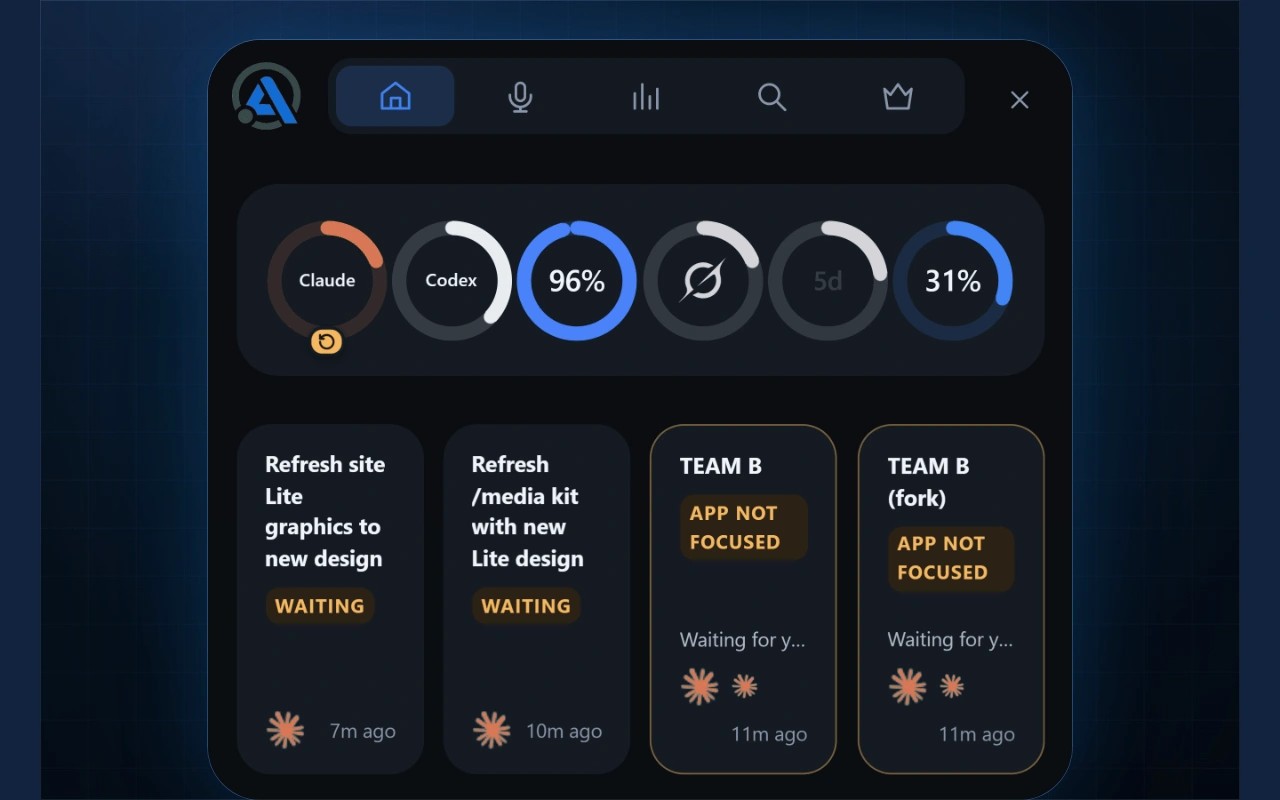
AUTOMATER.ai helps you keep track of AI coding sessions across tools such as Claude Code, Codex, Cursor and Antigravity. It reads the session files those tools already save and indexes them in one searchable library on your Mac. Supported sessions can be reopened in their original command-line tool; not every integration supports resuming.
The menu bar panel flags agents waiting for answers, permissions or approvals. It also brings usage meters from nine providers into one view, showing remaining allowances and reset windows for connected plans.
Local voice transcription lets you speak prompts and keeps a history of your recordings. On macOS, you copy the transcribed text from the Voice tab rather than having it automatically inserted into the focused app.
Session content and the searchable library stay on your machine. Usage statistics containing counts, not session content, are sent by default and can be disabled in Settings. Optional cloud voice and rewrite features send audio or text only when you use them.
The Mac app requires Apple silicon. AUTOMATER PRO adds chat, controls for starting and stopping agent sessions, inline replies, and computer control with your permission.
Tags
More in Developer Tools

Sequel Pro
Developer Tools
Regex Forge
Developer Tools