
Farrago
Farrago plays sound effects, music clips, and recorded segments for podcasts, radio, and live shows. Arrange sounds in grids for quick access or in lists for sequential playback, then control them with a keyboard, mouse, or supported hardware.
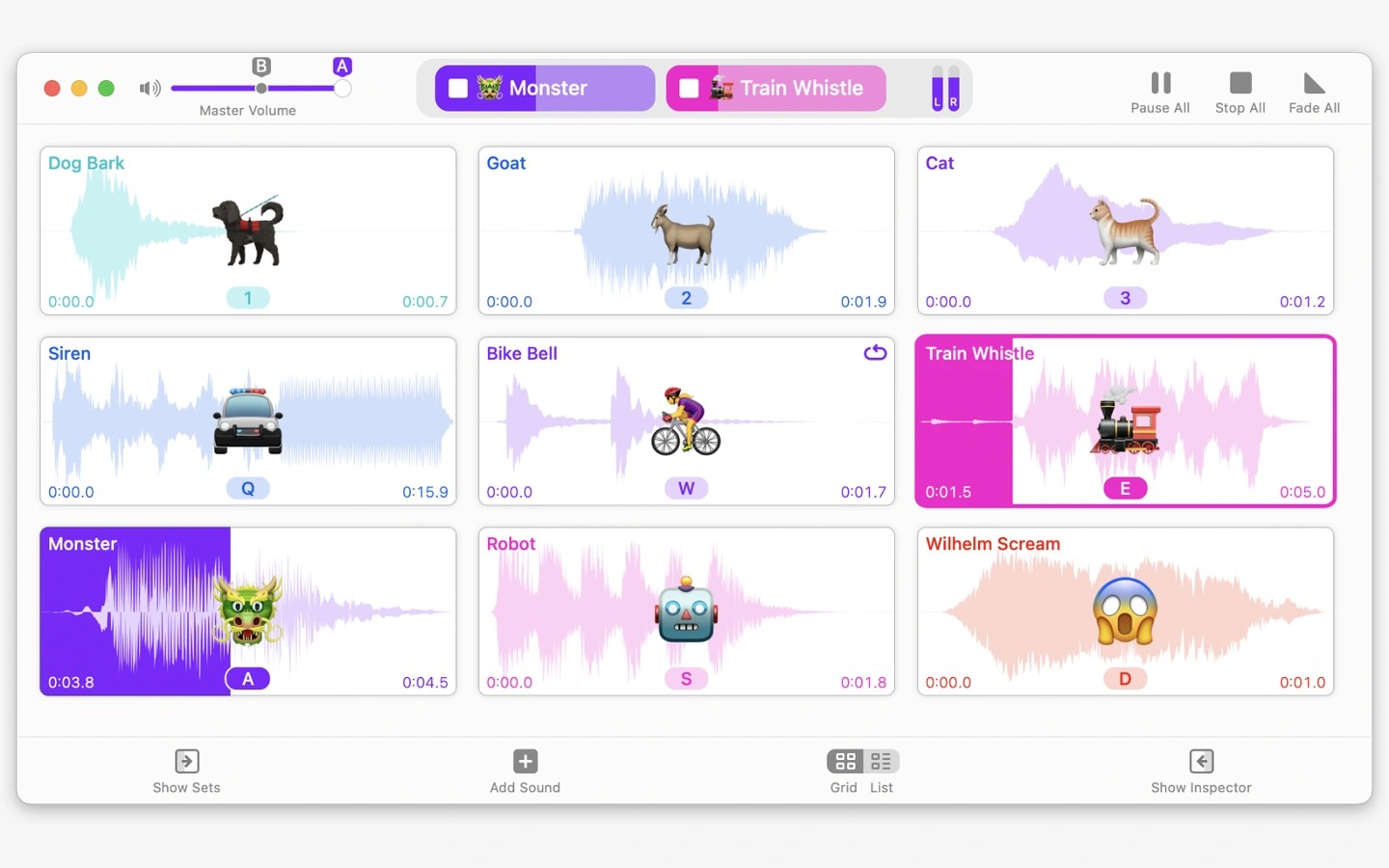
Farrago is a soundboard for playing sound effects, music clips, and recorded segments during podcasts, radio broadcasts, and live performances. You can trigger individual sounds on demand or arrange clips in a predefined sequence.
Sounds are organized into sets, with a grid layout for quick access and a list layout for ordered playback with notes. Sets can update automatically using rules you define, and you can lock them to prevent changes, optionally with a password.
Playback controls let you loop clips and adjust their relative volumes. A separate preview output lets you test audio on a secondary device before playing it live. The built-in editor can trim clips, remove sections, and apply fades.
You can search your library or find, preview, and download sounds through the integrated Freesound search. If you use GarageBand or Logic Pro, Apple Loops can also appear in search results and be used in Farrago.
Alongside keyboard and mouse control, Farrago supports MIDI, OSC, and Stream Deck hardware for controlling playback. Shortcuts integration lets you automate Farrago and trigger your own shortcuts from within the app.
Tags
More in Music

Turnover
Music
debop
Music