
VizShot
VizShot captures screenshots and records selected areas of your screen with sound. It includes annotation tools, on-device text recognition, and screenshot link sharing through your own cloud storage.
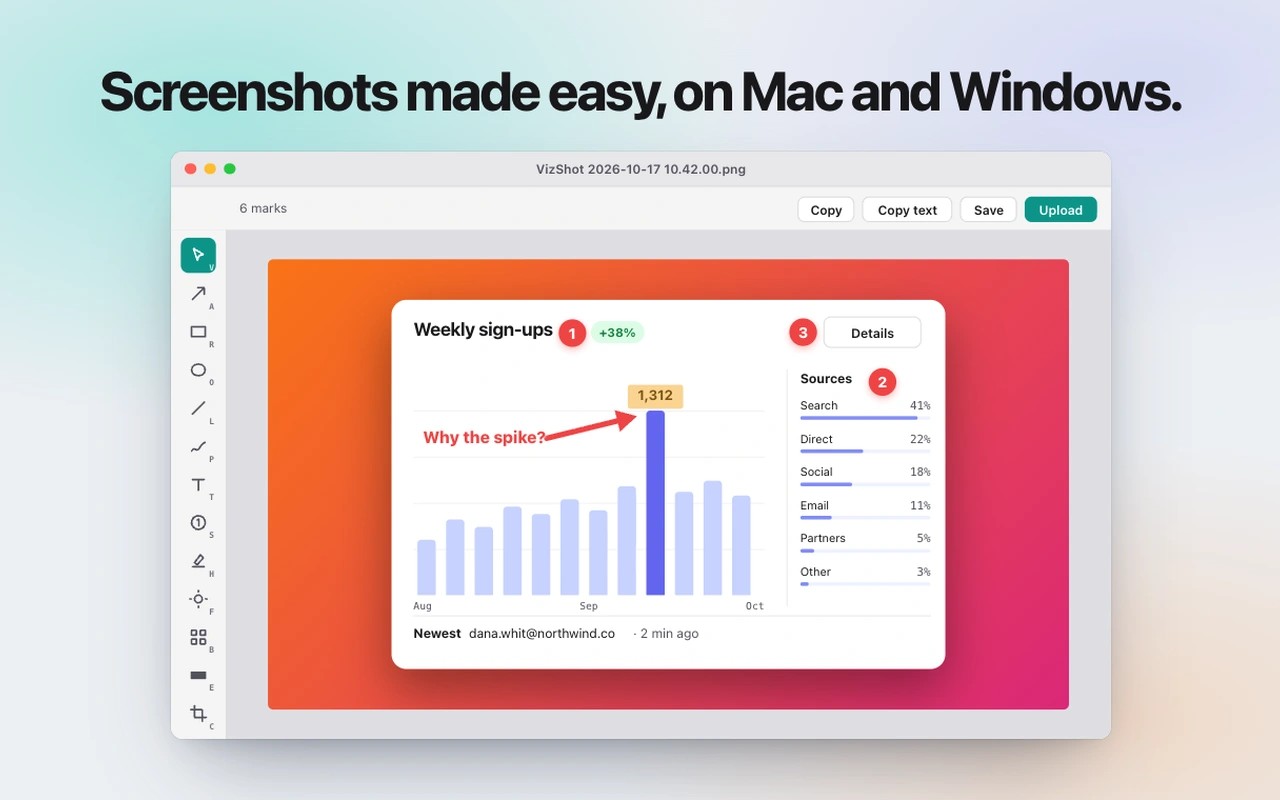
VizShot captures screenshots with a keyboard shortcut and copies them to your clipboard. You can drag to select an area, capture the display under your pointer, or repeat your last selection. A capture timer helps with menus that close when you click away.
The editor lets you add arrows, text, numbered steps and highlights, crop an image, or cover private details with a solid redaction. You can also place screenshots on gradient backdrops with rounded corners and a shadow. Recent captures stay together in one window for editing, copying or dragging into other apps.
Text capture copies words from an area of your screen, including PDFs and paused videos. Recognition runs on your computer without an internet connection, and table columns are preserved when pasted into a spreadsheet. You can also copy text from the editor, with redacted content excluded.
The built-in recorder captures any part of your screen with sound. When you stop recording, the video is saved and opened for viewing or sharing.
For screenshot link sharing, VizShot uploads to your own Cloudflare R2, Amazon S3 or Backblaze B2 storage using your own web address. It can automatically upload each capture and copy its link instead of the image. Storage credentials are kept in the Mac’s keychain; you can also skip uploads and simply copy and paste screenshots.
Tags
More in Utilities

Mowji
Utilities
Lungo
Utilities