
Arkivor
Arkivor opens ZIP, RAR and 7Z archives, extracts selected files and creates password-protected ZIPs. It also lets you edit ZIP contents and start compression or extraction from Finder, with archive processing handled on your device.
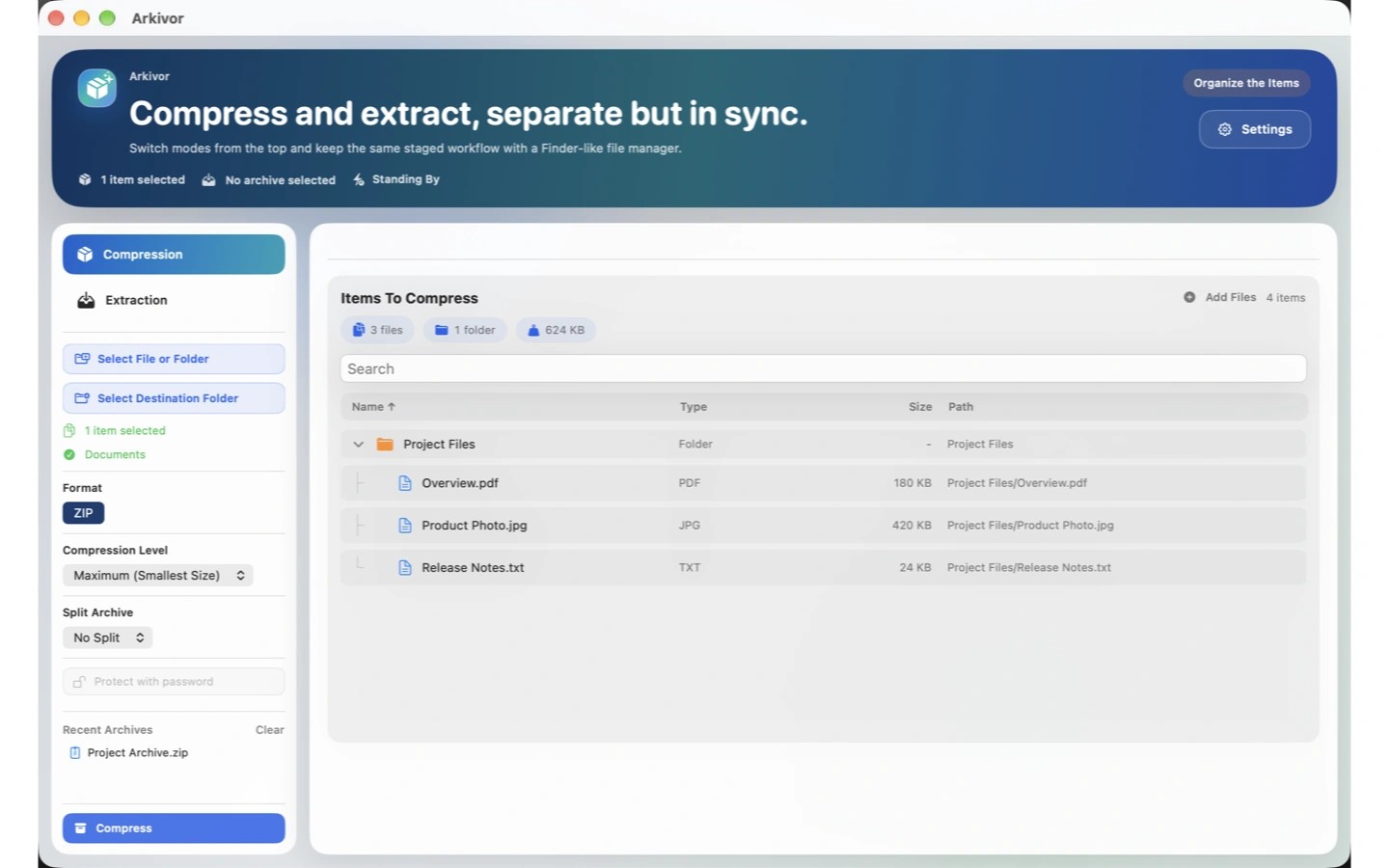
Arkivor opens ZIP, RAR and 7Z archives and lets you extract only the files you need. You can start compression or extraction from Finder’s context menu and queue multiple archives for batch extraction.
You can create ZIP archives with optional AES-256 password protection. Existing ZIP contents can be added, deleted, renamed or replaced without manually extracting the files first. Large archives can be split using preset part sizes from 10 MB to 1 GB.
Arkivor opens supported encrypted ZIP, RAR and 7Z files when you provide the archive’s password. To open a supported multipart RAR, ZIP or 7Z archive, select all its parts together. It also opens supported TAR, GZ, BZ2, XZ, LZMA, LZ4, ISO and CAB files.
Archive processing happens on your device without uploading files to a server. Files already stored on your device can be processed without an internet connection, and no account is required.
Tags
More in Utilities

NoteRescue
Utilities
Permute
Utilities