Basil
Basil records conversations or imports audio and DRM-free video to create timestamped transcripts and AI summaries. On Mac, it can capture your microphone and meeting audio without a bot; transcription processing depends on your language and settings.
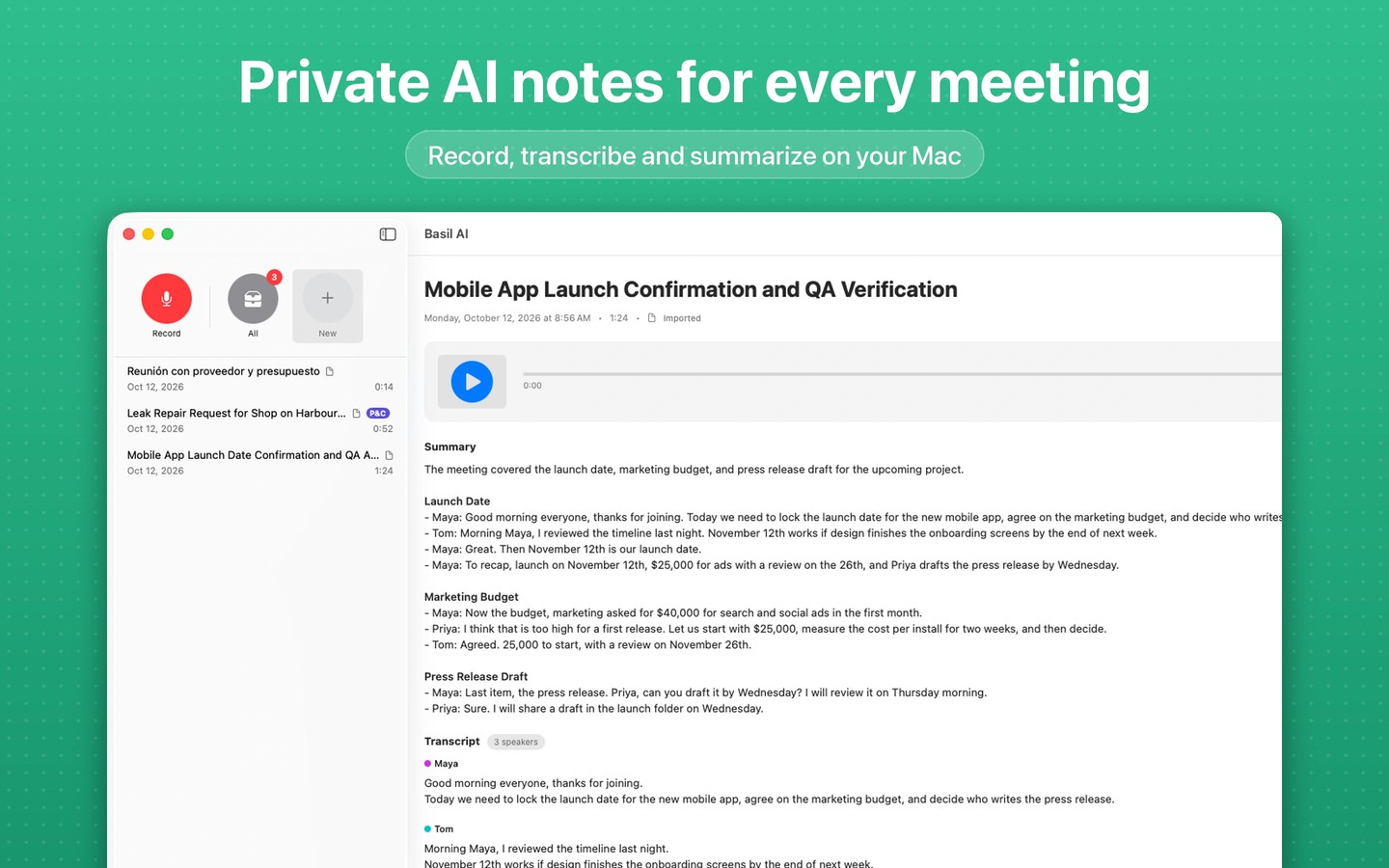
Basil turns live conversations and imported recordings into timestamped transcripts, summaries, action items, and key takeaways. On Mac, Computer mode captures your microphone and call audio from Zoom, Teams, or Google Meet without joining as a participant. It does not connect to your meeting account or retrieve cloud recordings, and you must obtain any required recording consent.
You can import audio or common DRM-free video files. Basil extracts video audio locally, discards the copied video, and keeps the extracted audio in your library. Transcripts include speaker labels, and recordings can be searched and organized into custom folders. You can export transcripts to Apple Notes, Files, or other apps.
On-device real-time transcription is enabled by default, but offline use requires a language with on-device recognition support. Some languages or recognition modes use Apple's online speech services. AI summaries run on your device and require on-device AI availability. Basil supports Apple silicon Macs, not Intel Macs, and is also available for iPhone and iPad.
Basil never receives your recordings or transcripts. iCloud Sync is enabled by default and stores recordings, transcripts, and summaries in your own iCloud account. You can disable it in Settings to keep your library on your devices, and export or delete your data from Settings.
Tags
More in Productivity

Alarmey 2
Productivity
Typinator
Productivity