
Audio Hijack
Audio Hijack records audio from individual apps, input devices, or your entire Mac. Reusable sessions support podcast and call recording, audio adjustments, live broadcasting, and local speech transcription.
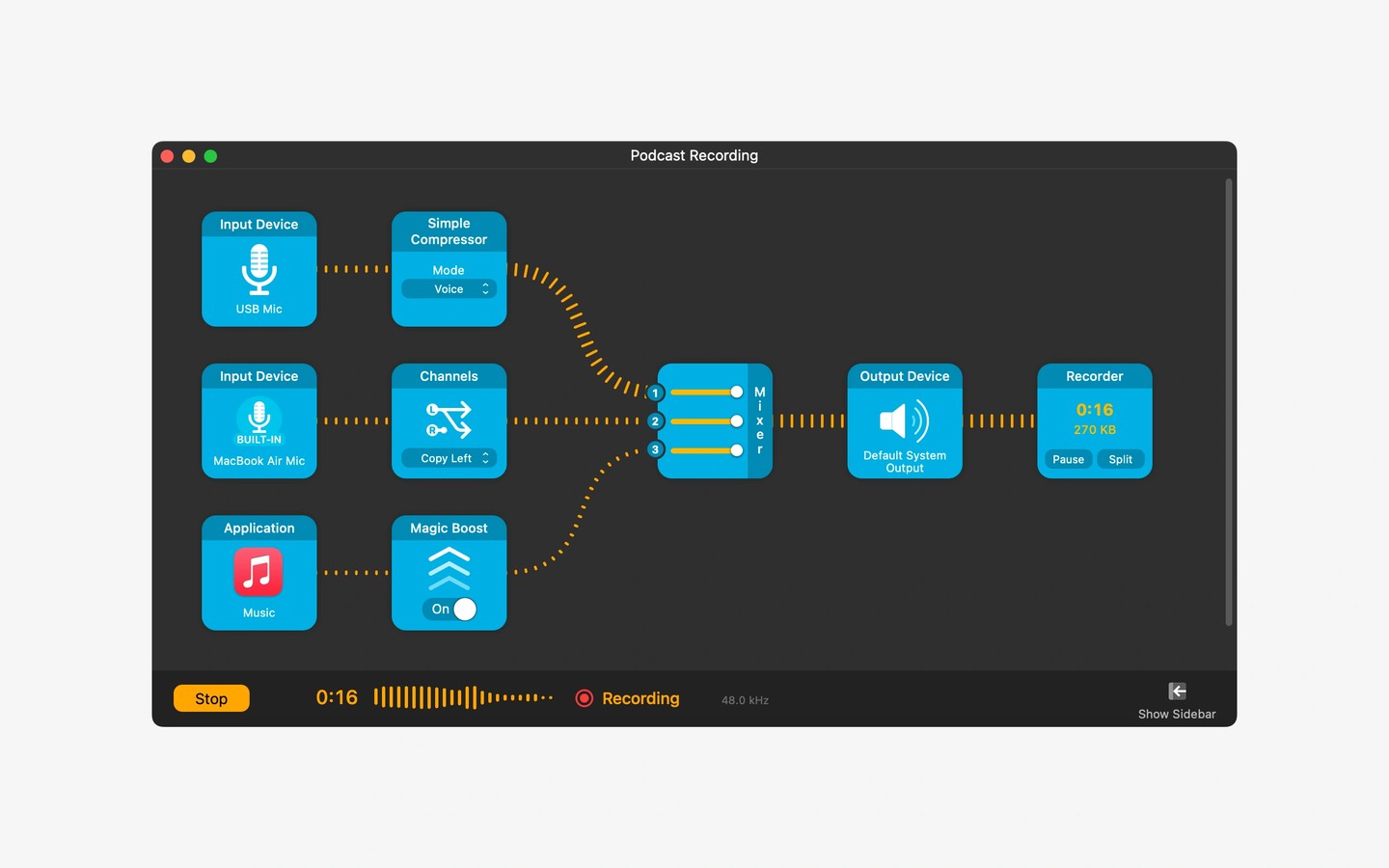
Audio Hijack captures audio from individual Mac apps, microphones, mixers, and other input devices, or all system audio at once. You can use it to save web streams for offline listening, record calls in apps such as Zoom and FaceTime, or record podcasts with microphones and remote guests.
Sessions let you reuse a recording setup rather than configure it each time. Audio blocks provide adjustments such as compression and volume boosting. Recordings can be saved as MP3, AAC, AIFF, WAV, ALAC, or FLAC, and are organized by session for sharing or sending to an audio editor.
Beyond recording, Audio Hijack can send audio to RTMP services such as YouTube Live and Twitch, or broadcast to Shoutcast and Icecast servers. It can also transcribe speech from podcasts and meetings locally on your Mac. Sending adjusted app or microphone audio into another app requires pairing Audio Hijack with the separate Loopback utility.
Tags
More in Productivity

Witch
Productivity
Recordia
Productivity