
All in Term
All in Term combines local terminals, SSH connections and SFTP file management with server monitoring and infrastructure tools. Files, processes, containers and databases stay connected to the active server workspace.
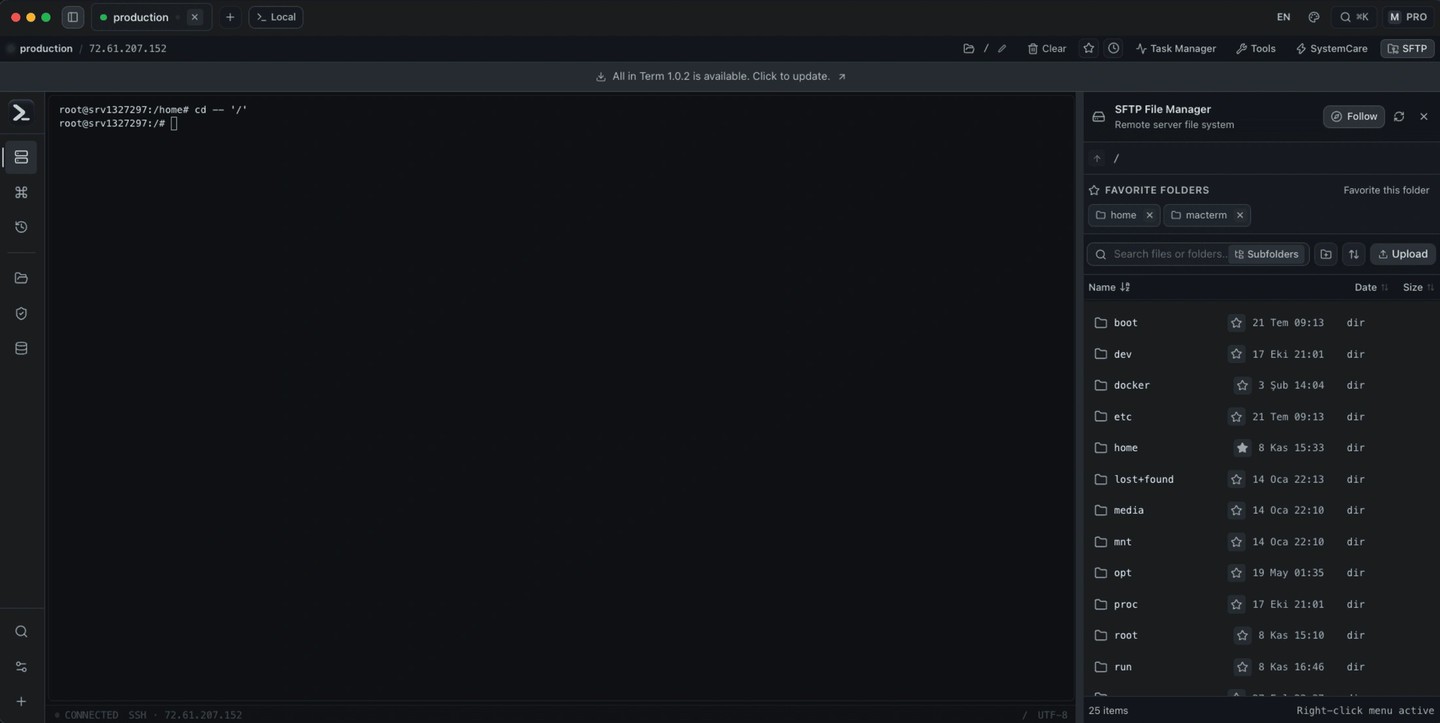
All in Term is a terminal and server operations app for developers and people managing servers. It brings local shells and remote SSH sessions into tabs, with saved server profiles and tools that follow the active server. SSH connections support passwords and private keys, including passphrases. An account is required to start using the app.
The SFTP file manager can follow the terminal’s directory or browse independently. You can upload files from Finder, edit remote text files, and compare local and remote folders before transferring changes. A separate read-only mode follows growing log files; you must stop following before editing.
Monitoring views show processes, CPU and memory use, listening ports, and disk usage. Health scans organize performance, storage, service and security findings for review. Security Radar and suspicious activity scans are read-only: they do not automatically change security settings, and their findings are not proof of compromise.
Infrastructure tools include Docker and Compose controls, Redis key editing, and PostgreSQL and MySQL-family database views. PostgreSQL exploration includes paged table data and validated read-only queries. Nginx tools analyze logs and let you edit configuration, test it, and reload it.
A command palette provides access to servers and saved command snippets. Saved credentials are encrypted through Electron safeStorage, backed by macOS Keychain on a Mac.
Tags
More in Developer Tools

DevCleaner
Developer Tools
Icon Preview
Developer Tools