
Stage Manager
Stage Manager groups windows into stages with a card strip for switching between them. It restores stages after a restart, supports custom card order, and lets you merge stages by dragging one card onto another.
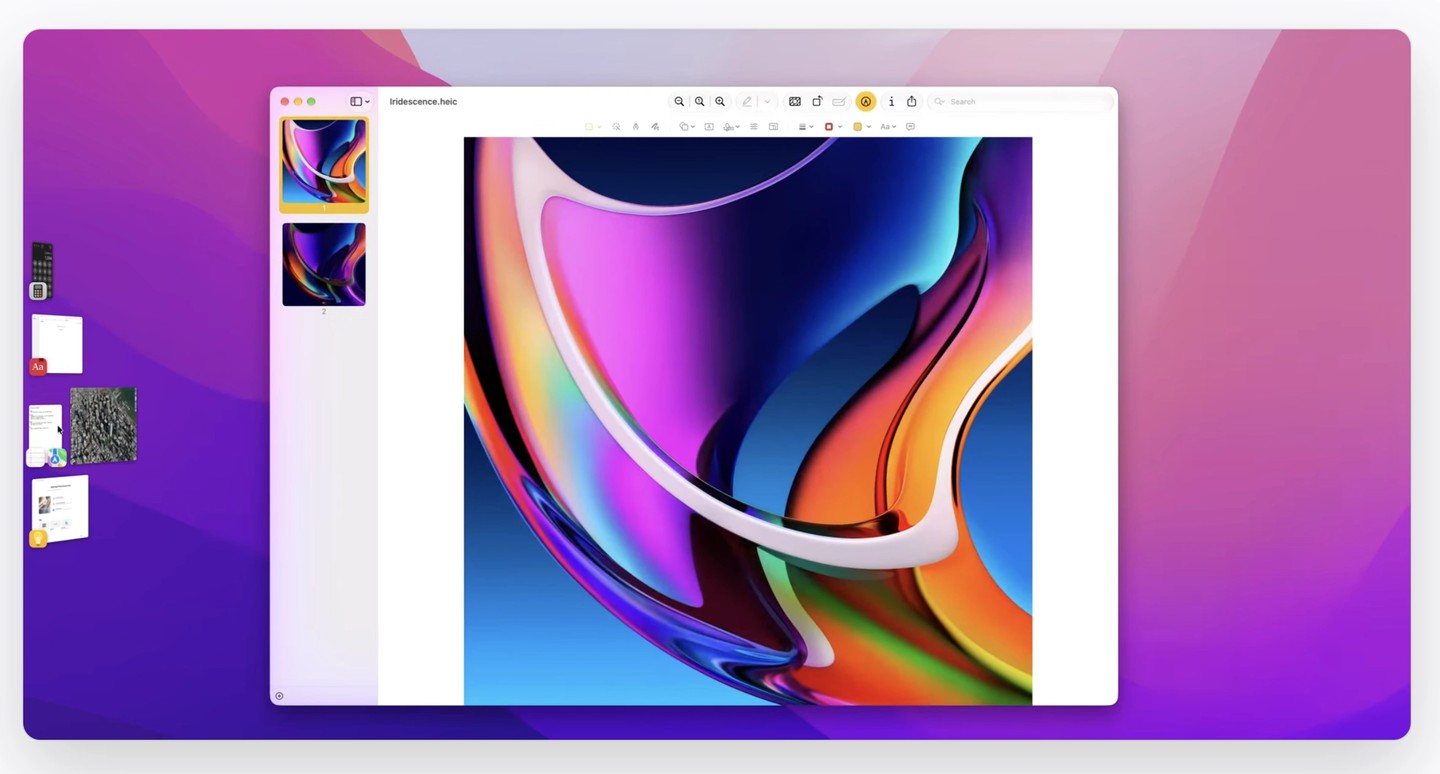
Stage Manager organizes windows into groups called stages, with a strip of cards for switching between them. It offers an alternative to the Stage Manager built into macOS. Stages return after a restart in the same order, and cards can follow your own arrangement or your Dock’s order.
You can combine stages by dropping one card onto another. Optional keyboard shortcuts let you switch stages or send a window to a stage using Control-Option-1 through 9. A setting moves windows clear of the card strip so the cards remain visible.
A plain-text configuration file provides further controls. You can name stages, set rules for new windows based on app and window title, adjust the strip’s appearance, and change animation timing. Additional shortcuts can create a stage, pin a window, or show and hide the strip.
Setup requires turning off Apple’s Stage Manager and granting Accessibility permission to move windows. Screen Recording permission is optional and enables live window previews on the cards. Window information stays on your Mac; the app’s only online activity is a daily GitHub update check, which can be disabled.
Tags
More in Utilities

OpenNavo
Utilities
Haptiker
Utilities