
Mac Ninja
Mac Ninja puts idle browser tabs to sleep and lowers busy background apps’ priority. It also includes AI bots that can draft email replies, work with files, and browse the web using an AI service or local model you configure.
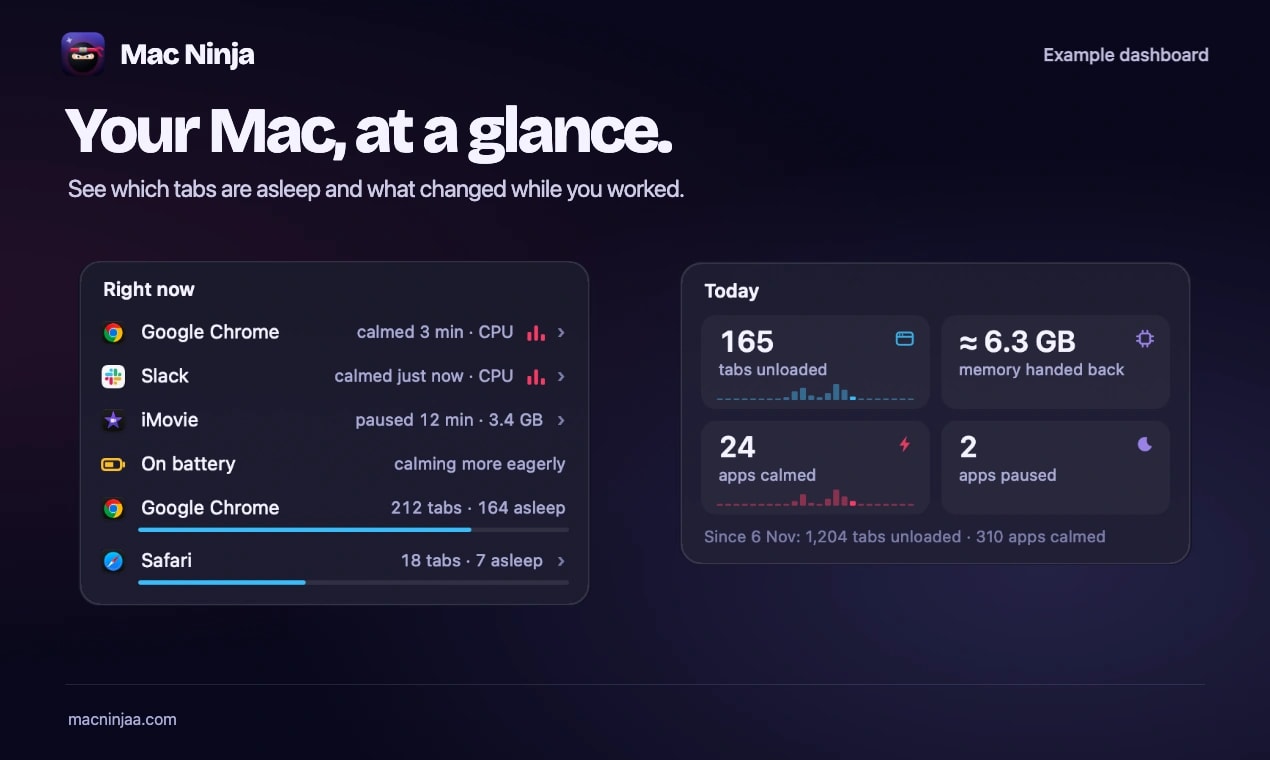
Mac Ninja combines background resource management with AI assistants in your menu bar. Its dashboard shows memory use, sleeping tabs, apps running at reduced priority, and a history of its activity.
Idle browser tabs normally sleep after 15 minutes, staying in the tab bar and reloading when selected. Active tabs, pinned tabs, and tabs playing audio are left alone. Tab sleeping supports several Chromium-based browsers with the Mac Ninja Helper extension, while Safari uses a more limited Lite mode. When memory runs low, tabs can sleep sooner.
When your Mac is busy, hot, or running on battery, Mac Ninja lowers the priority of busy background apps, including those doing heavy disk work. Switching to an app restores its full priority. Apps playing or recording audio are excluded, and you can edit a list of apps that should never be slowed down.
With the Chrome helper, Mac Ninja can also close abandoned tabs it observed an AI agent open in its own tab group. The default delay is eight hours of inactivity, excluding time the Mac spends asleep. Active sessions and tabs it did not observe the agent create are left alone. This feature can be disabled; if Chrome syncs your tab groups, those closures also affect other devices.
Ninja Bots can draft replies in Mail, work with files, run commands, and browse the web. You can chat with bots in their own window or ask for help from the menu bar. Bots require macOS 12 or later and use your own Claude or ChatGPT setup, API key, or local model. Email drafts wait for you to click Send.
New bots start with Full access, allowing them to run commands and read or change files without asking at every step. Granting Accessibility and Screen Recording permissions also lets them operate the screen. You can reduce each bot’s access in its settings. Tasks use the AI provider you configure; with Quick Decisions enabled, some proposed action names are also checked through Mac Ninja’s server.
Tags
More in Utilities

Lunar
Utilities
Tuck
Utilities