NotchBuddy
NotchBuddy puts timers, clipboard history, notes, music controls and sales alerts in a panel at the top of your screen. An animated pet shares the space, and Macs without a notch use a small pill-shaped panel instead.
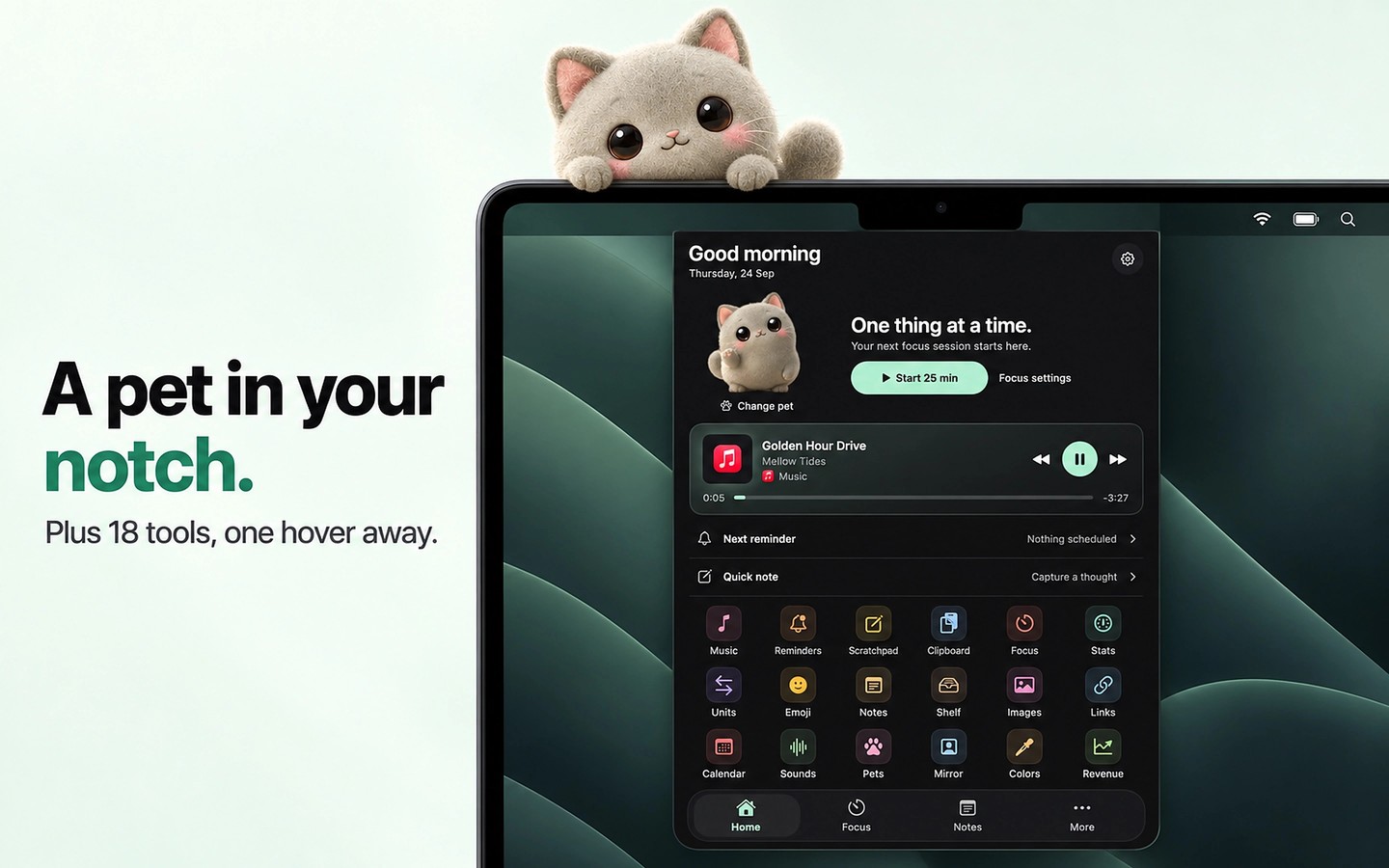
NotchBuddy turns the Mac’s notch into a workspace for everyday tools and an animated pet. Hover to reveal the panel, click to open a tool, and move away to tuck it back in. On Macs without a notch and on external displays, it appears as a small black pill at the top centre of the screen. You can also open it with Control–Option–Space.
The tools include Pomodoro and countdown timers, searchable clipboard history, sticky notes, an autosaving scratchpad and reminders spoken aloud when due. A file shelf holds files for later or sends them to an iPhone with AirDrop. Music controls let you play, pause, skip and scrub without switching apps. Individual tools can be disabled in Settings. Notes, reminders and clipboard history stay on your Mac, and password-manager copies are skipped.
The Revenue tool connects to services including Stripe, RevenueCat, Gumroad and App Store Connect using read-only keys stored in your Mac’s Keychain. It shows sales activity and revenue figures, with alerts that your pet reacts to. Available figures and alert timing depend on the service: RevenueCat alerts reflect changes between syncs, while App Store Connect shows the previous day’s totals rather than live sales.
You can choose among five pets and adjust their wandering and sounds. Pet sounds stop during focus sessions and music playback, and can be switched off entirely. The direct-download edition supports Apple silicon and Intel Macs. The Mac App Store edition requires Apple silicon and omits the app launcher and browser-tab music support; its music controls support Apple Music and Spotify.
Tags
More in Utilities

Tangrid
Utilities
Sandkorn
Utilities