QuickRight
QuickRight adds file creation, path copying, and Terminal shortcuts to Finder’s right-click menu. You can add custom file templates, reorder actions, and hide commands you do not use.
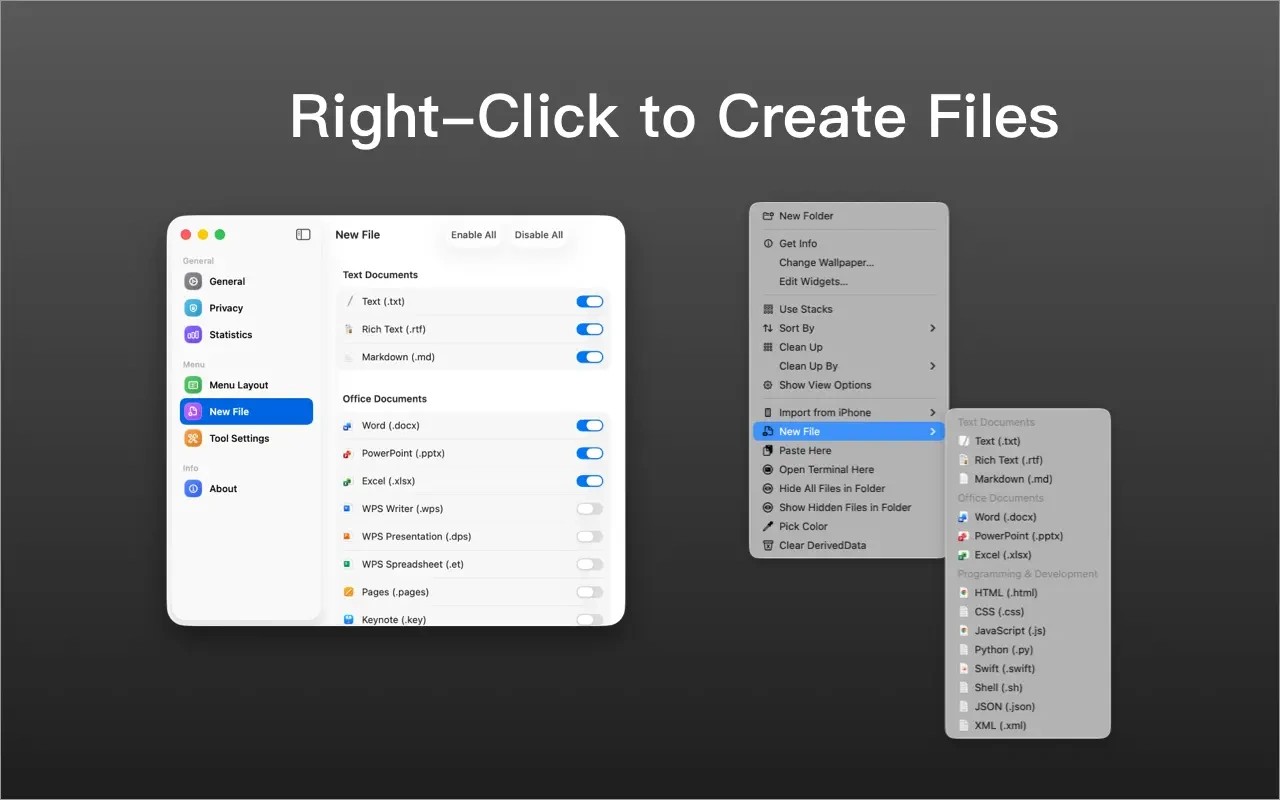
QuickRight adds common file actions to Finder’s right-click menu. You can create text, Markdown, Office, and code files in the current folder, and add your own templates to the new-file menu.
Other actions let you copy file or folder paths to the clipboard, launch Terminal in the current folder, and open files in an editor. Additional tools include archive compression and image conversion and compression.
You can drag menu items into a different order, disable unused actions, and choose between colorful and native-style icons. Setup requires enabling the Finder extension and granting access to the local or iCloud Drive folders where you want to use it. The menu appears only within the folders you have added, and no QuickRight account is required.
Tags
More in Utilities

MacClean
Utilities
Spaced
Utilities