
Pure Paste
Pure Paste clears formatting as you copy, so your usual paste command inserts plain text. It can run automatically with app exclusions or clear formatting manually using keyboard shortcuts.
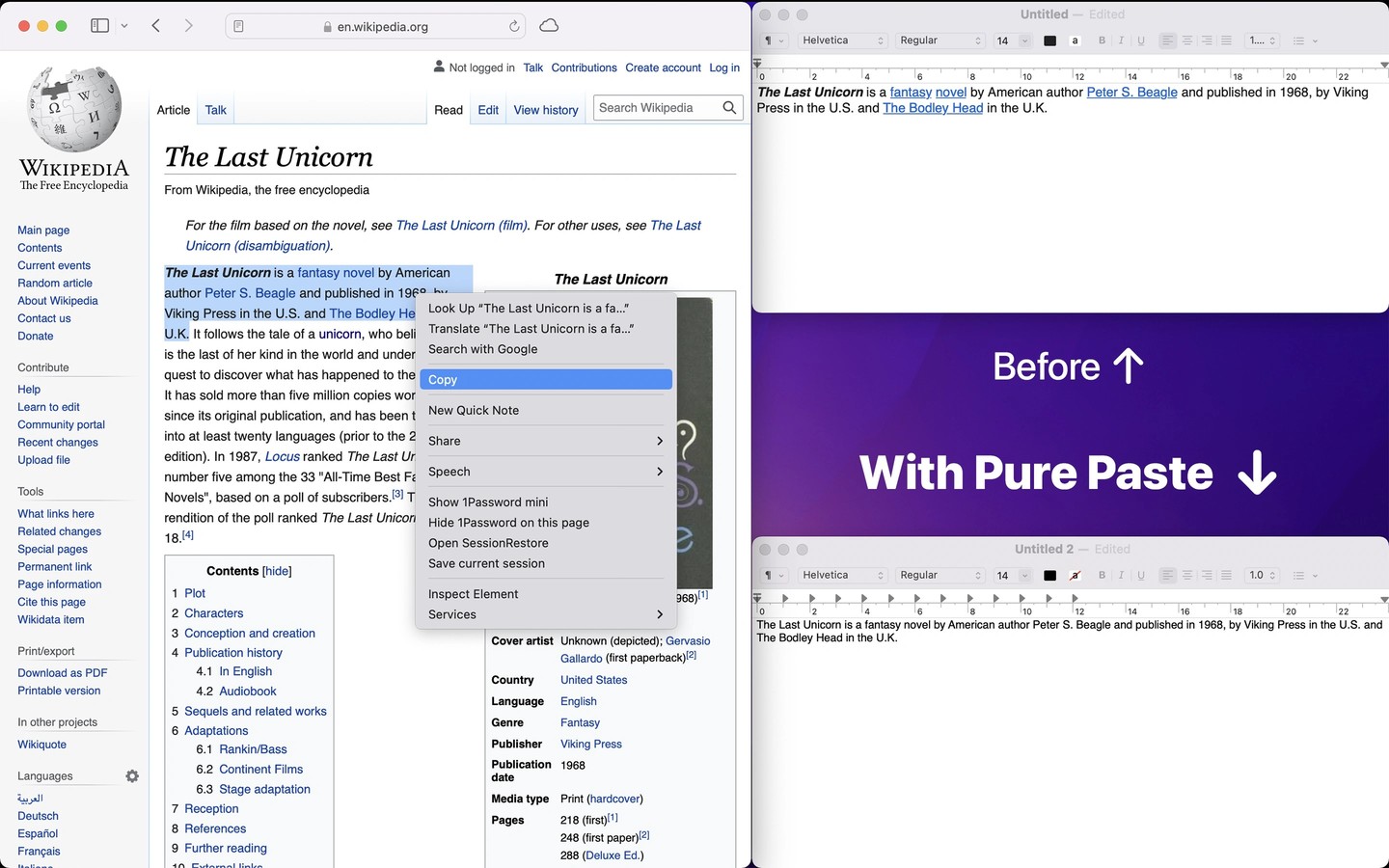
Pure Paste removes formatting from copied text in the background, letting you paste without the original fonts, colors, bold styling, or links. It changes the clipboard when you copy, rather than when you paste, and keeps no clipboard history.
You can leave automatic clearing enabled, exclude specific source apps, or switch to manual clearing with keyboard shortcuts. The menu bar icon provides controls for toggling automatic mode and clearing formatting. Shortcuts actions can also clear formatting, remove tracking parameters from URLs, and change app settings.
Optional text cleanup includes removing invisible characters and footnote references, normalizing quotes and lists, and trimming whitespace. URL cleanup removes known tracking parameters, though it may not recognize every site-specific parameter. You can preserve links, but this keeps the clipboard as rich text, which some destination apps may restyle.
Automatic clearing can conflict with clipboard managers and remove spreadsheet formulas or table structure. App exclusions or manual clearing help avoid these problems. Rich text copied from another device through Universal Clipboard does not have its formatting cleared. Pure Paste has no network access.
Tags
More in Productivity

Phrase
Productivity
DraftKey
Productivity