
DraftKey
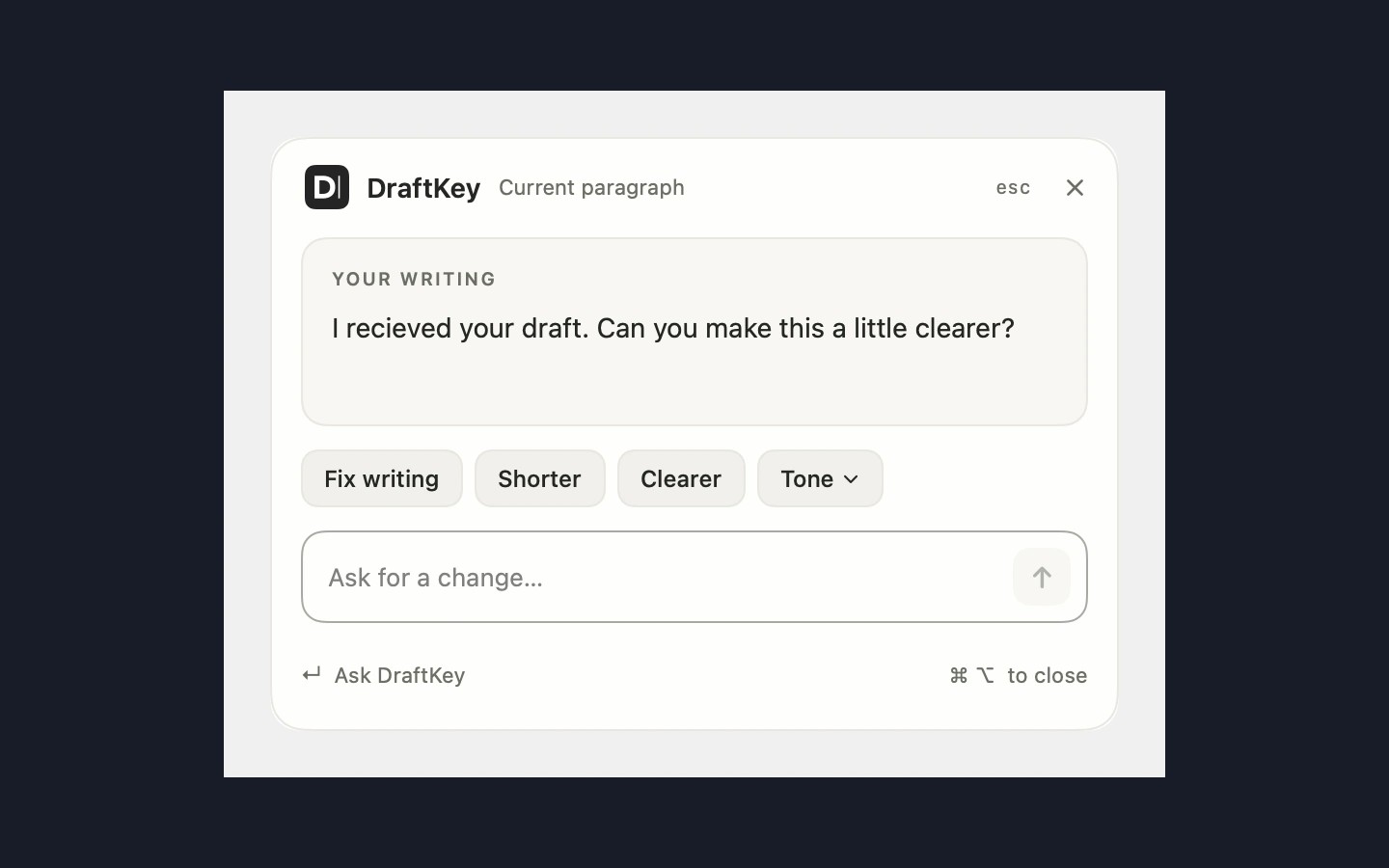
DraftKey helps you continue and revise writing in compatible Mac apps. It suggests words as you type; press Tab to accept a suggestion or keep typing to ignore it. Tap Command and Option together, then release, to open rewriting tools for the current paragraph or selected text. You can shorten or clarify text, change its tone, or enter your own request, then review the result before inserting it.
Autocomplete and rewriting run on your Mac and work offline after setup. Your text isn’t sent to a cloud AI service. Internet access is needed for the model download, license activation, and update checks. You can control autocomplete and rewriting independently and choose which apps DraftKey works in.
Compatibility depends on how each app exposes text through macOS Accessibility. Some custom editors and secure fields, such as password boxes, are excluded. DraftKey requires an Apple Silicon Mac running macOS 14 or later; Intel Macs are not supported. AI features need at least 8 GB of memory, an approximately 1.12 GB model download, and at least 2.2 GB of free space plus room for the app.
DraftKey also includes optional mechanical keyboard sounds and local clipboard history, both usable without the AI model. With history enabled and DraftKey running, it saves your latest 10 text copies across restarts. Press Command–Option–V to search or choose an item, press Return to copy it again, then paste normally. History excludes images, files, known password-manager copies, and items marked private; you can delete saved items, clear history, or stop recording.
Similar Apps

Badgeify
Productivity
Second Clock
Productivity