
Mail Archiver X
Mail Archiver X copies email and attachments from supported mail apps and IMAP accounts into a searchable local archive. Archives remain independent of your email provider and can be exported as PDF or MBOX.
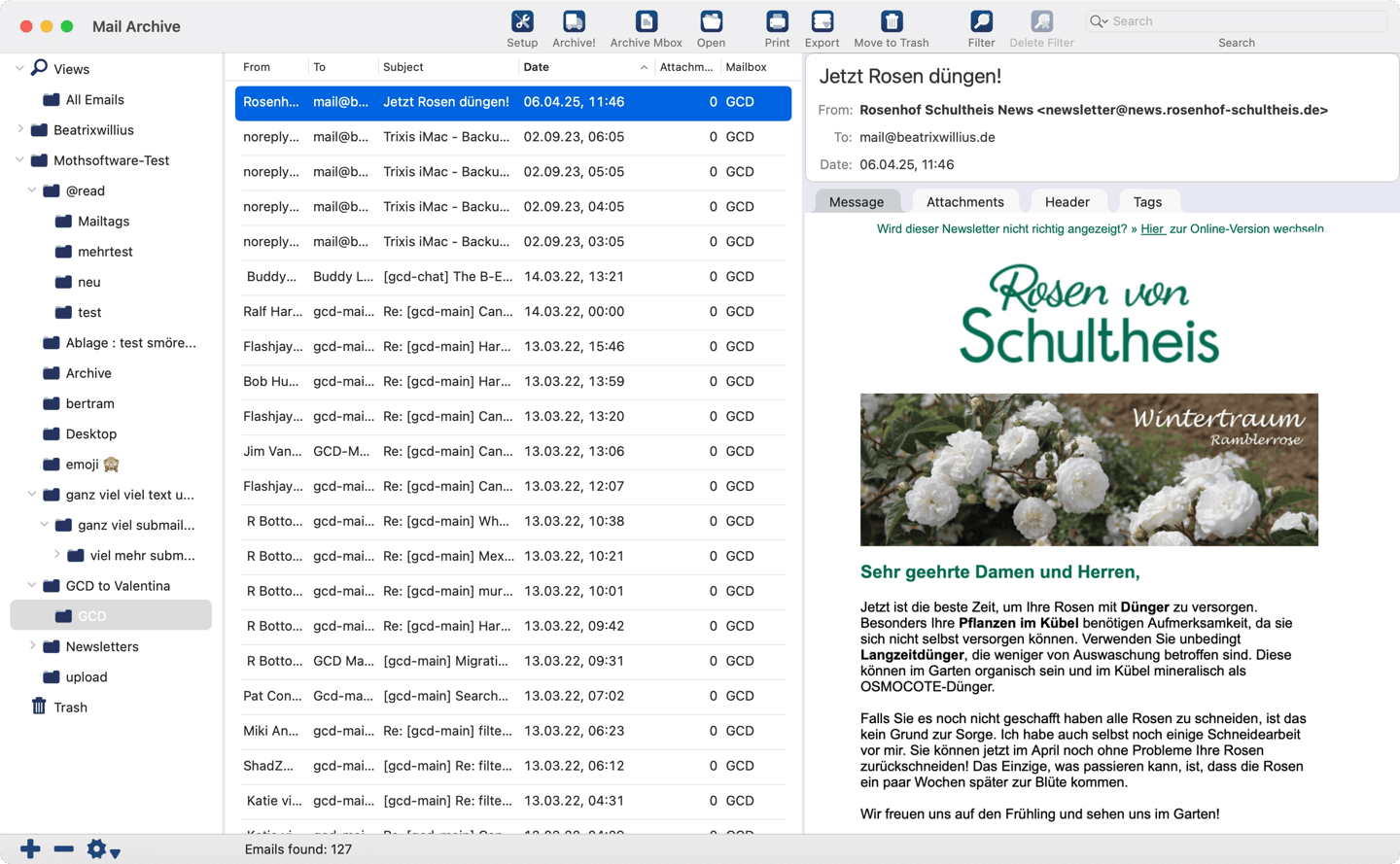
Mail Archiver X creates a searchable local archive of your email, keeping correspondence accessible independently of your email provider. It reads messages from Mail, Outlook, Thunderbird, Postbox, and IMAP accounts, including Gmail and iCloud, without requiring manual exports.
The archive preserves email content, attachments, folder structure, and metadata such as dates, senders, recipients, and headers. Its built-in viewer lets you browse mailbox folders and read messages with their attachments. Search covers sender, recipient, subject, message content, and attachments, with additional filters for more precise results.
You can keep archives on your Mac’s internal drive, an external drive, or network storage such as a NAS. Messages can be stored in the internal archive database or directly in PDF or MBOX format. PDF and MBOX are also available as export formats for reference, sharing, or moving email to other tools.
The standard edition is intended for one user accessing an archive, rather than daily inbox management or team collaboration. Shared archives and simultaneous access from multiple computers require the separate Pro server edition and a server that you or your administrator install and manage.
Tags
More in Productivity

One Thing
Productivity
GoodLinks
Productivity