
LaunchBar
LaunchBar opens apps, documents, and bookmarks using short abbreviations, with results that adapt to your usage. It also provides keyboard-based file operations, clipboard history, and scriptable actions.
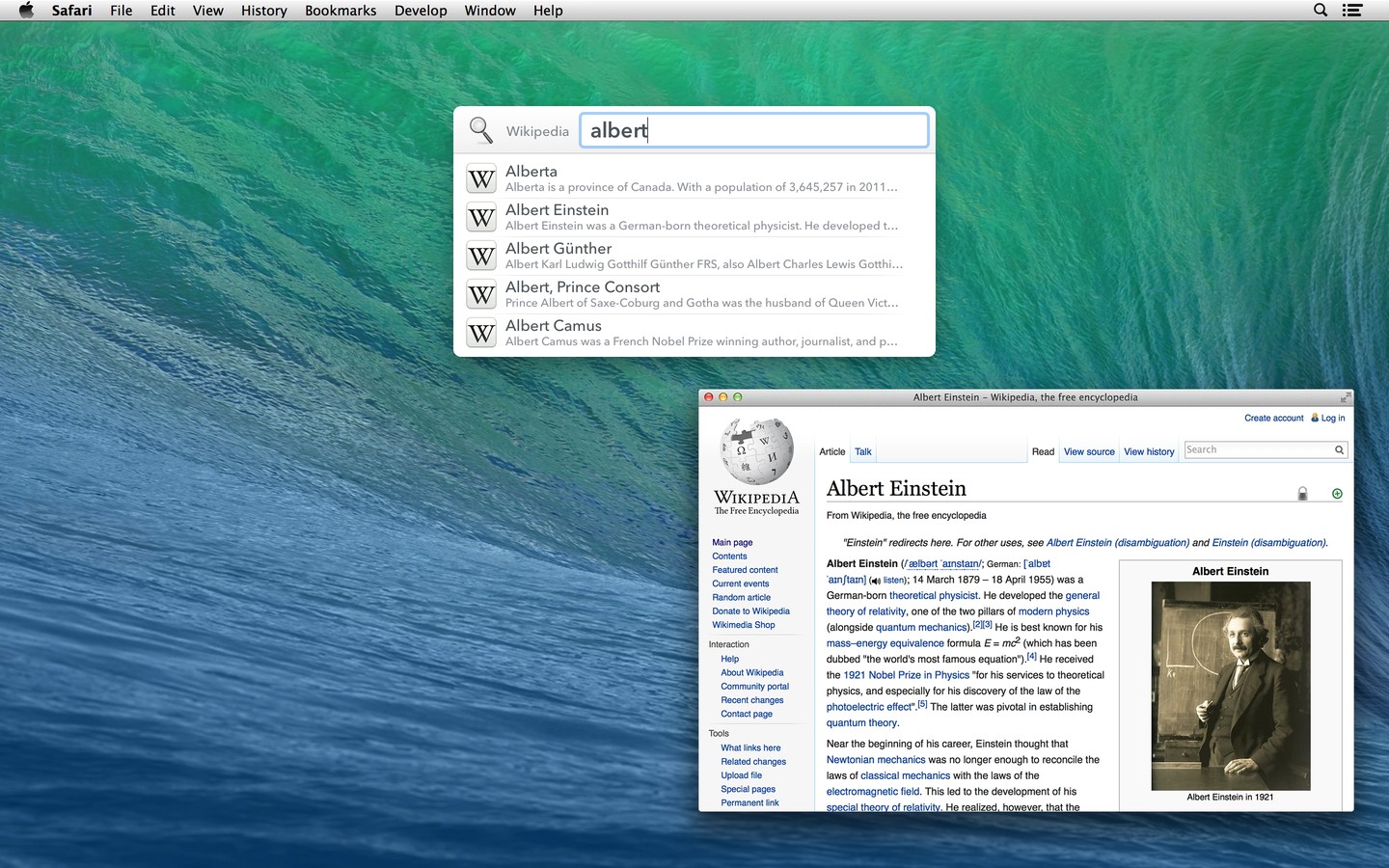
LaunchBar is a keyboard-driven launcher for applications, documents, bookmarks, and other items on your Mac. Invoke it with a shortcut and type a short abbreviation to find an item. Search rankings adapt to your usage, and arrow keys let you browse folders, recent documents, contacts, and related information.
You can act on items without switching to Finder: copy, move, rename, compress, or tag files, and inspect details such as image dimensions and file attributes. Instant Send brings selected files or text from another app into LaunchBar, where you can choose an application, folder, contact, or action to handle them.
Clipboard history lets you retrieve recently copied items, paste them as plain text, or combine several copy operations into one clipboard item. LaunchBar also provides text snippets, a calculator, web searches with live suggestions, and tools for creating calendar events and reminders.
Built-in indexing rules provide access to Shortcuts, macOS Services, browser bookmarks and history, and your Music library. You can extend the available actions with scripts, install actions shared by other users, and customize keyboard shortcuts and the search window’s appearance.
Tags
More in Productivity

Aureon
Productivity
Command X
Productivity