
Echo
Echo keeps a shared playback history for music, podcasts and videos, with a keyboard overlay for resuming where you left off. It works with native apps that publish to macOS Now Playing and captures browser media through a companion extension.
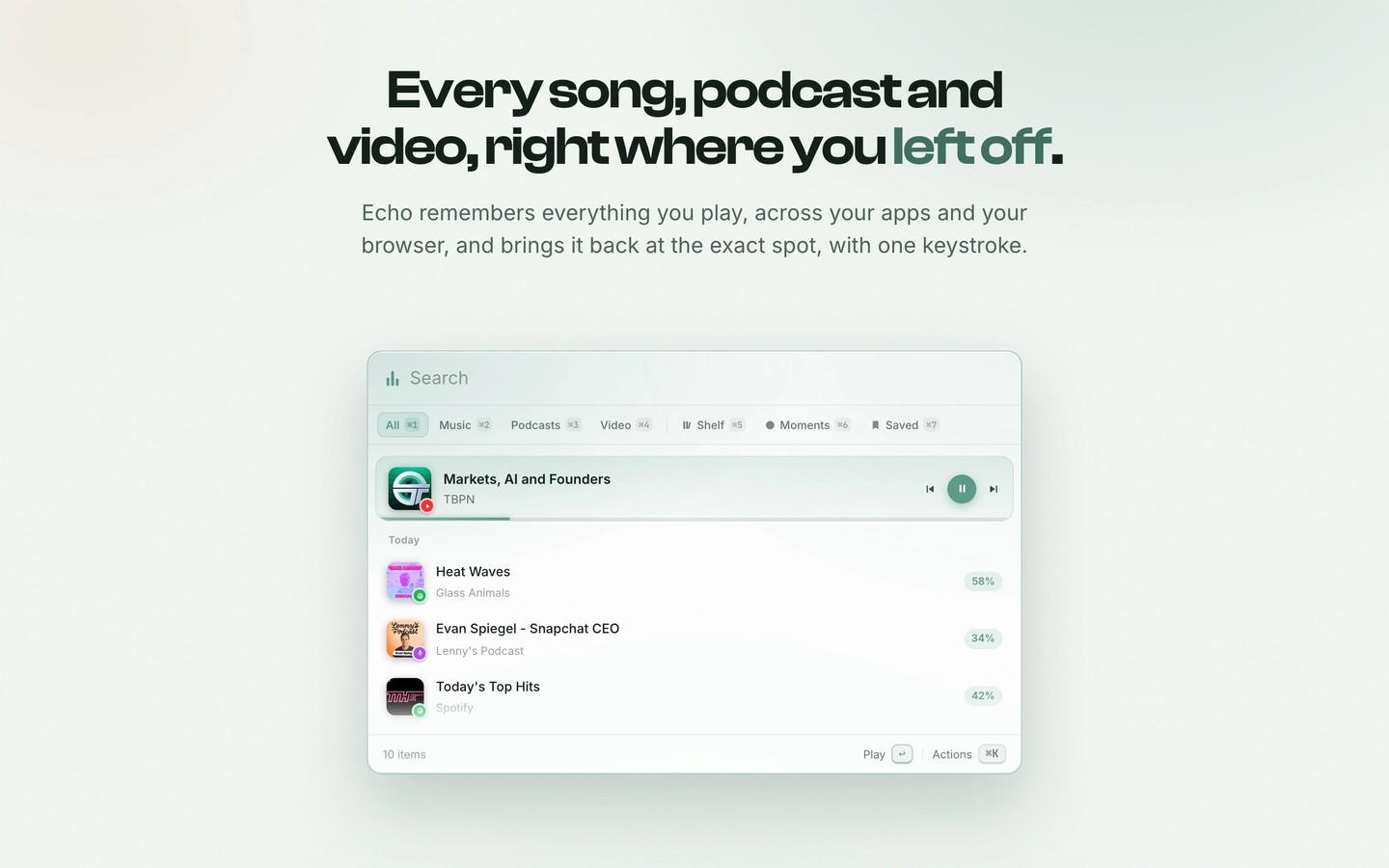
Echo remembers music, podcasts and videos so you can return to where you stopped listening or watching. A global keyboard shortcut opens an overlay of recent media over your current app. You can filter the history, choose an item and resume at the saved playback position.
Native app support covers apps that publish to macOS Now Playing, including Spotify, Apple Music and Apple Podcasts. Browser media requires the companion extension, available for Safari, Firefox and Chrome-compatible browsers. Long listening sessions from the same app collapse into expandable groups to keep other items visible.
You can bookmark a playback moment with the ten seconds before it, revisit sessions through a daily waveform, or find unfinished videos and podcasts on a shelf. Quick actions let you pin, rename and recategorize items, copy timestamped links, or scan a code to continue on your phone. Keyboard shortcuts can be reassigned.
Videos can play in a floating picture-in-picture window with a click-through mode. Optional Now Playing displays add playback controls to the menu bar, show artwork around the notch, or use the current artwork as your desktop wallpaper.
Listening history stays on your Mac rather than syncing to a cloud service. The browser extension passes media details directly to the local app without reading page text or passwords. Echo still uses internet access for updates, licence checks, artwork and YouTube playback in its floating player.
Tags
More in Utilities

UTC Time
Utilities
1Capture
Utilities