
Haptiker
Haptiker turns your trackpad edges into controls for volume, display brightness and keyboard backlight, with optional app switching along the bottom edge. Haptic ticks confirm level changes.
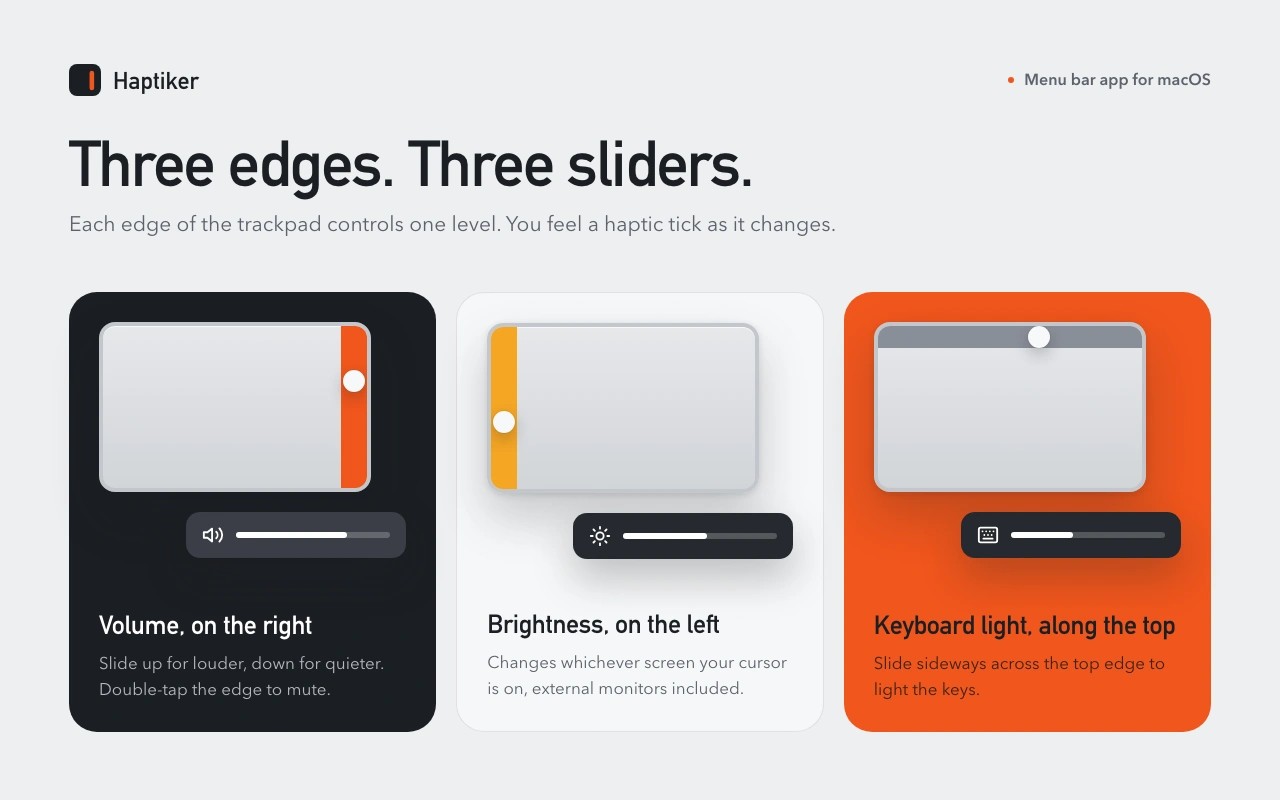
Haptiker is a menu bar app that lets you adjust Mac settings by sliding a finger along your trackpad’s edges. The right edge controls volume, the left adjusts display brightness, and the top changes keyboard backlight on Macs with a backlit keyboard. Double-tapping the right edge mutes sound.
You can enable app switching on the bottom edge, which is off by default. Flick along it to move between recent apps, or double-tap to open the switcher. From there, scroll on the trackpad to choose an app and pause to switch to it.
Edge slides must start with one finger on the edge and travel along it. Two-finger scrolling and swipes that start in the middle are ignored. Settings let you adjust edge width, sensitivity and step size, swap sides, or require an activation key. Haptic ticks confirm level changes, and gestures can be paused from the menu bar.
Brightness control follows the display under your cursor. On Apple Silicon Macs, it can also adjust external monitors through DDC/CI, though support depends on the monitor, adapter and dock. External monitor speaker volume can be adjusted when the speakers support volume control.
Haptiker requires a built-in Force Touch trackpad or a Magic Trackpad, plus Accessibility permission to detect gestures. Trackpad touches are processed in memory on your Mac and are not stored or sent. The app has no analytics; its network connections are limited to license checks and activation, and update checks.
More in Utilities

MacOSCleaner
Utilities
Randa
Utilities