
SnapState
SnapState saves and restores named workspaces with window positions, apps, and browser tabs. Restore from the menu bar or a keyboard shortcut, or automatically after sleep or a display change.
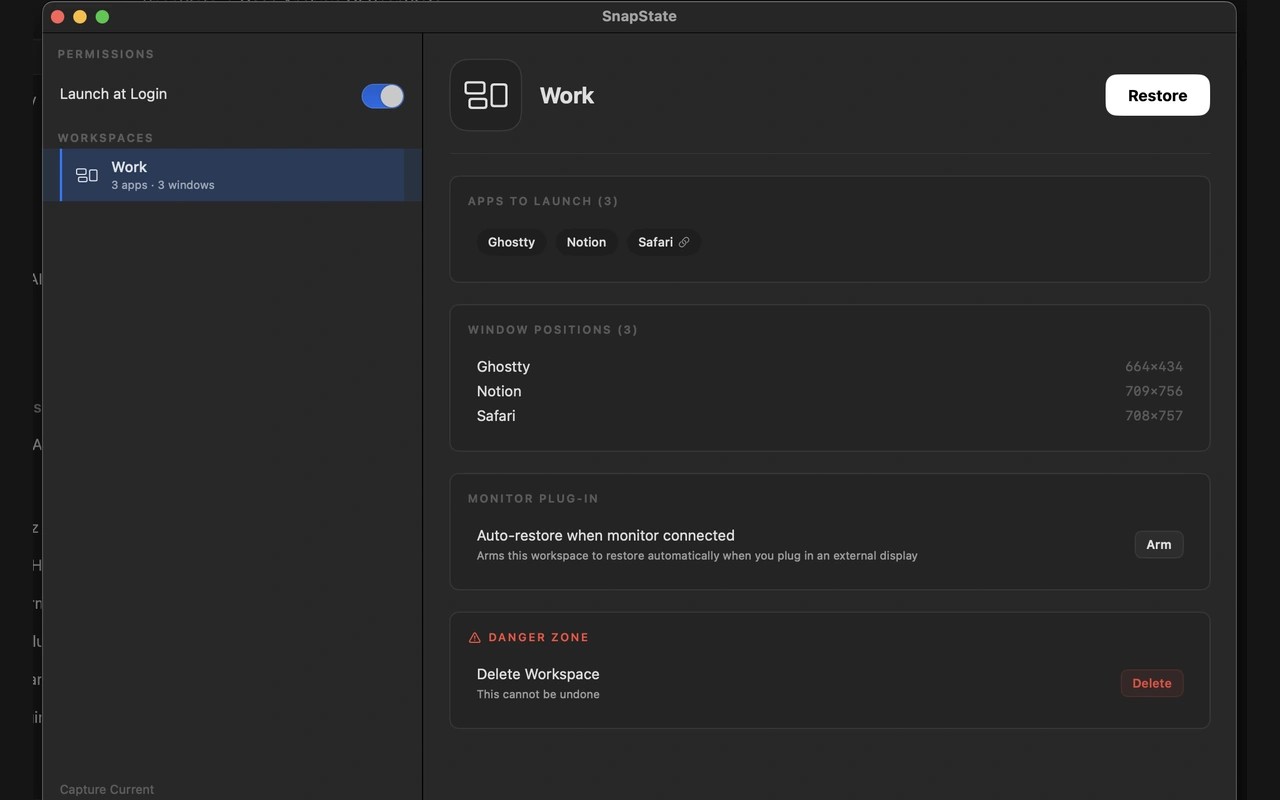
SnapState is a menu bar app that saves your Mac’s window layout as a named workspace. It captures window positions across Spaces, the apps needed to reopen them, and your display arrangement. Restoring a workspace launches missing apps and puts windows back into place.
You can restore a workspace from the menu bar or with a global keyboard shortcut. Optional automation restores a selected workspace when a display connects or disconnects, when the display layout matches, or when your Mac wakes from sleep. SnapState remaps saved window positions onto the available displays when your monitor setup changes.
Workspaces can also include all open tabs from Safari, Chrome, Edge, Brave, Arc, Chromium, and Safari Technology Preview. Browser access requires Automation permission. Tab groups are not saved.
Apps return to their saved Space, and full-screen windows return to full screen. Windows on other Spaces are positioned when you switch to those Spaces. SnapState cannot split one app across several Spaces, and it requires Accessibility permission to read and move windows.
Workspace snapshots stay locally on your Mac. Window titles, positions, and URLs are not sent, though the app sends anonymous product signals.
More in Productivity

PopClip
Productivity
ZoomHider
Productivity