PulseShot
PulseShot captures screenshots and screen recordings, with editable markup and a video timeline. On supported Macs, you can point at an area and speak instructions to create arrows, boxes and labels using on-device AI.
PulseShot combines screenshot capture, markup and screen recording in one app. Capture an area, a window or an entire screen from the menu bar, then keep screenshots and recordings in a library searchable by name or the text inside them.
The screenshot editor includes arrows, shapes, text, counters, blur, pixelation and a ruler that snaps to edges. Marks remain separate, editable layers until export, and saved PulseShot projects let you reopen them later. On-device OCR can copy text from images, while Scan & Redact finds personal details such as email addresses, phone numbers and card numbers for blurring or pixelation.
For voice markup, hold a key, point at or circle a target, and describe what to add. PulseShot presents a plan you can review before applying editable marks. You can also type markup instructions. AI features require Apple Silicon with either Apple Intelligence on macOS 26 or the downloadable local Gemma model. The app also supports Intel Macs, and ordinary markup tools work with the keyboard and mouse.
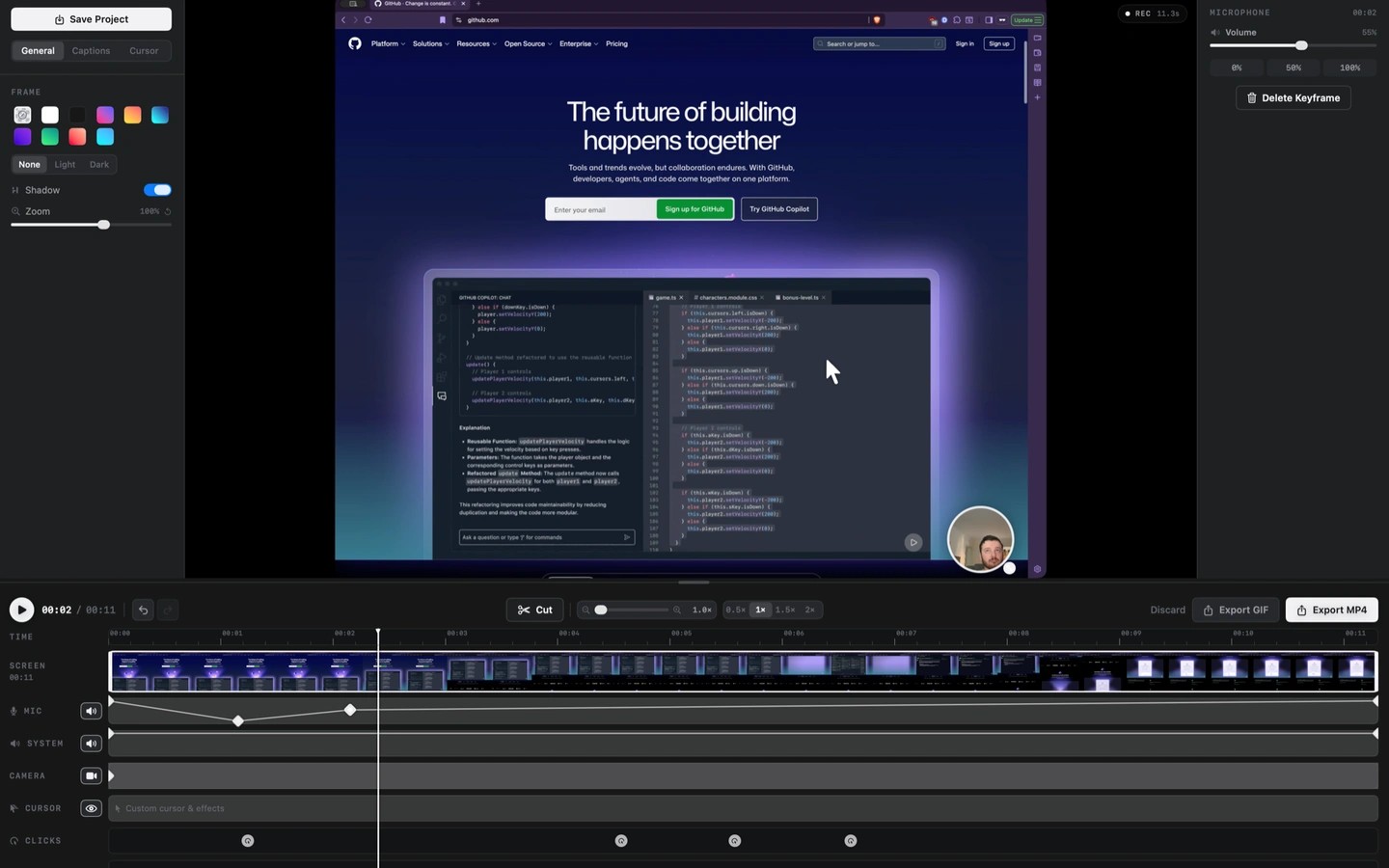
Screen recordings can include microphone audio, system audio and a camera overlay. The timeline lets you cut and split footage, adjust cursor effects, clicks and displayed keystrokes, and change zooms after recording. Automatic zoom follows clicks, while on-device Whisper transcription produces editable captions that can be exported as SRT or VTT.
Voice, AI markup and caption processing run on your Mac. PulseShot requires no account and includes no analytics. Sharing a screenshot by link uploads it to your own Cloudflare Worker, with optional password protection or expiry. Update checks and optional model downloads also use the network.
More in Productivity

Actions
Productivity
Velja
Productivity